
scalaaa - Minecraft Skins & Skin History
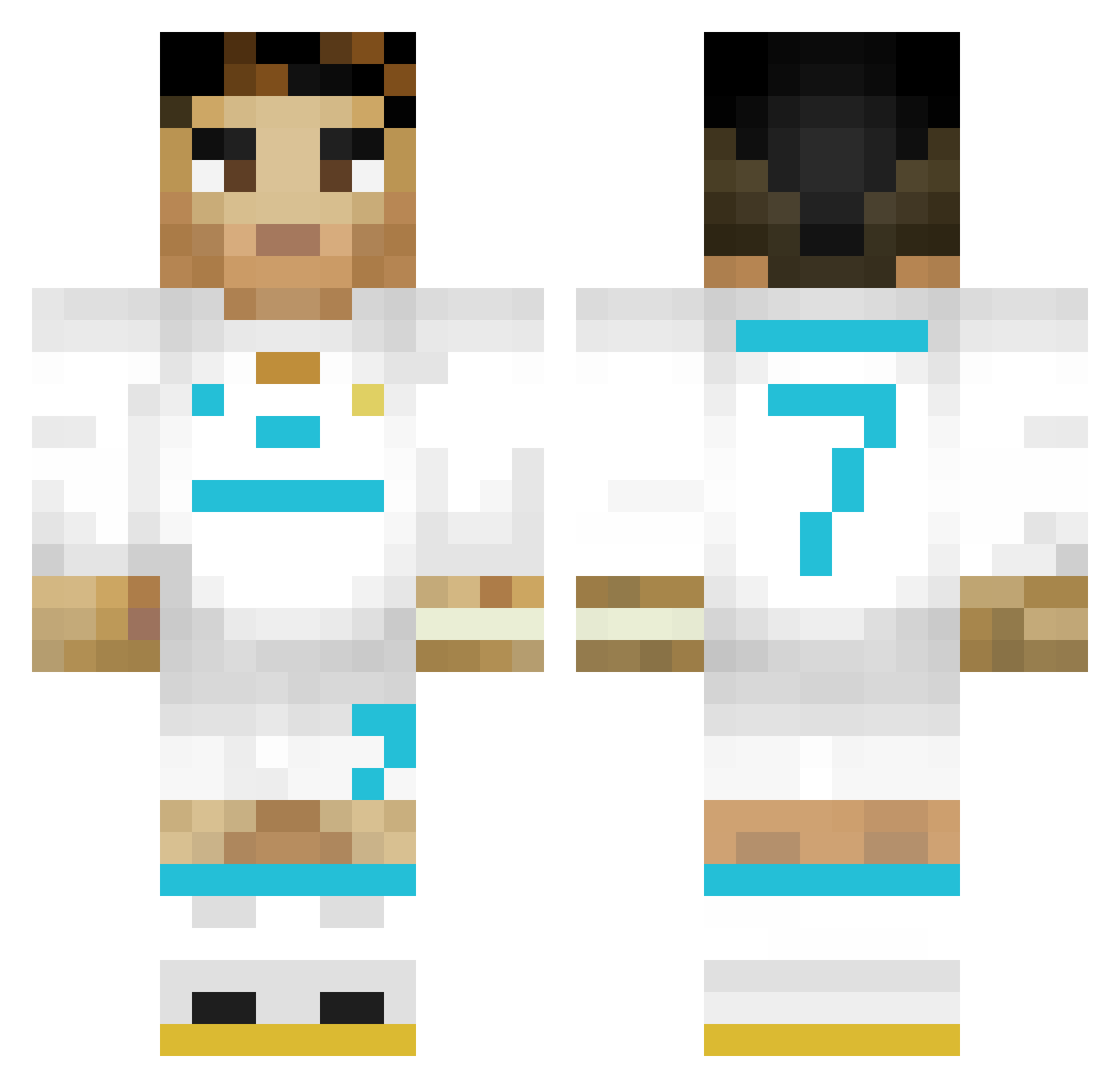
Current Minecraft skin of the player scalaaa, loaded from the official Mojang API. Rotate the 3D model with your mouse or finger, then download the skin as a PNG file and use it in Minecraft: Bedrock Edition or Java Edition for free. When scalaaa changes their skin, this page updates automatically and the old skin stays in the history below.
Other players with this skin (352)
scalaaa was the 107th player we have seen with this skin, first spotted on 30.08.2026. The same skin was seen on these players. Open a nickname to see their current skin and skin history.
 60fpz Arturek2015 Captainkelv wauthion321 Rz_orez idrisp52 NotHypnotize Fernas_NwN Mantej_7 TugoGuerrero DANDAV49 Jabotsito Qroopie Heil_Manuel OlgaOwen salvador0120 Saxfi KalcoN_ RondoGassosa Mercan0 talisscaa baran41 OnlyAngie12345 baltajH fiardiel Majsztro Julien9000
 StarWarsAayan Benni93409 Elbenys CreativeBadge85 Probossa_31 maik9lion7 ignacio12345 s2ewy Emil094 AKB317 Teletappinen Miluju_NikcaUwU sleepyracoon284 tatambk McNuggeton4 DaniBeioo nicolas209 Zlomeroficial098 Wujaszekk Yusuf3447 berden Mezarc408 Stasiekmistrz2 LuckySniper193 SrBrzao SenuxCR7 Cheezbalz Flavio_JOKER CR7_GOAT69 BABIK2005 abet2017 DA7EM Jobama321
Previous skins of scalaaa
Skins that scalaaa wore before, newest first. Click a skin to open its page and download it.
More Cristiano Ronaldo Minecraft skins
See all 204 Cristiano Ronaldo skins
How to install the scalaaa skin
- Press the Download button above to save the skin as a PNG file.
- Minecraft: Bedrock Edition (PE): open the Dressing Room from the main menu (or tap your character → Edit Character), go to Classic Skins → Owned, press the + (new skin) button, choose the downloaded PNG and pick the Classic (Steve) model. Works on PC and mobile; consoles cannot import custom skins.
- Minecraft: Java Edition: open the Minecraft Launcher, go to the Skins tab, click New Skin, load the PNG, pick the Classic (Steve) model and press Save & Use. You can also upload it at minecraft.net → Profile → Change Skin.
The skin does not show up after import - what should I do?
Restart Minecraft and open the Dressing Room again - imported skins sometimes appear only after a restart. Also make sure you selected the imported skin and picked the Classic (Steve) model.
Which model should I choose, Classic or Slim?
This skin is designed for the Classic (Steve) model. If you pick the wrong model, the arms of the skin will look stretched or squeezed.
Is the skin of scalaaa free to download?
Yes. Press Download, save the PNG file and use it in Minecraft: Bedrock Edition or Java Edition - no payment or registration needed. The skin also works on multiplayer servers and Realms.
More skins
Looking for more? Go back to all Minecraft skins and check the top skins of the week, month and all time, or find any player's skin by nickname.