
santasan19 - Minecraft Skins & Skin History
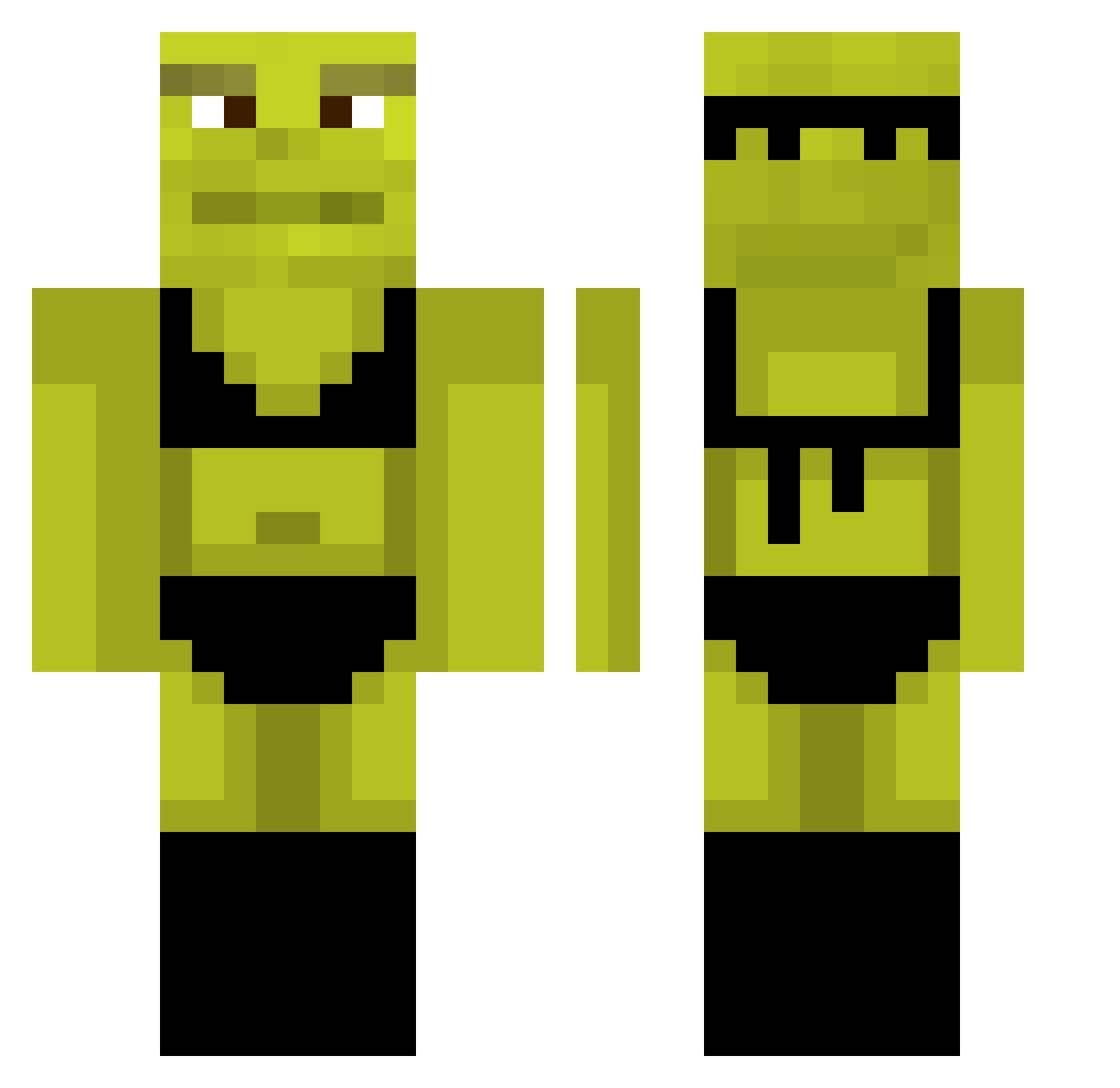
Current Minecraft skin of the player santasan19, loaded from the official Mojang API. Rotate the 3D model with your mouse or finger, then download the skin as a PNG file and use it in Minecraft: Bedrock Edition or Java Edition for free. When santasan19 changes their skin, this page updates automatically and the old skin stays in the history below.
Other players with this skin (876)
santasan19 was the 782nd player we have seen with this skin, first spotted on 23.10.2026. The same skin was seen on these players. Open a nickname to see their current skin and skin history.
 GYMP89 Salt125539 Papaleta_69 TheChookette78 PrincessValery SaidSaid Brzozon carolcaroldias bjosing mlctb jorgito_xd JimmyJohnPizza JadenRoache simonelillith Pinokhyo Cuupor Steven5553 DrLusty buzzkelp Grzesiu_187 Kiooshi Amnamcoe kimjeayoon1213 Mxqs__ tino_06 jaimehdezz StevJava TacitHurdle1929 krep69 Melzinha362 nva0gg AleBatty01 willuum NoruKun02 Bomomba Purpleshoelacess Butterfry1 Sounoukun Busatto sanxe05 DLLM1234 EBoyKarlsPetCat beetroot0 Cowgrill_ pigmen12345 Crlsswhspr Cialo_Boga Myrlen3 SirDeni08 0pantsu potentturkish tjdgur0116 NaoishDwag vk4l jeanine2431 pioter10 Robin_Hood2001 PzychoYT EnricoPalazzo_ gagaliga
More Shrek Minecraft skins
How to install the santasan19 skin
- Press the Download button above to save the skin as a PNG file.
- Minecraft: Bedrock Edition (PE): open the Dressing Room from the main menu (or tap your character → Edit Character), go to Classic Skins → Owned, press the + (new skin) button, choose the downloaded PNG and pick the Classic (Steve) model. Works on PC and mobile; consoles cannot import custom skins.
- Minecraft: Java Edition: open the Minecraft Launcher, go to the Skins tab, click New Skin, load the PNG, pick the Classic (Steve) model and press Save & Use. You can also upload it at minecraft.net → Profile → Change Skin.
The skin does not show up after import - what should I do?
Restart Minecraft and open the Dressing Room again - imported skins sometimes appear only after a restart. Also make sure you selected the imported skin and picked the Classic (Steve) model.
Which model should I choose, Classic or Slim?
This skin is designed for the Classic (Steve) model. If you pick the wrong model, the arms of the skin will look stretched or squeezed.
Is the skin of santasan19 free to download?
Yes. Press Download, save the PNG file and use it in Minecraft: Bedrock Edition or Java Edition - no payment or registration needed. The skin also works on multiplayer servers and Realms.
More skins
Looking for more? Go back to all Minecraft skins and check the top skins of the week, month and all time, or find any player's skin by nickname.