
sanqian2 - Minecraft Skins & Skin History
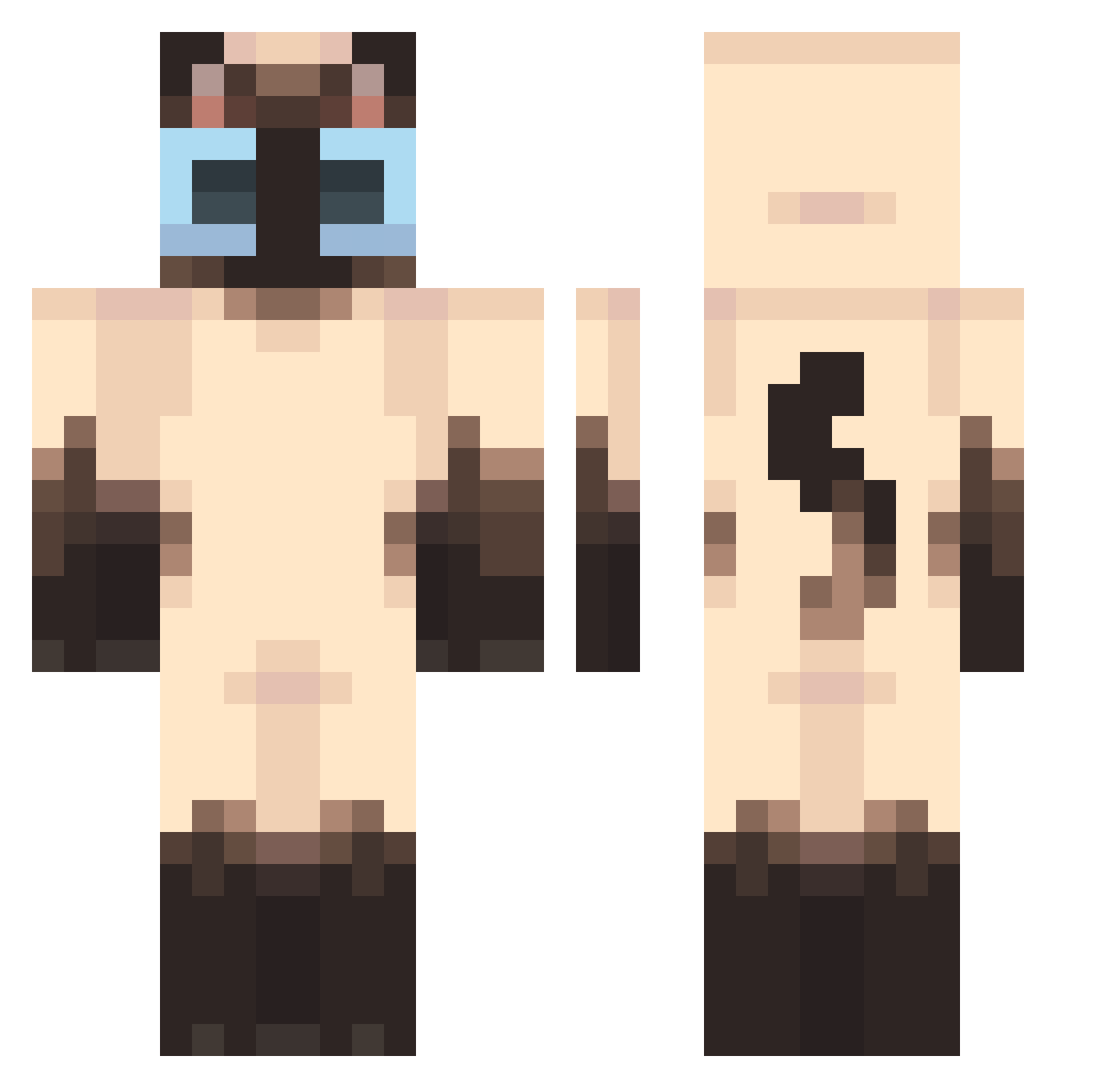
Current Minecraft skin of the player sanqian2, loaded from the official Mojang API. Rotate the 3D model with your mouse or finger, then download the skin as a PNG file and use it in Minecraft: Bedrock Edition or Java Edition for free. When sanqian2 changes their skin, this page updates automatically and the old skin stays in the history below.
Other players with this skin (440)
sanqian2 was the 20th player we have seen with this skin, first spotted on 28.07.2026. The same skin was seen on these players. Open a nickname to see their current skin and skin history.
 plushie26 BryanaDenny
 emeraldcye Eren_Joe kingbumi_ Plumeriia xdelaney Black_Dog8339 NagitoOnTheDS
 Tomomomomomomom Meow_Nabi Julka_Guzik Mattyrnoo ssojoss crickeret loloawesomegirl Avocameow GoodGoodMorning Lloydes Babe0016 sniktone SubtleLeek lazuli1203 SashaIva ollitto BuriedBoness bami777 Wir_144hz tinfoilmeow Bombay0928 oyyanqazaq liianizz VIC_XXX 55ZZ MyCatExpl0ded Mr_MAXimus Happy_Danny TamanduaDe4ngola MatildeL LIFFFF123 Kurqko Kenzobingo_ daeuncc santimantou ehityeah kaczuszkaez ozo4 iiwuvu eternallyselly
 Kingly3011 Cyber1_
 Dojyyannnnnn pimpg POLO_333 idaruisonyeo ReVuerta ceumcainks can_len media241 komicul
More Siamese Cat Minecraft skins
How to install the sanqian2 skin
- Press the Download button above to save the skin as a PNG file.
- Minecraft: Bedrock Edition (PE): open the Dressing Room from the main menu (or tap your character → Edit Character), go to Classic Skins → Owned, press the + (new skin) button, choose the downloaded PNG and pick the Classic (Steve) model. Works on PC and mobile; consoles cannot import custom skins.
- Minecraft: Java Edition: open the Minecraft Launcher, go to the Skins tab, click New Skin, load the PNG, pick the Classic (Steve) model and press Save & Use. You can also upload it at minecraft.net → Profile → Change Skin.
The skin does not show up after import - what should I do?
Restart Minecraft and open the Dressing Room again - imported skins sometimes appear only after a restart. Also make sure you selected the imported skin and picked the Classic (Steve) model.
Which model should I choose, Classic or Slim?
This skin is designed for the Classic (Steve) model. If you pick the wrong model, the arms of the skin will look stretched or squeezed.
Is the skin of sanqian2 free to download?
Yes. Press Download, save the PNG file and use it in Minecraft: Bedrock Edition or Java Edition - no payment or registration needed. The skin also works on multiplayer servers and Realms.
More skins
Looking for more? Go back to all Minecraft skins and check the top skins of the week, month and all time, or find any player's skin by nickname.