
samuell016 - Minecraft Skins & Skin History
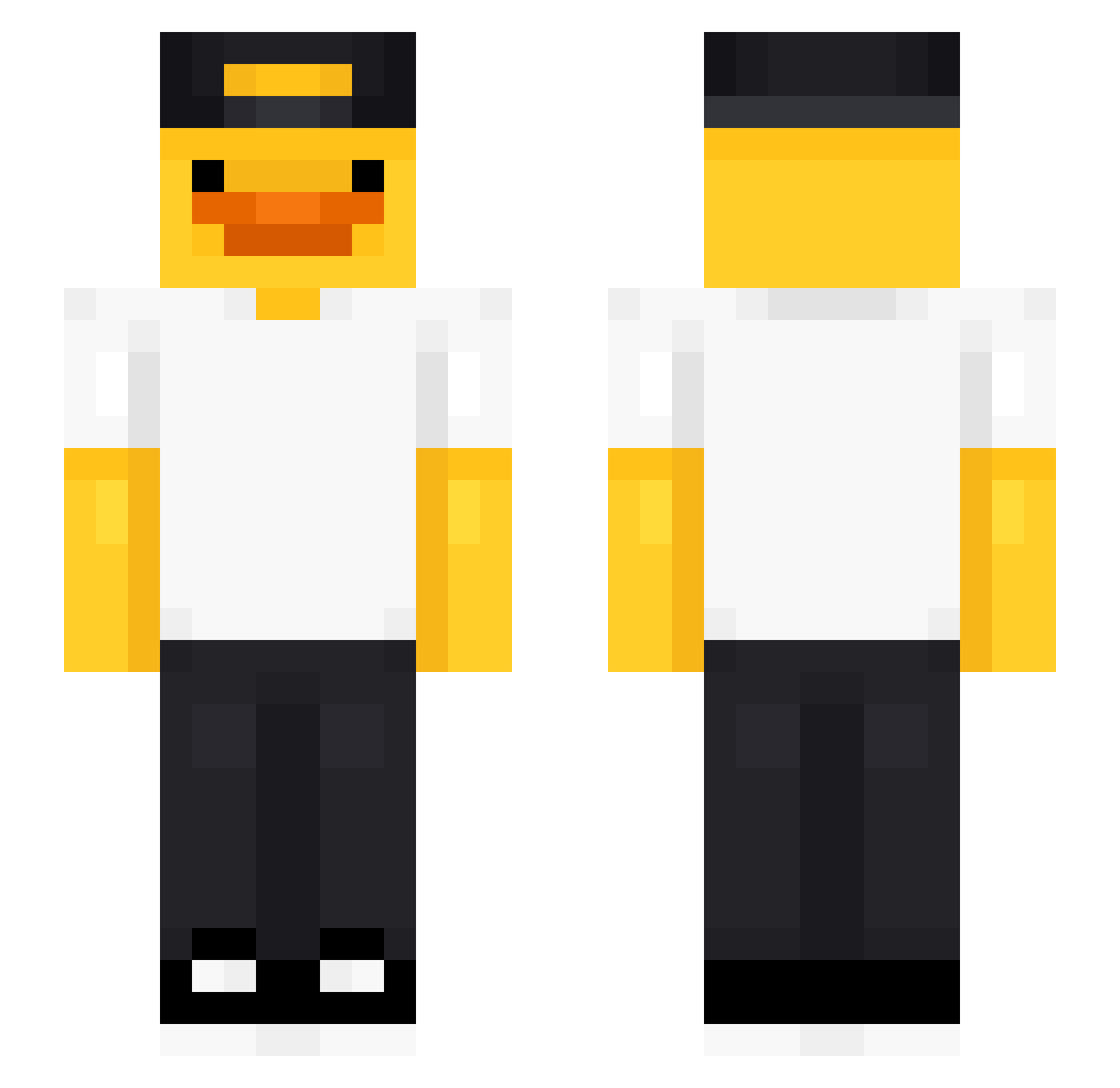
Current Minecraft skin of the player samuell016, loaded from the official Mojang API. Rotate the 3D model with your mouse or finger, then download the skin as a PNG file and use it in Minecraft: Bedrock Edition or Java Edition for free. When samuell016 changes their skin, this page updates automatically and the old skin stays in the history below.
Other players with this skin (476)
samuell016 was the 411th player we have seen with this skin, first spotted on 21.10.2026. The same skin was seen on these players. Open a nickname to see their current skin and skin history.
 Bellabee_333 Buusterud DJ_Willis jojje_ Keeeya07 PalorLnd ArtyPie888 skibidininja6969 ELMERODEADOR Sunezera Rwilmus gizmoismyname igiderbree SDWPrime ElitisMetal HYEON0813 ahmdmhm12o Jimbo_102 Nisianakis dak168 UrASweat Jerry18423 mnrz___ MSChlapec fishdong Globi990 DG9081 1qxW kaynefps neoguli_ itzDede OJBAP13 toshi2630 IWDAN Kuzan2308 HeLittay Succulent_lol Gyroku duck9990 Roman_Glitch kinglion1290 JOELES23 JoeWoody112 MCKAT12 hyenjun2792 Cygnus600 NotCrazy_ Rayder2809 Eloulp56 XFELPD TheLonelyRJ evoL__ MT_TIE KaczkusMC PrezesSnajper Witex1234 Bitterlemondavid dino20131 Pulchr1fy Chrizh168
More Cap Minecraft skins
How to install the samuell016 skin
- Press the Download button above to save the skin as a PNG file.
- Minecraft: Bedrock Edition (PE): open the Dressing Room from the main menu (or tap your character → Edit Character), go to Classic Skins → Owned, press the + (new skin) button, choose the downloaded PNG and pick the Slim (Alex) model. Works on PC and mobile; consoles cannot import custom skins.
- Minecraft: Java Edition: open the Minecraft Launcher, go to the Skins tab, click New Skin, load the PNG, pick the Slim (Alex) model and press Save & Use. You can also upload it at minecraft.net → Profile → Change Skin.
The skin does not show up after import - what should I do?
Restart Minecraft and open the Dressing Room again - imported skins sometimes appear only after a restart. Also make sure you selected the imported skin and picked the Slim (Alex) model.
Which model should I choose, Classic or Slim?
This skin is designed for the Slim (Alex) model. If you pick the wrong model, the arms of the skin will look stretched or squeezed.
Is the skin of samuell016 free to download?
Yes. Press Download, save the PNG file and use it in Minecraft: Bedrock Edition or Java Edition - no payment or registration needed. The skin also works on multiplayer servers and Realms.
More skins
Looking for more? Go back to all Minecraft skins and check the top skins of the week, month and all time, or find any player's skin by nickname.