
salaminobartek67 - Minecraft Skins & Skin History
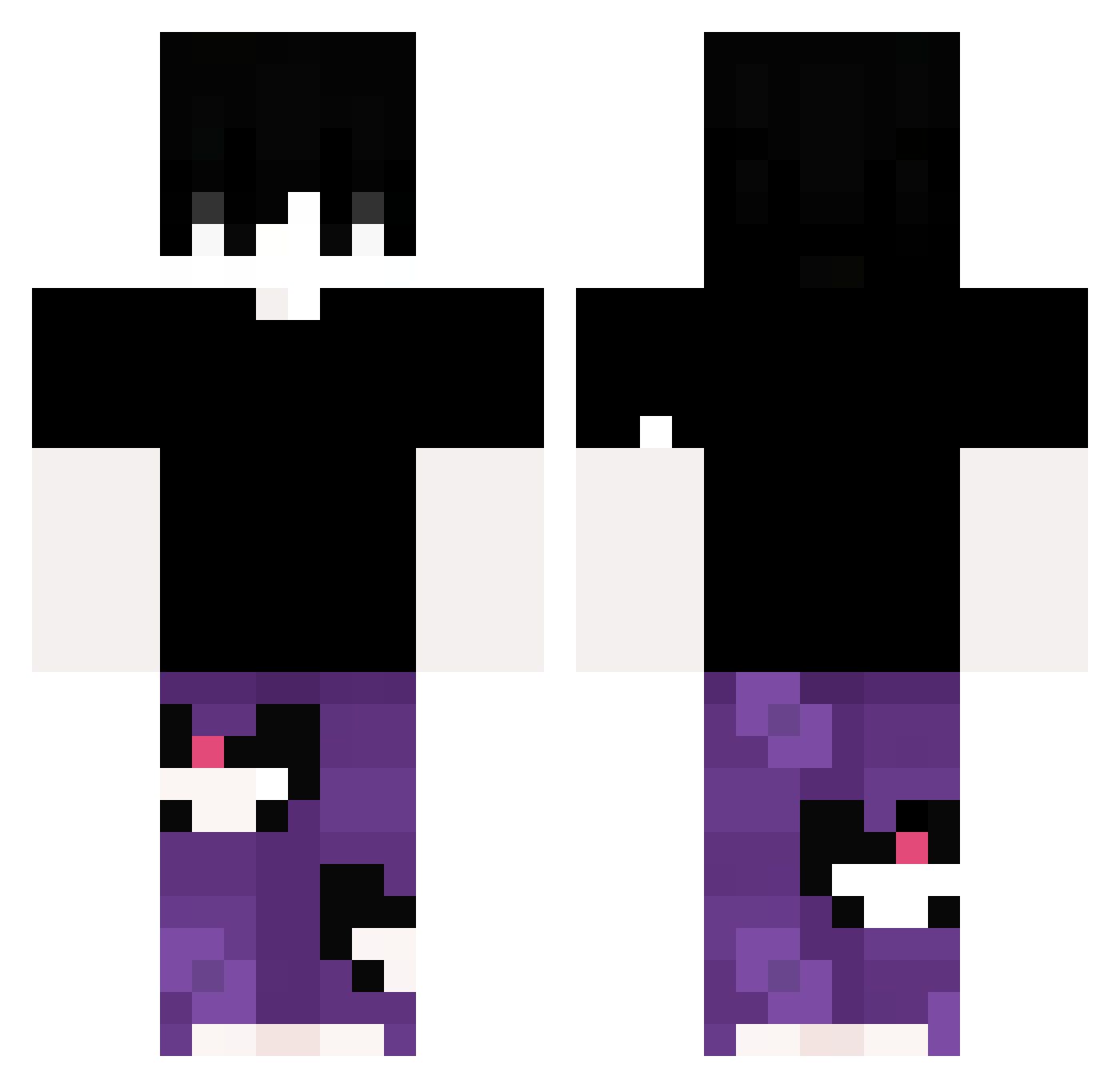
Current Minecraft skin of the player salaminobartek67, loaded from the official Mojang API. Rotate the 3D model with your mouse or finger, then download the skin as a PNG file and use it in Minecraft: Bedrock Edition or Java Edition for free. When salaminobartek67 changes their skin, this page updates automatically and the old skin stays in the history below.
Other players with this skin (326)
salaminobartek67 was the 274th player we have seen with this skin, first spotted on 18.10.2026. The same skin was seen on these players. Open a nickname to see their current skin and skin history.
 Th_iago biba5885 XiaoShi5210 lakenggg FawnOverKon voxy25 MrGoonicidal nighhts 421dollars Twizzy187 Patolasxz Suqrae Vinmz El_monster_flama N1k0la_Tesla langliulian 0313ho KINO_0715 Bozulmus_Yogurt Th3Drako Iceyishere eusad PapuLife_ HIT_Blacks Crimspy031 2rix qingyu_27 Declan122 VIIIXXV cJUNc Olivander04 vznn7 XIAOYUNNZ Lxlaxxy doming000yt Bolence A_yan_zi iMarksESP BIGsiu byRamza TheRealBulla15 RafisP KaykyPri MarshallMdb xiangyanghuaLALA promigas13 DIGUITOFPS Rdoxz maxwinelapse RoninTuT camFIYTBB DroppedByFlex Resetz7 maci0_ lquifisocute ryan127127 Blukuba RIZENFLASH DOMKOWICZ1 ZbysiuKucharskii
How to install the salaminobartek67 skin
- Press the Download button above to save the skin as a PNG file.
- Minecraft: Bedrock Edition (PE): open the Dressing Room from the main menu (or tap your character → Edit Character), go to Classic Skins → Owned, press the + (new skin) button, choose the downloaded PNG and pick the Classic (Steve) model. Works on PC and mobile; consoles cannot import custom skins.
- Minecraft: Java Edition: open the Minecraft Launcher, go to the Skins tab, click New Skin, load the PNG, pick the Classic (Steve) model and press Save & Use. You can also upload it at minecraft.net → Profile → Change Skin.
The skin does not show up after import - what should I do?
Restart Minecraft and open the Dressing Room again - imported skins sometimes appear only after a restart. Also make sure you selected the imported skin and picked the Classic (Steve) model.
Which model should I choose, Classic or Slim?
This skin is designed for the Classic (Steve) model. If you pick the wrong model, the arms of the skin will look stretched or squeezed.
Is the skin of salaminobartek67 free to download?
Yes. Press Download, save the PNG file and use it in Minecraft: Bedrock Edition or Java Edition - no payment or registration needed. The skin also works on multiplayer servers and Realms.
More skins
Looking for more? Go back to all Minecraft skins and check the top skins of the week, month and all time, or find any player's skin by nickname.