
sakana223 - Minecraft Skins & Skin History
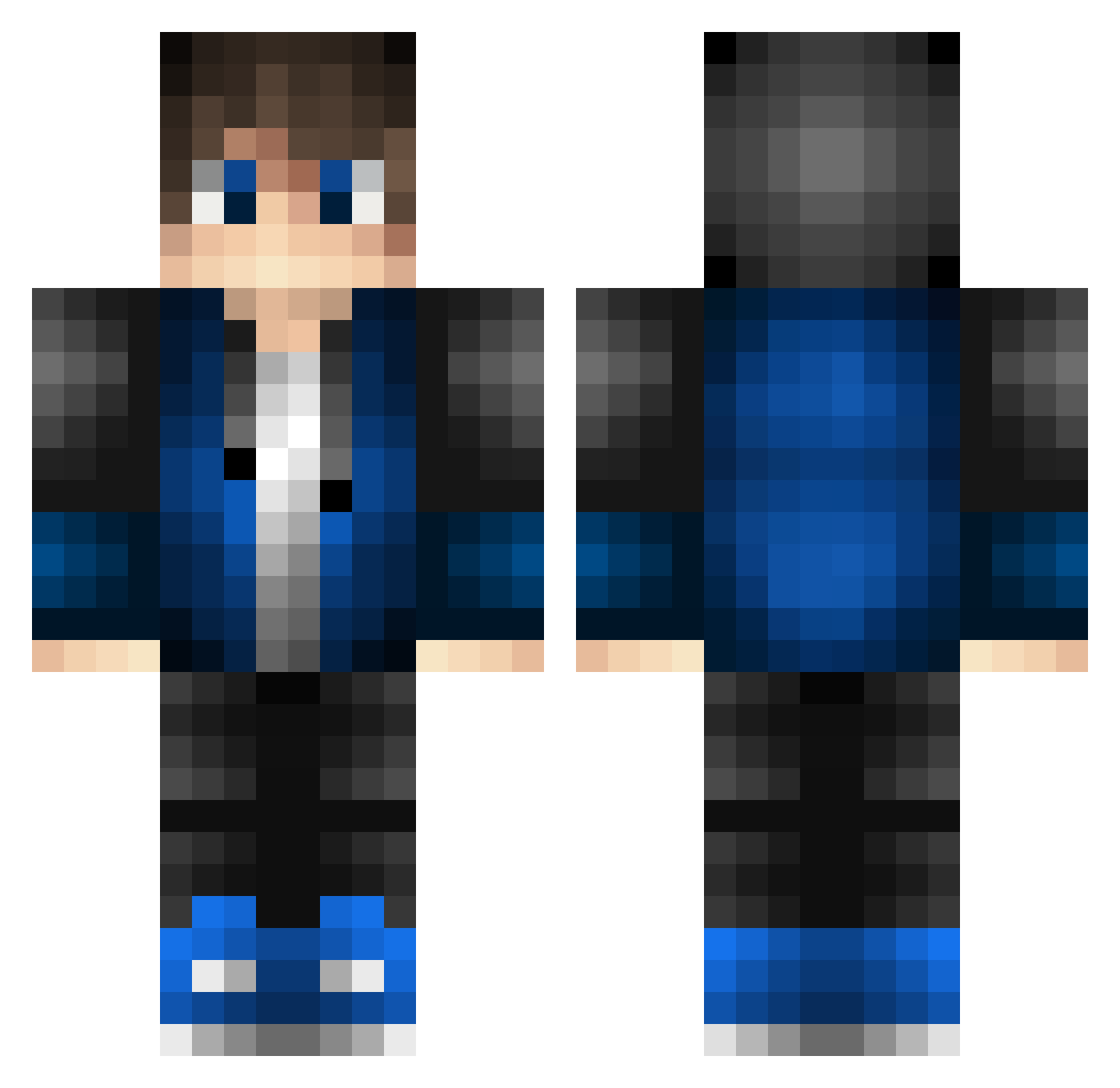
Current Minecraft skin of the player sakana223, loaded from the official Mojang API. Rotate the 3D model with your mouse or finger, then download the skin as a PNG file and use it in Minecraft: Bedrock Edition or Java Edition for free. When sakana223 changes their skin, this page updates automatically and the old skin stays in the history below.
Other players with this skin (528)
sakana223 was the 306th player we have seen with this skin, first spotted on 28.09.2026. The same skin was seen on these players. Open a nickname to see their current skin and skin history.
 Fcris111 _Kiepo 33564645646 JosiCraftStudio 60208_james MinecraftGoliat DJGamingMC Jane_MC03 Strider54321 Kchan_1090 rice_eater_123 IMOKENPINOYOUSEI EricTaiwan Juicerest MidnightCry Leviazr Goldeneverfire0 77kid2 Fgary ThisPluto346270 SpiderySugar_ weedtreep Letonio74 DPROM Raptor400 Zyas CXY07 HakairuMajikku Btrain1234 TrunksHO ugly_ageli Byouby Andogi05 zennher yu_ya_ya BramvdKlashorst Leloyea EvHi LuchoSSJ10 noob820 Witch_Hunters ArhainMinaith Clown__Shoes FrancescoQ chenyixing1 CaptainKevin01 Cyanbruce 0m_t3l0l3T BrianPetre AresTushka BentoDH LeviArtz Aselum Vincnouf Feuerstern_6 OscarVGM Nrrio junka47 BlueEasy HowdyChris
How to install the sakana223 skin
- Press the Download button above to save the skin as a PNG file.
- Minecraft: Bedrock Edition (PE): open the Dressing Room from the main menu (or tap your character → Edit Character), go to Classic Skins → Owned, press the + (new skin) button, choose the downloaded PNG and pick the Classic (Steve) model. Works on PC and mobile; consoles cannot import custom skins.
- Minecraft: Java Edition: open the Minecraft Launcher, go to the Skins tab, click New Skin, load the PNG, pick the Classic (Steve) model and press Save & Use. You can also upload it at minecraft.net → Profile → Change Skin.
The skin does not show up after import - what should I do?
Restart Minecraft and open the Dressing Room again - imported skins sometimes appear only after a restart. Also make sure you selected the imported skin and picked the Classic (Steve) model.
Which model should I choose, Classic or Slim?
This skin is designed for the Classic (Steve) model. If you pick the wrong model, the arms of the skin will look stretched or squeezed.
Is the skin of sakana223 free to download?
Yes. Press Download, save the PNG file and use it in Minecraft: Bedrock Edition or Java Edition - no payment or registration needed. The skin also works on multiplayer servers and Realms.
More skins
Looking for more? Go back to all Minecraft skins and check the top skins of the week, month and all time, or find any player's skin by nickname.