
s3th06 - Minecraft Skins & Skin History
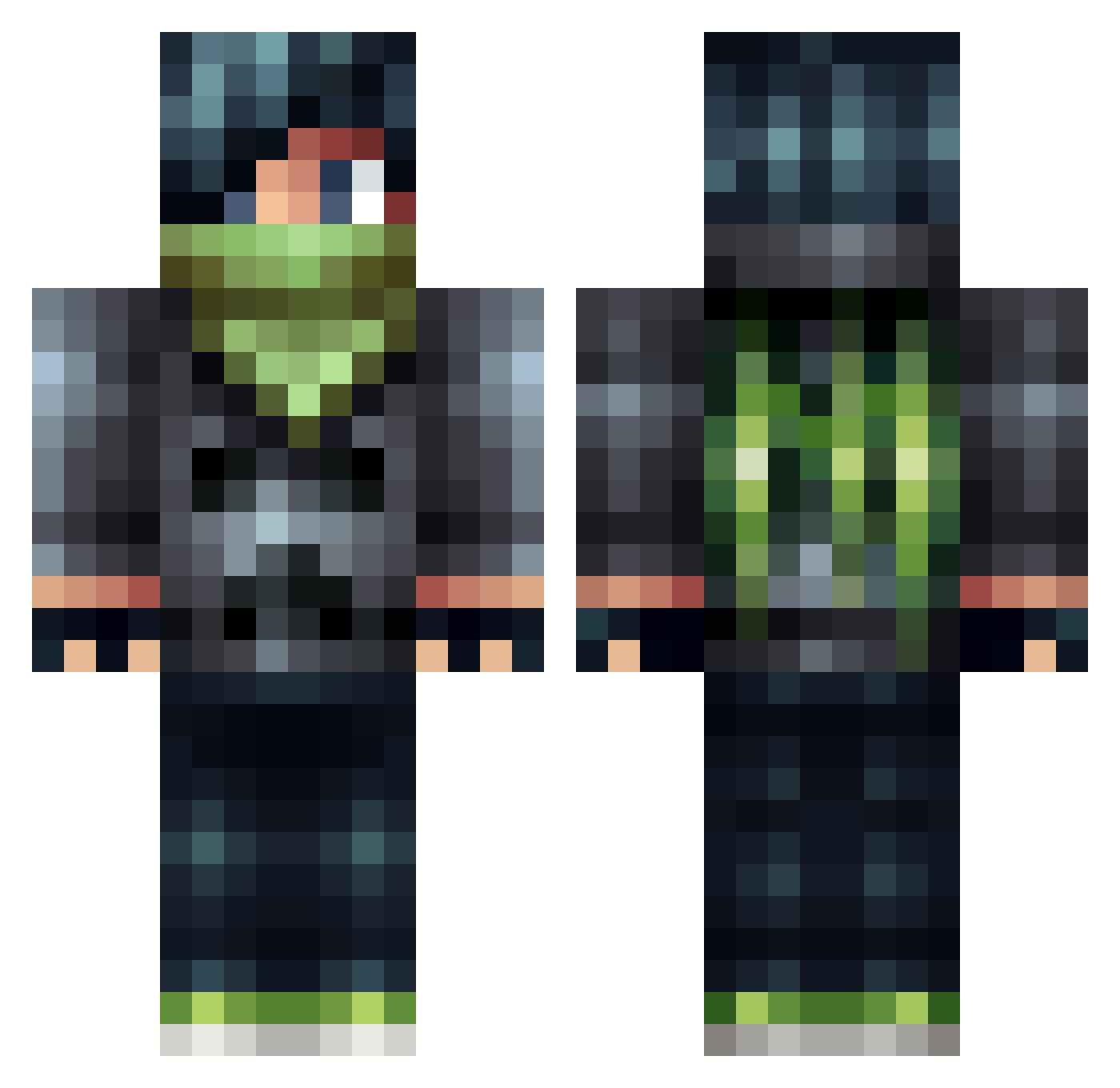
Current Minecraft skin of the player s3th06, loaded from the official Mojang API. Rotate the 3D model with your mouse or finger, then download the skin as a PNG file and use it in Minecraft: Bedrock Edition or Java Edition for free. When s3th06 changes their skin, this page updates automatically and the old skin stays in the history below.
Other players with this skin (506)
s3th06 was the 175th player we have seen with this skin, first spotted on 03.09.2026. The same skin was seen on these players. Open a nickname to see their current skin and skin history.
 Riddarwille MorioK DylanBrooks847 Atfore2 Sinrithe Tomekk2131 Guyzer80 olivernash99 DoragonPJ C_Dards ghostmine12 MineWhiz XxflashxX_ xrayman11 sirpotsalot2000 Gabikel camkill666 Apple_Rhampage Lastec creekskater letsplaysphilip s3gf4u1t Henry__Park lukas_gerber Sir_Kro silvergold70 raza1111 Koho37 cshack542 Rouzlen_Wolf adambox11 EJDABAD Calendorr WiseGuyDoTs ZmUn 1nFamy hobojo13 King_Lillen NightKill3r147 snusen11 FatBaconLips Sune1889 ToragsnWhip Zabbe5000 InfamousWizard JAKEYBOY498 Blakjaz dvm2014 salamander4422 Sora2b matt123fcb josephwar zebbet01 YelelMC baowftw PlayManFoReal Quinten0422 superjay5084 Rob_the_gagastar Shadowhex1009
More Bandit Minecraft skins
How to install the s3th06 skin
- Press the Download button above to save the skin as a PNG file.
- Minecraft: Bedrock Edition (PE): open the Dressing Room from the main menu (or tap your character → Edit Character), go to Classic Skins → Owned, press the + (new skin) button, choose the downloaded PNG and pick the Classic (Steve) model. Works on PC and mobile; consoles cannot import custom skins.
- Minecraft: Java Edition: open the Minecraft Launcher, go to the Skins tab, click New Skin, load the PNG, pick the Classic (Steve) model and press Save & Use. You can also upload it at minecraft.net → Profile → Change Skin.
The skin does not show up after import - what should I do?
Restart Minecraft and open the Dressing Room again - imported skins sometimes appear only after a restart. Also make sure you selected the imported skin and picked the Classic (Steve) model.
Which model should I choose, Classic or Slim?
This skin is designed for the Classic (Steve) model. If you pick the wrong model, the arms of the skin will look stretched or squeezed.
Is the skin of s3th06 free to download?
Yes. Press Download, save the PNG file and use it in Minecraft: Bedrock Edition or Java Edition - no payment or registration needed. The skin also works on multiplayer servers and Realms.
More skins
Looking for more? Go back to all Minecraft skins and check the top skins of the week, month and all time, or find any player's skin by nickname.