
s3lint - Minecraft Skins & Skin History
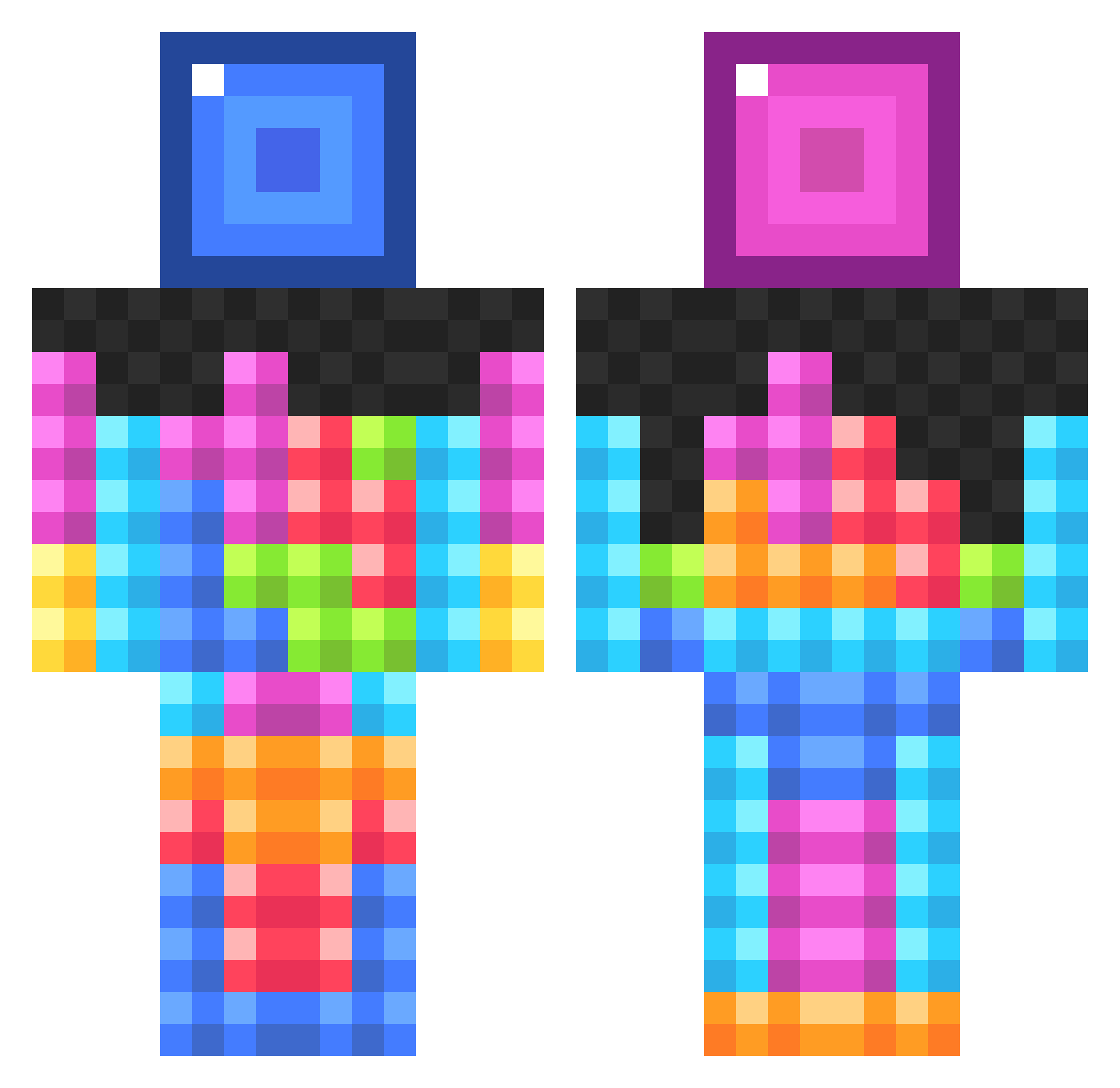
Current Minecraft skin of the player s3lint, loaded from the official Mojang API. Rotate the 3D model with your mouse or finger, then download the skin as a PNG file and use it in Minecraft: Bedrock Edition or Java Edition for free. When s3lint changes their skin, this page updates automatically and the old skin stays in the history below.
Other players with this skin (834)
s3lint was the 395th player we have seen with this skin, first spotted on 12.09.2026. The same skin was seen on these players. Open a nickname to see their current skin and skin history.
 archipelligo Der_AllesKoenner RawrrLife Call_It_Square Eiloa Tyler123123 Love_paityn melon_man123 jetmcfc2468 Cerine03 Cloudberry08 Daijo_bu TJOCKochFIN MachinimaBros FarmingPanda Brett_Breadroll Aikeni_Master LetGoOfMyPurse Fr33doener galaxyguy98756 sovietsong cammando4518 Ezmeh SpatialGoblin Chaosgurke46 offroader70 wii101_ stickman184 Forklys Rachel1976 TheSoltor BadGirlTeenager sassyglizzard Mr_Creeper54915 PorkiChopi2001 SpunkyMonkey55 fridgelover thestolencandy william1060 NYGfan10105 Awesome50070 Komaqtion perseus1321 TheHeavens lukeGMN DougieDaBoss mini_lofty Cody_X_101 Antioch7 DrKeyboard Avento01 chubbalobster Sofia2005DK yuleks DJ_LeXa01 ANDREWMINCRAFTER tacotater Gordelia smfd_a_bit AwesomeisLogan
More Tetris Minecraft skins
How to install the s3lint skin
- Press the Download button above to save the skin as a PNG file.
- Minecraft: Bedrock Edition (PE): open the Dressing Room from the main menu (or tap your character → Edit Character), go to Classic Skins → Owned, press the + (new skin) button, choose the downloaded PNG and pick the Classic (Steve) model. Works on PC and mobile; consoles cannot import custom skins.
- Minecraft: Java Edition: open the Minecraft Launcher, go to the Skins tab, click New Skin, load the PNG, pick the Classic (Steve) model and press Save & Use. You can also upload it at minecraft.net → Profile → Change Skin.
The skin does not show up after import - what should I do?
Restart Minecraft and open the Dressing Room again - imported skins sometimes appear only after a restart. Also make sure you selected the imported skin and picked the Classic (Steve) model.
Which model should I choose, Classic or Slim?
This skin is designed for the Classic (Steve) model. If you pick the wrong model, the arms of the skin will look stretched or squeezed.
Is the skin of s3lint free to download?
Yes. Press Download, save the PNG file and use it in Minecraft: Bedrock Edition or Java Edition - no payment or registration needed. The skin also works on multiplayer servers and Realms.
More skins
Looking for more? Go back to all Minecraft skins and check the top skins of the week, month and all time, or find any player's skin by nickname.