
rvbfanboy10 - Minecraft Skins & Skin History
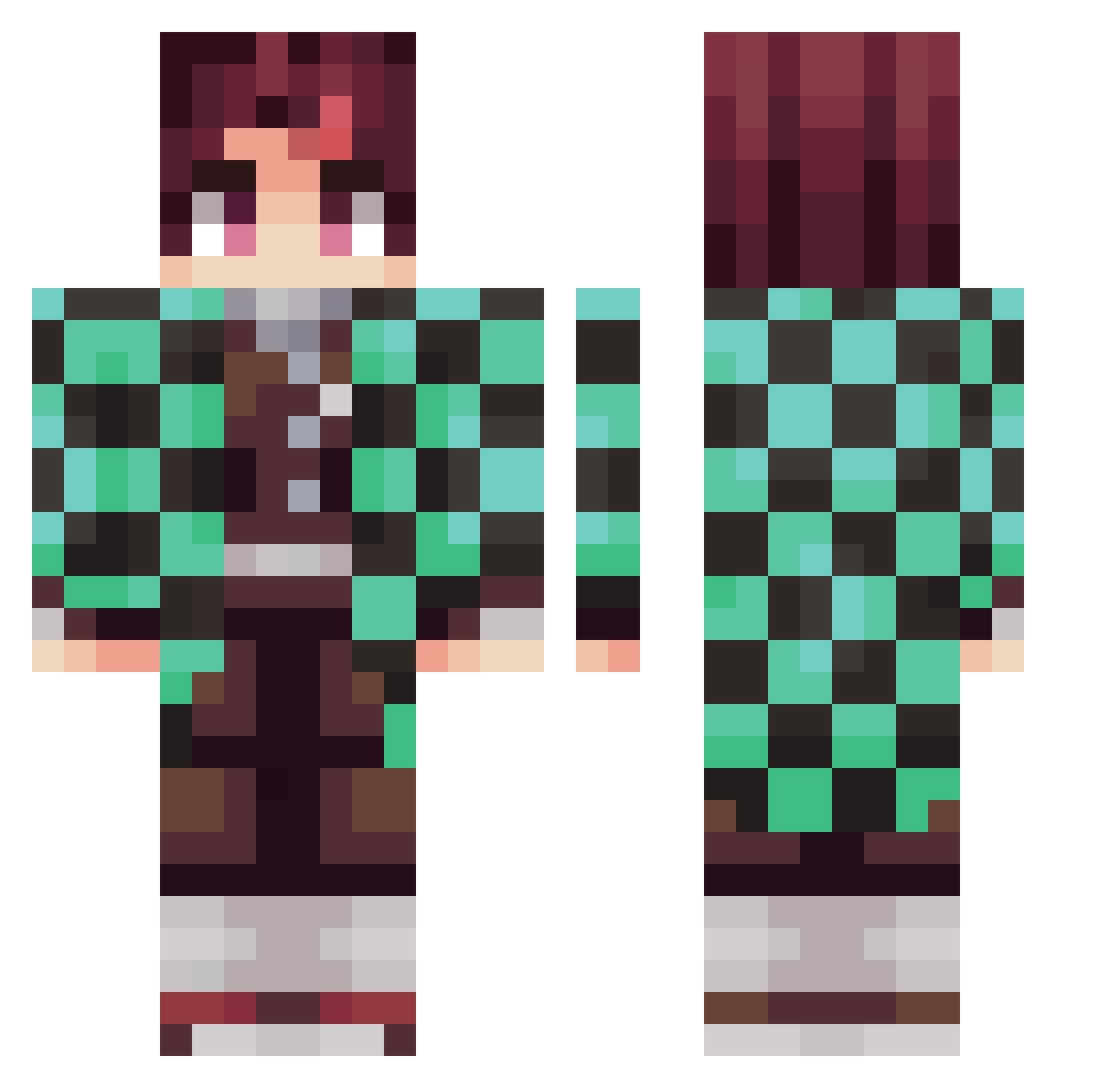
Current Minecraft skin of the player rvbfanboy10, loaded from the official Mojang API. Rotate the 3D model with your mouse or finger, then download the skin as a PNG file and use it in Minecraft: Bedrock Edition or Java Edition for free. When rvbfanboy10 changes their skin, this page updates automatically and the old skin stays in the history below.
Other players with this skin (281)
rvbfanboy10 was the 74th player we have seen with this skin, first spotted on 21.08.2026. The same skin was seen on these players. Open a nickname to see their current skin and skin history.
 Erobotix sssergiooon aj031515 otricala01 Kaijoux Goldwerth KazukinCraft Text205 NInjaAzn Chanu69 gossy5454 yIntellect MARlNKlNG Trolly0524 sergiomineti cannonisabean Yasko933 LuvJosiah ImDuhRealBatMan mikey227 runnimunni CrustyMoist AcJIupuH gAcksaurio Okmth BOSS_2017 jameli13 imYatsu Gloopin JayQ5 mabanogi JA_2_S oni_orz cobra79999 pala117 Yoriichi_Tsu JrBoogie nwaicok gecko_1 LunchCree JeeJuu jasonkwan1 winnoychavt RENEGADISM tprtmdkd Its_Sketchi Qubix JohnERocket TealShib emmathebeech23 jiho1007 Pino__Noir MnKeByTe DaveSan974 geckoro nueguem74 DarkZowlse bayan44 jiajinsi Shrynze
More Tanjiro Kamado Minecraft skins
See all 436 Tanjiro Kamado skins
How to install the rvbfanboy10 skin
- Press the Download button above to save the skin as a PNG file.
- Minecraft: Bedrock Edition (PE): open the Dressing Room from the main menu (or tap your character → Edit Character), go to Classic Skins → Owned, press the + (new skin) button, choose the downloaded PNG and pick the Classic (Steve) model. Works on PC and mobile; consoles cannot import custom skins.
- Minecraft: Java Edition: open the Minecraft Launcher, go to the Skins tab, click New Skin, load the PNG, pick the Classic (Steve) model and press Save & Use. You can also upload it at minecraft.net → Profile → Change Skin.
The skin does not show up after import - what should I do?
Restart Minecraft and open the Dressing Room again - imported skins sometimes appear only after a restart. Also make sure you selected the imported skin and picked the Classic (Steve) model.
Which model should I choose, Classic or Slim?
This skin is designed for the Classic (Steve) model. If you pick the wrong model, the arms of the skin will look stretched or squeezed.
Is the skin of rvbfanboy10 free to download?
Yes. Press Download, save the PNG file and use it in Minecraft: Bedrock Edition or Java Edition - no payment or registration needed. The skin also works on multiplayer servers and Realms.
More skins
Looking for more? Go back to all Minecraft skins and check the top skins of the week, month and all time, or find any player's skin by nickname.