
runaway2me - Minecraft Skins & Skin History
Current Minecraft skin of the player runaway2me, loaded from the official Mojang API. Rotate the 3D model with your mouse or finger, then download the skin as a PNG file and use it in Minecraft: Bedrock Edition or Java Edition for free. When runaway2me changes their skin, this page updates automatically and the old skin stays in the history below.
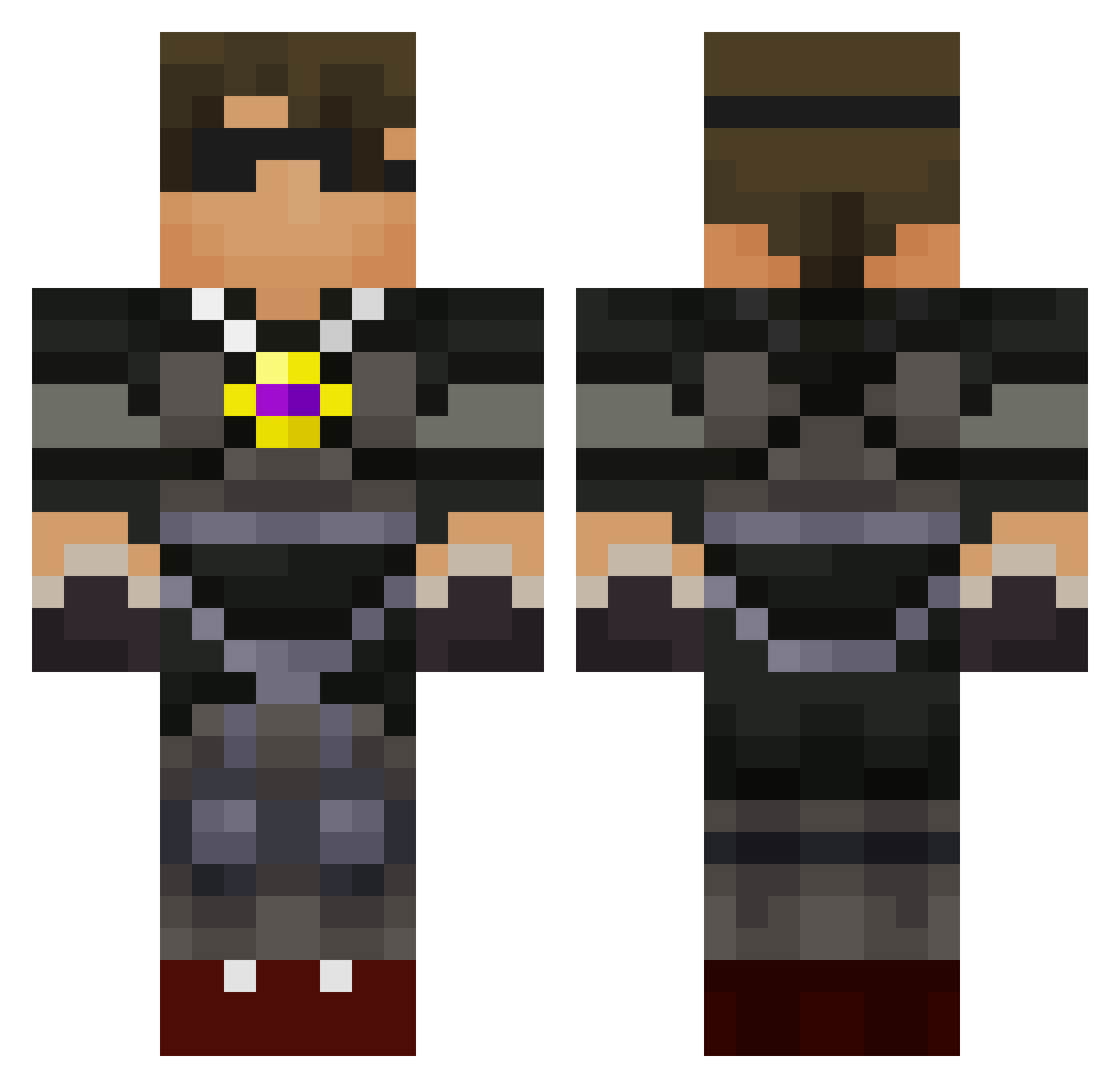
Other players with this skin (95)
runaway2me was the 27th player we have seen with this skin, first spotted on 16.08.2026. The same skin was seen on these players. Open a nickname to see their current skin and skin history.
 LightningBlaze8 gunslinger10122 Bobcat_dog skateman639 LittleBurgers11 LordSlawa slynderman vinnymines123 wadehuckaby Ashenator KaiHiggy Edward611 rissyroo8 pencilsmith epiccreeper0101 Spartan_Jokes TTT311 matthewkingrocks jakeg0312 M0nk5 Dariush_Z RIKU_2003 williamalex0207 Kyfitzy sms886 thecreeps19191 Xbox523 chaos642 skykidrs10 nicholash31 cllbqz Brandon010503 smartkiddies gabrossard lachyplaysmc timdownunder huntermace02 8thgrader _Crazy_legs_ MASteele sqSquishyLemonsq KoLangley daftlad1987 mattbillimore pttarheel jud317 ry923 wazupmac setserashton allstar_45 TeNcVoL Inderhunter Mooseyarder mikess1211 Tai06 bloodystabber990 AydenHigdon Tythekid100 bolton89 Alexander1027
More Combat Gear Minecraft skins
How to install the runaway2me skin
- Press the Download button above to save the skin as a PNG file.
- Minecraft: Bedrock Edition (PE): open the Dressing Room from the main menu (or tap your character → Edit Character), go to Classic Skins → Owned, press the + (new skin) button, choose the downloaded PNG and pick the Classic (Steve) model. Works on PC and mobile; consoles cannot import custom skins.
- Minecraft: Java Edition: open the Minecraft Launcher, go to the Skins tab, click New Skin, load the PNG, pick the Classic (Steve) model and press Save & Use. You can also upload it at minecraft.net → Profile → Change Skin.
The skin does not show up after import - what should I do?
Restart Minecraft and open the Dressing Room again - imported skins sometimes appear only after a restart. Also make sure you selected the imported skin and picked the Classic (Steve) model.
Which model should I choose, Classic or Slim?
This skin is designed for the Classic (Steve) model. If you pick the wrong model, the arms of the skin will look stretched or squeezed.
Is the skin of runaway2me free to download?
Yes. Press Download, save the PNG file and use it in Minecraft: Bedrock Edition or Java Edition - no payment or registration needed. The skin also works on multiplayer servers and Realms.
More skins
Looking for more? Go back to all Minecraft skins and check the top skins of the week, month and all time, or find any player's skin by nickname.