
rozpruwator69 - Minecraft Skins & Skin History
Current Minecraft skin of the player rozpruwator69, loaded from the official Mojang API. Rotate the 3D model with your mouse or finger, then download the skin as a PNG file and use it in Minecraft: Bedrock Edition or Java Edition for free. When rozpruwator69 changes their skin, this page updates automatically and the old skin stays in the history below.
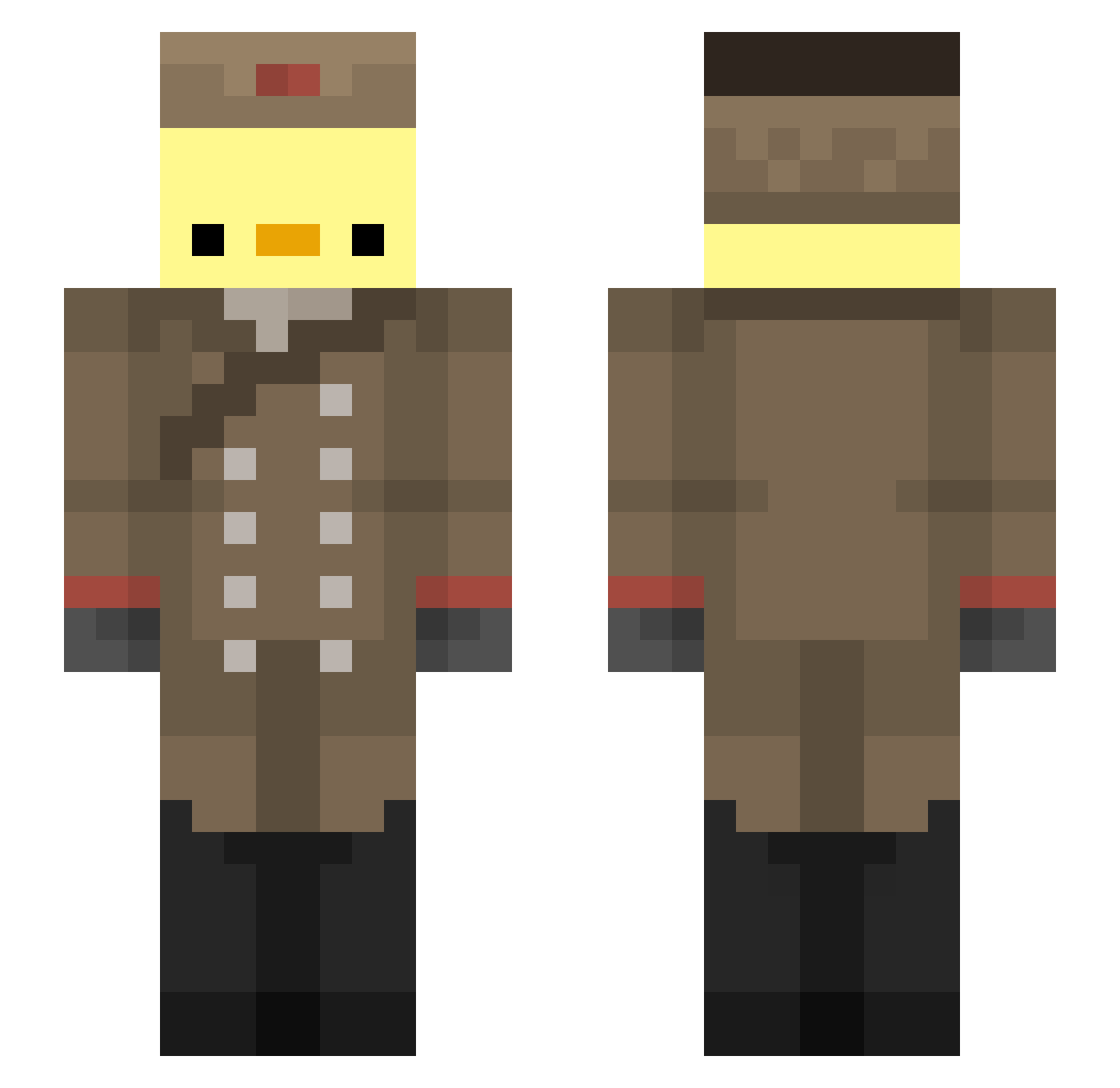
Other players with this skin (194)
rozpruwator69 was the 90th player we have seen with this skin, first spotted on 16.09.2026. The same skin was seen on these players. Open a nickname to see their current skin and skin history.
 braonuisce Floxbi ElMrTaco Lope687 Miner_lundegaard Akiber Chikinwing56 detethepuck Viwenka hubblefire Trav11 Bekcan BRNsz ApsidaL97 Professer_Eggman THEFENIX_MC youngkirb MegaByteKaos CommanderChiken1 DarioCantu Klobiks Focusnik_off Galleta7u7 angwi mano_paulinho Johabu SennaLotus VelvetDuck Quack1096 EatCereals M4rzinho Sinyor_Utka ButtPineapples Drew589 spenthehen9972 vSrVorgez_ DDFROM7 Opal_Ocean FastFirefox101 Riric_ sammu7 Gsis21 Banana_Gali Dilz_On_Sticks MrFifteen93 SushiLover27 Swineheard Bisoliver Nooby187 BBQ_BEAST oxbz Keeper149 whitemansmagic orertrr Xorthox 567brezel Zzorenko _sirSho Forceoff Jony9022
More Russian Soldier Minecraft skins
See all 96 Russian Soldier skins
How to install the rozpruwator69 skin
- Press the Download button above to save the skin as a PNG file.
- Minecraft: Bedrock Edition (PE): open the Dressing Room from the main menu (or tap your character → Edit Character), go to Classic Skins → Owned, press the + (new skin) button, choose the downloaded PNG and pick the Slim (Alex) model. Works on PC and mobile; consoles cannot import custom skins.
- Minecraft: Java Edition: open the Minecraft Launcher, go to the Skins tab, click New Skin, load the PNG, pick the Slim (Alex) model and press Save & Use. You can also upload it at minecraft.net → Profile → Change Skin.
The skin does not show up after import - what should I do?
Restart Minecraft and open the Dressing Room again - imported skins sometimes appear only after a restart. Also make sure you selected the imported skin and picked the Slim (Alex) model.
Which model should I choose, Classic or Slim?
This skin is designed for the Slim (Alex) model. If you pick the wrong model, the arms of the skin will look stretched or squeezed.
Is the skin of rozpruwator69 free to download?
Yes. Press Download, save the PNG file and use it in Minecraft: Bedrock Edition or Java Edition - no payment or registration needed. The skin also works on multiplayer servers and Realms.
More skins
Looking for more? Go back to all Minecraft skins and check the top skins of the week, month and all time, or find any player's skin by nickname.