
ronoXz - Minecraft Skins & Skin History
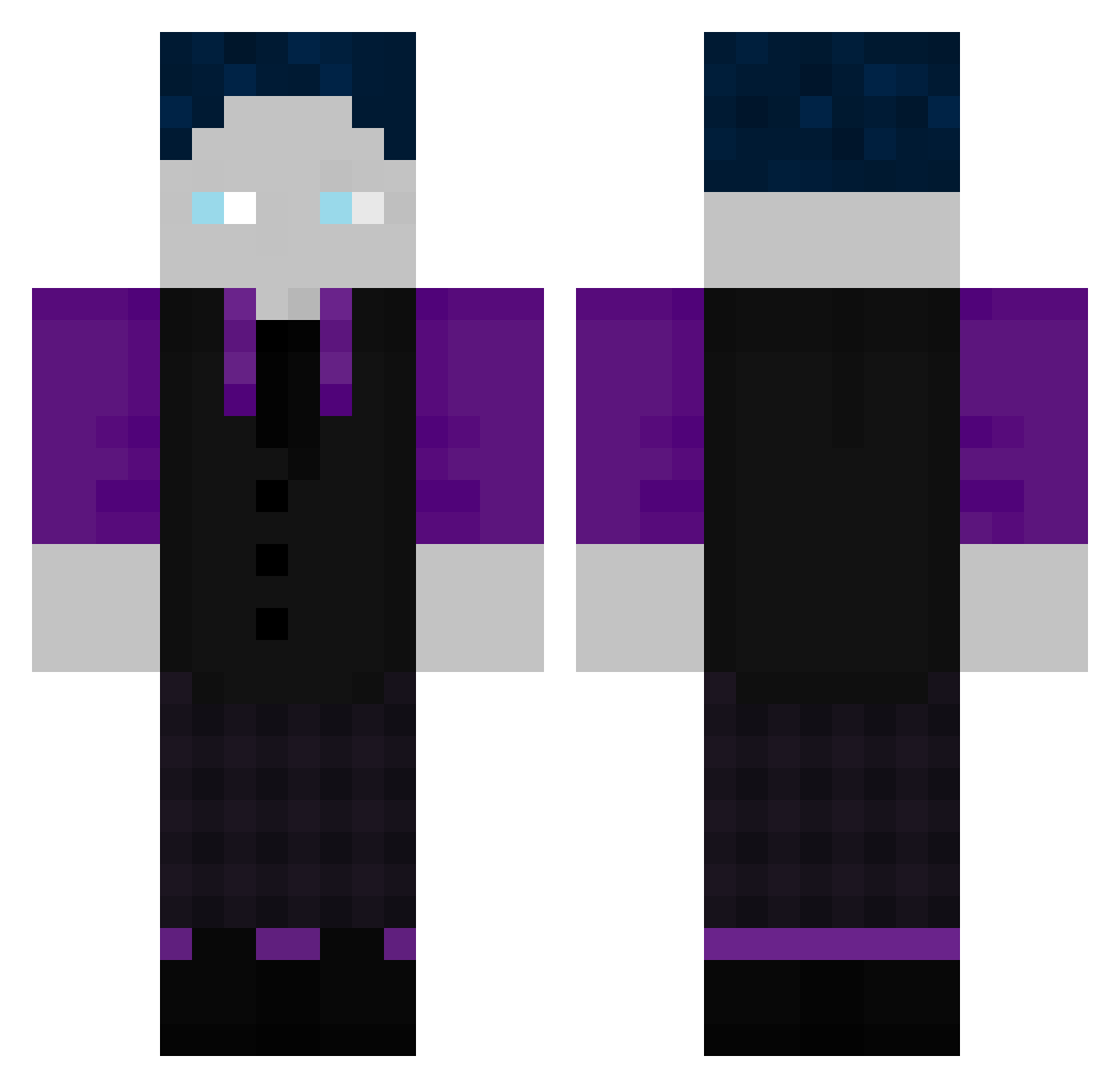
Current Minecraft skin of the player ronoXz, loaded from the official Mojang API. Rotate the 3D model with your mouse or finger, then download the skin as a PNG file and use it in Minecraft: Bedrock Edition or Java Edition for free. When ronoXz changes their skin, this page updates automatically and the old skin stays in the history below.
Other players with this skin (507)
ronoXz was the 143rd player we have seen with this skin, first spotted on 25.08.2026. The same skin was seen on these players. Open a nickname to see their current skin and skin history.
 Basti_GHG23 Lukas789654 _EinTagsFliege_ Schlingel04 88Luca2 Icrimax127 IchMagHustensaft Nikkn98 Kosking9 leander_lp NLErylix
 LuckyLou1445 xKczka_ SyroxZickZack Volcanhooe Kingmar1818 Grum9327 CooleSchule OwnedByYuki AbsolutRyze UniqueLG GG_BL4CK_G4M3R ADHSNiklas K0mpetentzGHG Friedhofwachter iinstigated Haruky___ MC_KyliaN xDeadlyDemonx Spitzmaus07 Pius2006 Samibene0618 ReinerZufall88 Smallboy_83 TheEliteDragon fkgfjg XxJDGHGxX
 tomixlpm Tim_L1 Kian146 NacoTeX Juicyxxd SiJoAli AMPHETABIENE odysee2001 rtx_leo MiniManGHG KnockoutRabbit InnoYT1 amazing67 fabi9988 emil2728 bobderchte ILoveYouUwU Emptii_vSandzz Zap_vortex Jonne_3_0 Lukas1871 nativeAFD Lukikas2809
How to install the ronoXz skin
- Press the Download button above to save the skin as a PNG file.
- Minecraft: Bedrock Edition (PE): open the Dressing Room from the main menu (or tap your character → Edit Character), go to Classic Skins → Owned, press the + (new skin) button, choose the downloaded PNG and pick the Classic (Steve) model. Works on PC and mobile; consoles cannot import custom skins.
- Minecraft: Java Edition: open the Minecraft Launcher, go to the Skins tab, click New Skin, load the PNG, pick the Classic (Steve) model and press Save & Use. You can also upload it at minecraft.net → Profile → Change Skin.
The skin does not show up after import - what should I do?
Restart Minecraft and open the Dressing Room again - imported skins sometimes appear only after a restart. Also make sure you selected the imported skin and picked the Classic (Steve) model.
Which model should I choose, Classic or Slim?
This skin is designed for the Classic (Steve) model. If you pick the wrong model, the arms of the skin will look stretched or squeezed.
Is the skin of ronoXz free to download?
Yes. Press Download, save the PNG file and use it in Minecraft: Bedrock Edition or Java Edition - no payment or registration needed. The skin also works on multiplayer servers and Realms.
More skins
Looking for more? Go back to all Minecraft skins and check the top skins of the week, month and all time, or find any player's skin by nickname.