
ronboss - Minecraft Skins & Skin History
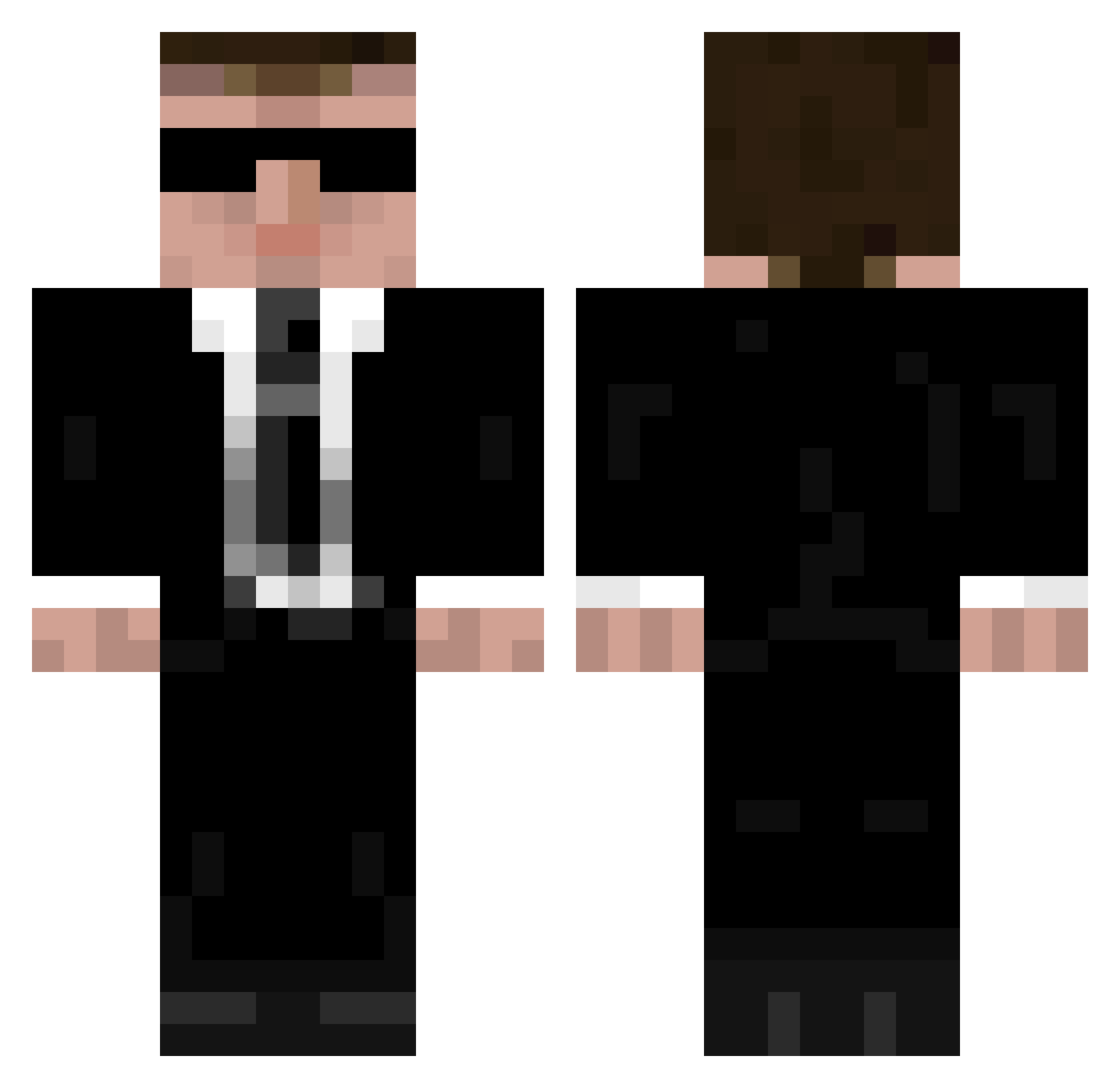
Current Minecraft skin of the player ronboss, loaded from the official Mojang API. Rotate the 3D model with your mouse or finger, then download the skin as a PNG file and use it in Minecraft: Bedrock Edition or Java Edition for free. When ronboss changes their skin, this page updates automatically and the old skin stays in the history below.
Other players with this skin (946)
ronboss was the 154th player we have seen with this skin, first spotted on 09.08.2026. The same skin was seen on these players. Open a nickname to see their current skin and skin history.
 FroggieKill MrSmith2013 BENO5656 GoRollOTB Smarms Diacc ruppert30 jacksmith134 DiKwickley itmeG3 guitarmonkey75 georgecooper Bert300 Hackwarius WannaBePug jacklol13 phryneas BManKiller0112 ZhangRobert Paramanze padalin14 DonR OuttaCache Slyfoxx55 Ninja_Boss119 madmike62 ALCuMuTaTivpb K9agent WhenUrPizzaRolls R0ADK1LL madbre Mettmaster1510 fatboyinbin Tim_Dudek eric112112 akrauthammer jmoney98 maldridge majqo EndlessVoid AnonKaz Jonesy90 Moonier M4Rv_ ChikoEX daemonenking1 harveysansom98 Bunginji smcgras fluffnpipe BigCatsAreCool dudeydoodles PLayMasterX kz0 Napsteren ninjachris01 Samuraldf PotatoKing9000 deregges scarecrow1941
More Agent 47 Minecraft skins
How to install the ronboss skin
- Press the Download button above to save the skin as a PNG file.
- Minecraft: Bedrock Edition (PE): open the Dressing Room from the main menu (or tap your character → Edit Character), go to Classic Skins → Owned, press the + (new skin) button, choose the downloaded PNG and pick the Classic (Steve) model. Works on PC and mobile; consoles cannot import custom skins.
- Minecraft: Java Edition: open the Minecraft Launcher, go to the Skins tab, click New Skin, load the PNG, pick the Classic (Steve) model and press Save & Use. You can also upload it at minecraft.net → Profile → Change Skin.
The skin does not show up after import - what should I do?
Restart Minecraft and open the Dressing Room again - imported skins sometimes appear only after a restart. Also make sure you selected the imported skin and picked the Classic (Steve) model.
Which model should I choose, Classic or Slim?
This skin is designed for the Classic (Steve) model. If you pick the wrong model, the arms of the skin will look stretched or squeezed.
Is the skin of ronboss free to download?
Yes. Press Download, save the PNG file and use it in Minecraft: Bedrock Edition or Java Edition - no payment or registration needed. The skin also works on multiplayer servers and Realms.
More skins
Looking for more? Go back to all Minecraft skins and check the top skins of the week, month and all time, or find any player's skin by nickname.