
romaango - Minecraft Skins & Skin History
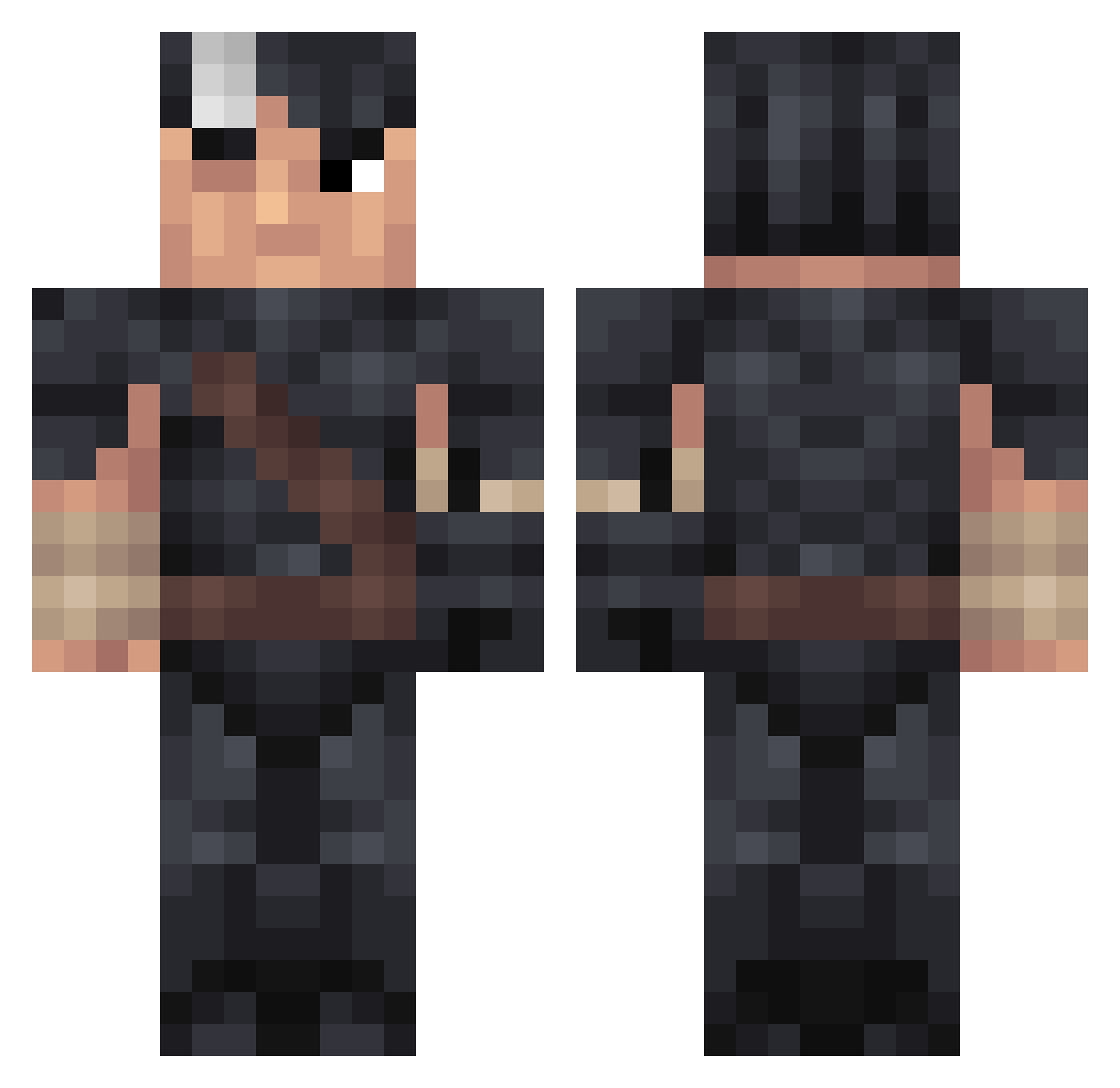
Current Minecraft skin of the player romaango, loaded from the official Mojang API. Rotate the 3D model with your mouse or finger, then download the skin as a PNG file and use it in Minecraft: Bedrock Edition or Java Edition for free. When romaango changes their skin, this page updates automatically and the old skin stays in the history below.
Other players with this skin (242)
romaango was the 132nd player we have seen with this skin, first spotted on 27.09.2026. The same skin was seen on these players. Open a nickname to see their current skin and skin history.
 mordaler bshp_ Normal_Faded naovejohent4i cheesegrits Shocky69 Coolman59999 _Meruem Juice_Boi insianity PoLlOdEsTrOy Zoro25A BaZziCXenon MiioOIO LxcsOfBlondes picaxxoo HOTVENOMYT CamCam998827 Rip_Van_Winklle HombrePitusa MIJOIO Nanerpus101 no_uh IBEE_13 BerserkManga ShaaLin ItsPudding Goodinek16 Shacoco27 cafeina13 vnoshy Mcareyl_ Ymir2811 oxensticks Mr__Grips Love_Love_Deluxe Enz0Eggz0 Xenkem VineFR25 Tekaary Mombasalein firewoodd Bilaxan QWERTYUIOP3 _ITamim Vikinged ThiccShep sn4pta FiNdfault ravesO erisnix ShadowsSky Quw5 qlsu Blarstone legameurfouYTB TrickzY_123 Fezing StopTheSalt Aspii_
More Guts Minecraft skins
How to install the romaango skin
- Press the Download button above to save the skin as a PNG file.
- Minecraft: Bedrock Edition (PE): open the Dressing Room from the main menu (or tap your character → Edit Character), go to Classic Skins → Owned, press the + (new skin) button, choose the downloaded PNG and pick the Classic (Steve) model. Works on PC and mobile; consoles cannot import custom skins.
- Minecraft: Java Edition: open the Minecraft Launcher, go to the Skins tab, click New Skin, load the PNG, pick the Classic (Steve) model and press Save & Use. You can also upload it at minecraft.net → Profile → Change Skin.
The skin does not show up after import - what should I do?
Restart Minecraft and open the Dressing Room again - imported skins sometimes appear only after a restart. Also make sure you selected the imported skin and picked the Classic (Steve) model.
Which model should I choose, Classic or Slim?
This skin is designed for the Classic (Steve) model. If you pick the wrong model, the arms of the skin will look stretched or squeezed.
Is the skin of romaango free to download?
Yes. Press Download, save the PNG file and use it in Minecraft: Bedrock Edition or Java Edition - no payment or registration needed. The skin also works on multiplayer servers and Realms.
More skins
Looking for more? Go back to all Minecraft skins and check the top skins of the week, month and all time, or find any player's skin by nickname.