
roguelittleman - Minecraft Skins & Skin History
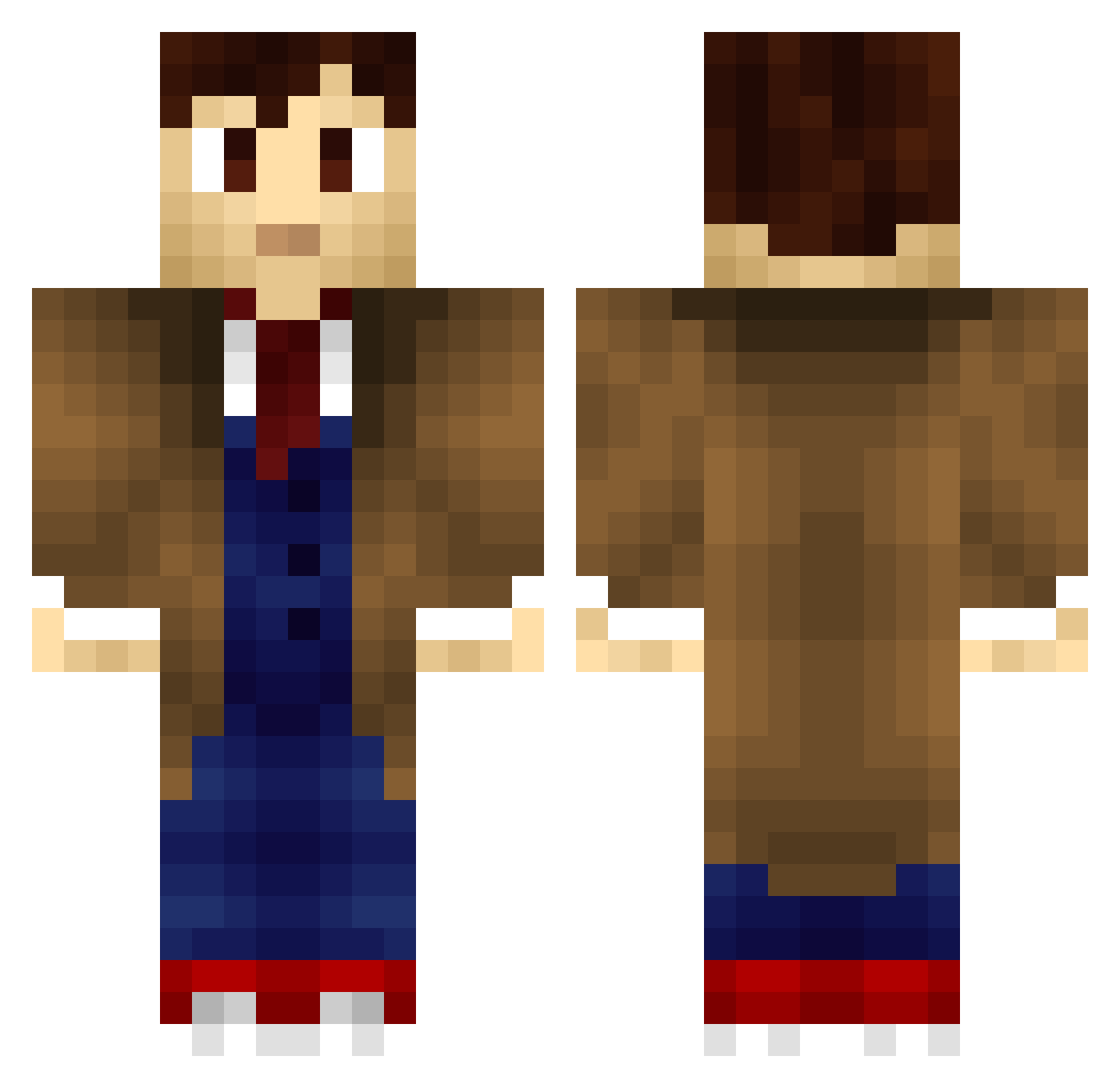
Current Minecraft skin of the player roguelittleman, loaded from the official Mojang API. Rotate the 3D model with your mouse or finger, then download the skin as a PNG file and use it in Minecraft: Bedrock Edition or Java Edition for free. When roguelittleman changes their skin, this page updates automatically and the old skin stays in the history below.
Other players with this skin (705)
roguelittleman was the 526th player we have seen with this skin, first spotted on 09.10.2026. The same skin was seen on these players. Open a nickname to see their current skin and skin history.
 INUYAHA Lonisplinter Treblenaut The_Oxygen Sitkliph Dugorf Blapple2398 Sesu93 TheRedKingGem DarkKNight99977 JacksonSchofield thebaconstrip09 Beannyyy DrWhoCubed IlAlexlI Lightnday FlyingLlama822 Samwize16 Glordif ModJam justice_dunn NinjaBreadMan FluffBall22 drachs swifty2k10 WhoThsGuy UnearthlyChild69 TheHunterBoy94 DarkraiEDV hotbanana7 ThatGamerPro Samuel2Fernandes _Arcanis_ BlueBoxType69 ptreadwell36 PallPots BAC0N_SL4YER Gianbertoldo MeHost super_pig135 SamTheSlug Kayla_McCormack xMinn irishnuke13 lili2612 Hydranax12 Crazer21 jenks19 gestalt008 cgb42 _RainzyAFK14 chetspider Trauty DSMVET Jippie005 ErmilyMcgerrrd 911Penguin eyntema rajcatko Shemomedjamo
More Timelord Minecraft skins
How to install the roguelittleman skin
- Press the Download button above to save the skin as a PNG file.
- Minecraft: Bedrock Edition (PE): open the Dressing Room from the main menu (or tap your character → Edit Character), go to Classic Skins → Owned, press the + (new skin) button, choose the downloaded PNG and pick the Classic (Steve) model. Works on PC and mobile; consoles cannot import custom skins.
- Minecraft: Java Edition: open the Minecraft Launcher, go to the Skins tab, click New Skin, load the PNG, pick the Classic (Steve) model and press Save & Use. You can also upload it at minecraft.net → Profile → Change Skin.
The skin does not show up after import - what should I do?
Restart Minecraft and open the Dressing Room again - imported skins sometimes appear only after a restart. Also make sure you selected the imported skin and picked the Classic (Steve) model.
Which model should I choose, Classic or Slim?
This skin is designed for the Classic (Steve) model. If you pick the wrong model, the arms of the skin will look stretched or squeezed.
Is the skin of roguelittleman free to download?
Yes. Press Download, save the PNG file and use it in Minecraft: Bedrock Edition or Java Edition - no payment or registration needed. The skin also works on multiplayer servers and Realms.
More skins
Looking for more? Go back to all Minecraft skins and check the top skins of the week, month and all time, or find any player's skin by nickname.