
rocketr0b - Minecraft Skins & Skin History
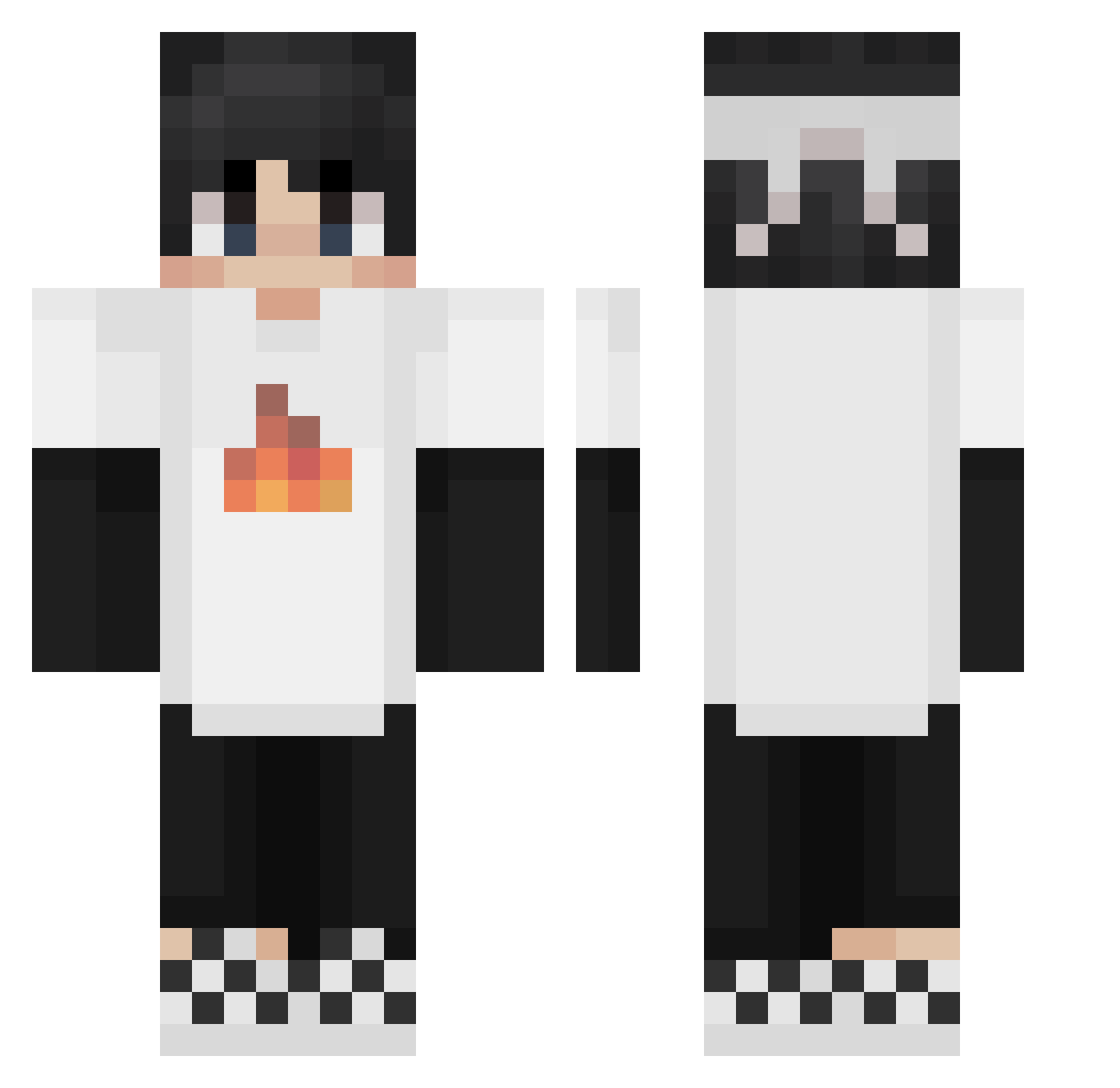
Current Minecraft skin of the player rocketr0b, loaded from the official Mojang API. Rotate the 3D model with your mouse or finger, then download the skin as a PNG file and use it in Minecraft: Bedrock Edition or Java Edition for free. When rocketr0b changes their skin, this page updates automatically and the old skin stays in the history below.
Other players with this skin (265)
rocketr0b was the 251st player we have seen with this skin, first spotted on 11.11.2026. The same skin was seen on these players. Open a nickname to see their current skin and skin history.
 Dragon_bossZ Sapnapneverdie fishLXY EliasMine20133 Spider_Pandog qqf1023 heeseunged Rautville NoToxiSky oRiGyX REGRESADENISSE MEIAO16 ShirleyGlue Kingokings67 YousefElarian SleepyNinja428 Syphixx_ luckemc666 TBNRkadget Gamer997024 SkenderKing15 ErRulas IKnoc papidugaming soventic Frankito_29 MasterHYX DalethXD To_the_stars sarbrocks THETWOBROTHERS4K Calebe Cobraxxxxx amuxi F_b_y kimo0501 Tqac Harper_Cy chuppyllama78 wlk3 gty666 Bonggocat Hismocha95 Ale_zarate24 Londrexx Henry_NB_ GroupofSeven Nokduck Dog_olJz San_lll Mal_XYsRYG andre1_18 thornsxdd YAJ3 DogKING7 Nytroblast24 shanelovescars shinizoo Sx_Marcos ikhagoij9oejnmas
More Checkered Shoes Minecraft skins
See all 68 Checkered Shoes skins
How to install the rocketr0b skin
- Press the Download button above to save the skin as a PNG file.
- Minecraft: Bedrock Edition (PE): open the Dressing Room from the main menu (or tap your character → Edit Character), go to Classic Skins → Owned, press the + (new skin) button, choose the downloaded PNG and pick the Classic (Steve) model. Works on PC and mobile; consoles cannot import custom skins.
- Minecraft: Java Edition: open the Minecraft Launcher, go to the Skins tab, click New Skin, load the PNG, pick the Classic (Steve) model and press Save & Use. You can also upload it at minecraft.net → Profile → Change Skin.
The skin does not show up after import - what should I do?
Restart Minecraft and open the Dressing Room again - imported skins sometimes appear only after a restart. Also make sure you selected the imported skin and picked the Classic (Steve) model.
Which model should I choose, Classic or Slim?
This skin is designed for the Classic (Steve) model. If you pick the wrong model, the arms of the skin will look stretched or squeezed.
Is the skin of rocketr0b free to download?
Yes. Press Download, save the PNG file and use it in Minecraft: Bedrock Edition or Java Edition - no payment or registration needed. The skin also works on multiplayer servers and Realms.
More skins
Looking for more? Go back to all Minecraft skins and check the top skins of the week, month and all time, or find any player's skin by nickname.