
roboartist99 - Minecraft Skins & Skin History
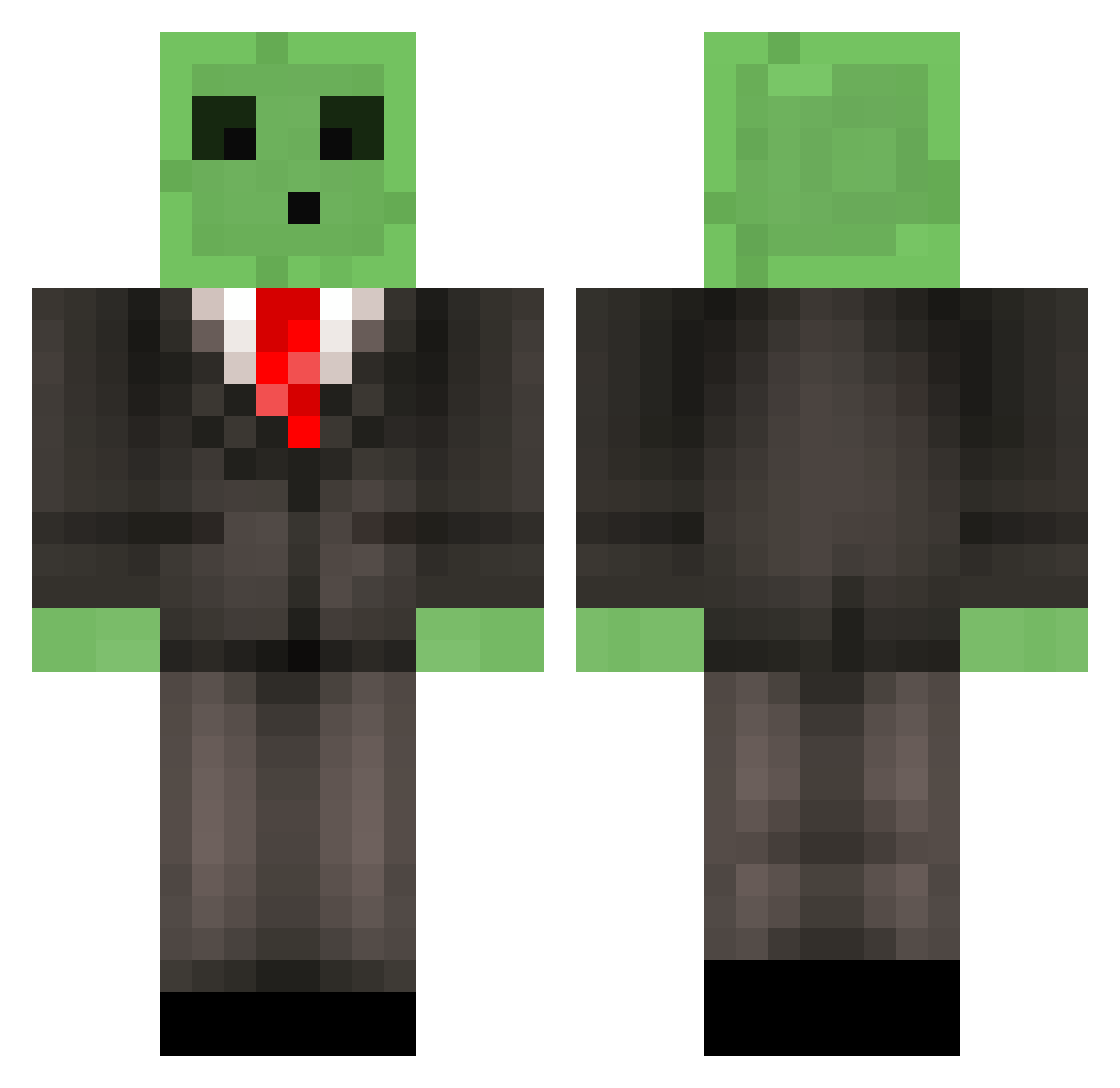
Current Minecraft skin of the player roboartist99, loaded from the official Mojang API. Rotate the 3D model with your mouse or finger, then download the skin as a PNG file and use it in Minecraft: Bedrock Edition or Java Edition for free. When roboartist99 changes their skin, this page updates automatically and the old skin stays in the history below.
Other players with this skin (510)
roboartist99 was the 443rd player we have seen with this skin, first spotted on 11.10.2026. The same skin was seen on these players. Open a nickname to see their current skin and skin history.
 Xx_m7md_xX andys_tech MagnuMSchroder Kyle530 spawnor donnydye Piste Cashyy SwvnPvP silversterling1 Sativahaze derechteossi biggyboy42 RudyPaulino TBNRwaluigi torpdeo Koivula sakatana BlackNight1697 Tadee DamoHD shokwing welshwarrior8 Purpz0 DR_DREETN Mr_Beans_13 FaZe_pamaj69Xxer CarlyFries1318 __Slime im_SP00KY MrKnowitall123 GameTastic2014 diamond1486 Kriptan_2014 REALLYsuicidal schmandi91 Culbie_ Senyab Subject_3 SluggyBenny Azza_McBazza SkinnyCheddar CommandGames Sellerkko Sufsi NobelWorrior C485 FishSlayer34 king_of_kingz CosmicQueso FactionsDarkness Endercandy360 KryptoniteHD Mikkel715 JustASlime Tk8759 Dulud Manatees03 louiesky murroid
More Slime Minecraft skins
How to install the roboartist99 skin
- Press the Download button above to save the skin as a PNG file.
- Minecraft: Bedrock Edition (PE): open the Dressing Room from the main menu (or tap your character → Edit Character), go to Classic Skins → Owned, press the + (new skin) button, choose the downloaded PNG and pick the Classic (Steve) model. Works on PC and mobile; consoles cannot import custom skins.
- Minecraft: Java Edition: open the Minecraft Launcher, go to the Skins tab, click New Skin, load the PNG, pick the Classic (Steve) model and press Save & Use. You can also upload it at minecraft.net → Profile → Change Skin.
The skin does not show up after import - what should I do?
Restart Minecraft and open the Dressing Room again - imported skins sometimes appear only after a restart. Also make sure you selected the imported skin and picked the Classic (Steve) model.
Which model should I choose, Classic or Slim?
This skin is designed for the Classic (Steve) model. If you pick the wrong model, the arms of the skin will look stretched or squeezed.
Is the skin of roboartist99 free to download?
Yes. Press Download, save the PNG file and use it in Minecraft: Bedrock Edition or Java Edition - no payment or registration needed. The skin also works on multiplayer servers and Realms.
More skins
Looking for more? Go back to all Minecraft skins and check the top skins of the week, month and all time, or find any player's skin by nickname.