
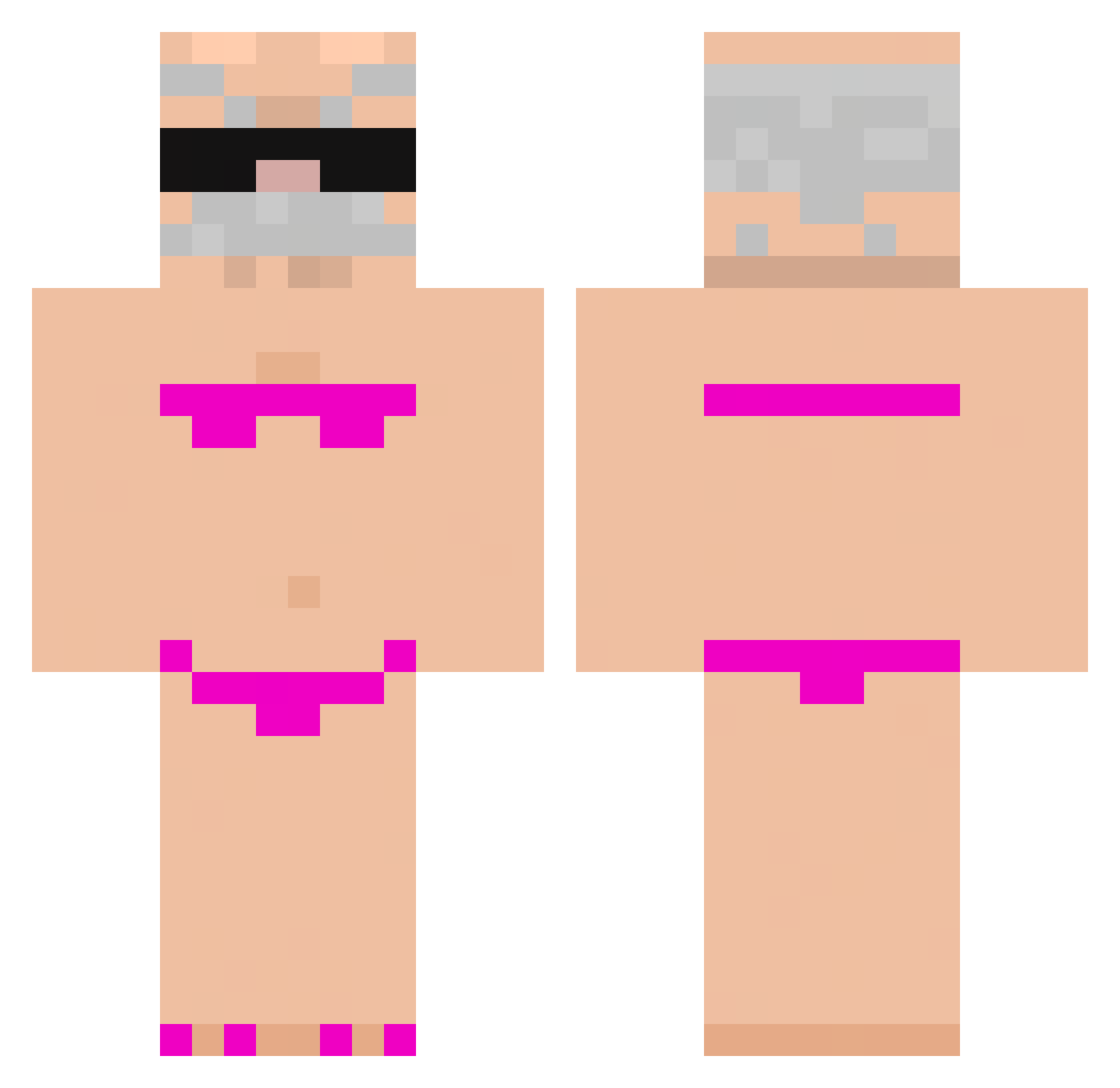
Current Minecraft skin of the player robl_bobl, loaded from the official Mojang API. Rotate the 3D model with your mouse or finger, then download the skin as a PNG file and use it in Minecraft: Bedrock Edition or Java Edition for free. When robl_bobl changes their skin, this page updates automatically and the old skin stays in the history below.
Other players with this skin (730)
robl_bobl was the 189th player we have seen with this skin, first spotted on 17.08.2026. The same skin was seen on these players. Open a nickname to see their current skin and skin history.
 Orygol
 PASTERZ1234 taemming suagar08 ken124143qeq 5miithy Angelinho321 Bloondy_ SUS_Im_SUS ELLDETONAABUELAS TheAkuma2240 yoo_3 MrLACC Sus_man123 FatBurner3000 Razwnx DrizzyAbc123 KrysXx eEVAAN ChubbySchwein FrogSanwich SaulTvez K4cZuCha2016 Tamfy Izan_1690 KraserX ManuelURU MatheusKaney Notfe99 WSPLXTIN tectoblade DavoFLx alexSJ12 TheABG Striker6400 Doozie99 MANGOMINECRAFT your_mom_xDD BLASZA seven77game ruddl17 NiTrO11k BattalGaziii Wakacyjny
 SrPepito _MLN_ joy1211 xay666 TrotelXD melomaus _____you_____ luxiana03 So1Litrin ThauaZk koda18 FengNanas6 zv3zf5 MarcoRuben9 Antman880285 katxax
More Karl Marx Minecraft skins
How to install the robl_bobl skin
- Press the Download button above to save the skin as a PNG file.
- Minecraft: Bedrock Edition (PE): open the Dressing Room from the main menu (or tap your character → Edit Character), go to Classic Skins → Owned, press the + (new skin) button, choose the downloaded PNG and pick the Classic (Steve) model. Works on PC and mobile; consoles cannot import custom skins.
- Minecraft: Java Edition: open the Minecraft Launcher, go to the Skins tab, click New Skin, load the PNG, pick the Classic (Steve) model and press Save & Use. You can also upload it at minecraft.net → Profile → Change Skin.
The skin does not show up after import - what should I do?
Restart Minecraft and open the Dressing Room again - imported skins sometimes appear only after a restart. Also make sure you selected the imported skin and picked the Classic (Steve) model.
Which model should I choose, Classic or Slim?
This skin is designed for the Classic (Steve) model. If you pick the wrong model, the arms of the skin will look stretched or squeezed.
Is the skin of robl_bobl free to download?
Yes. Press Download, save the PNG file and use it in Minecraft: Bedrock Edition or Java Edition - no payment or registration needed. The skin also works on multiplayer servers and Realms.
More skins
Looking for more? Go back to all Minecraft skins and check the top skins of the week, month and all time, or find any player's skin by nickname.