
rob2233 - Minecraft Skins & Skin History
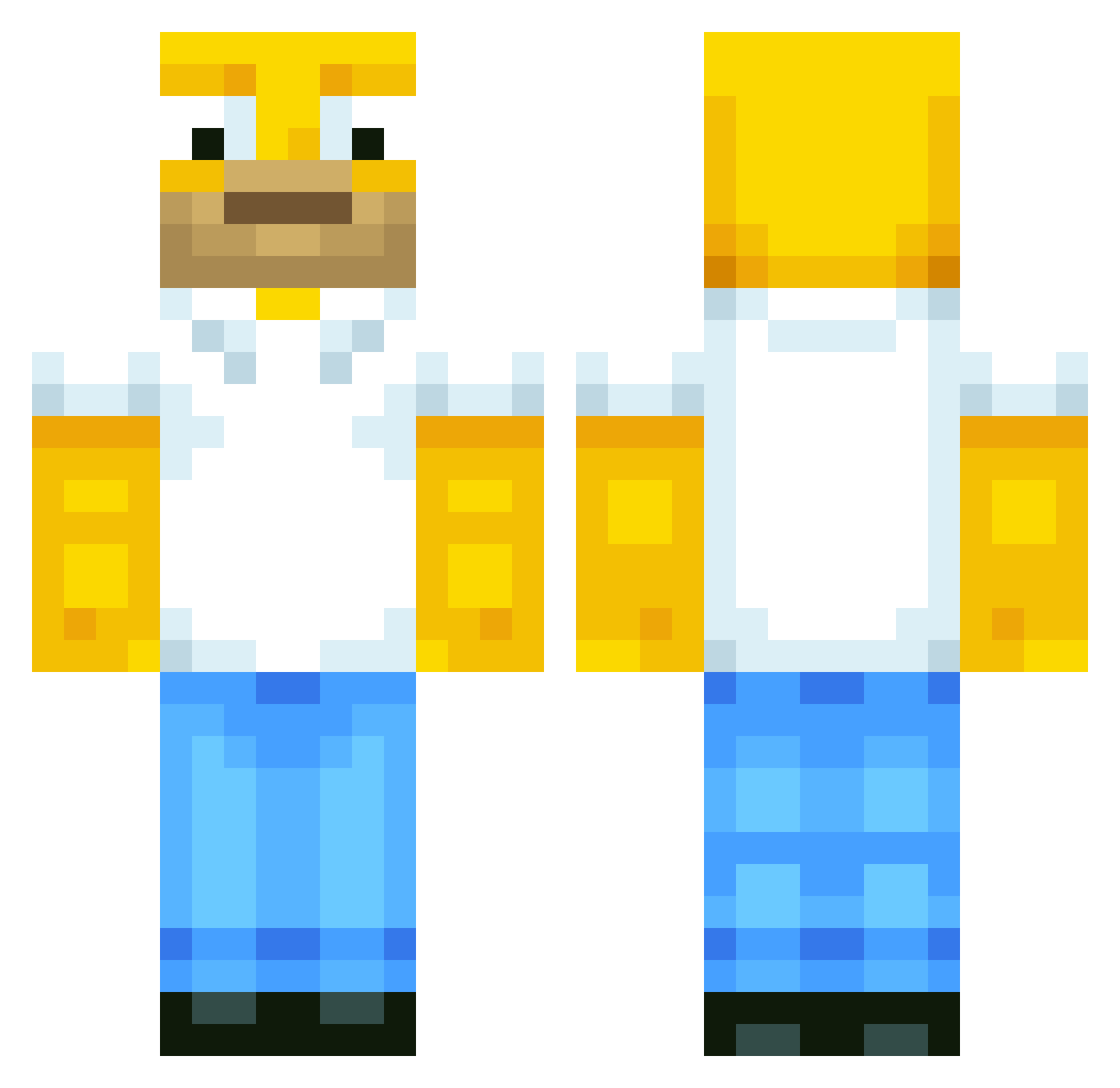
Current Minecraft skin of the player rob2233, loaded from the official Mojang API. Rotate the 3D model with your mouse or finger, then download the skin as a PNG file and use it in Minecraft: Bedrock Edition or Java Edition for free. When rob2233 changes their skin, this page updates automatically and the old skin stays in the history below.
Other players with this skin (514)
rob2233 was the 382nd player we have seen with this skin, first spotted on 30.09.2026. The same skin was seen on these players. Open a nickname to see their current skin and skin history.
 DEVEL2 thomtijger fossas NoSwearG H4rrym101 hotdogMan4350 OLIZE10 Jeffaaah MMCAVOY Lookdatass mrvishal Azariss YuriSalva LeonBigFoot night_rider91 Fatal1500 MonsterousMango Olympic_Crafter pecarth1 Applelime xxbabakxx JoshZissou raizer87 DayDayLoach Keeper_FCB MattyMCHD Getmqd Timmehnator GhastBuster max299 Luddenweg sniperboy2012 IGantzer T_Eyles XmanABQ JTS1000 impudentmortal MatrYz shaftytafty39 Leaf_reaper RRH3675 MaxPepperoni sachaoune grizzly74 Lil_Reptar Connor12341 ucb RoiMael xXChampionXx Rumpelmupf RealTrueChicken PONCHAU Sam_TheMan97 iiTriGgeRs Lucas04rad Cactus_Pete RetartedEverden Ziiimos jessiepaws211 Hurainsohn
More Homer Simpson Minecraft skins
See all 284 Homer Simpson skins
How to install the rob2233 skin
- Press the Download button above to save the skin as a PNG file.
- Minecraft: Bedrock Edition (PE): open the Dressing Room from the main menu (or tap your character → Edit Character), go to Classic Skins → Owned, press the + (new skin) button, choose the downloaded PNG and pick the Classic (Steve) model. Works on PC and mobile; consoles cannot import custom skins.
- Minecraft: Java Edition: open the Minecraft Launcher, go to the Skins tab, click New Skin, load the PNG, pick the Classic (Steve) model and press Save & Use. You can also upload it at minecraft.net → Profile → Change Skin.
The skin does not show up after import - what should I do?
Restart Minecraft and open the Dressing Room again - imported skins sometimes appear only after a restart. Also make sure you selected the imported skin and picked the Classic (Steve) model.
Which model should I choose, Classic or Slim?
This skin is designed for the Classic (Steve) model. If you pick the wrong model, the arms of the skin will look stretched or squeezed.
Is the skin of rob2233 free to download?
Yes. Press Download, save the PNG file and use it in Minecraft: Bedrock Edition or Java Edition - no payment or registration needed. The skin also works on multiplayer servers and Realms.
More skins
Looking for more? Go back to all Minecraft skins and check the top skins of the week, month and all time, or find any player's skin by nickname.