
rizzleyy - Minecraft Skins & Skin History
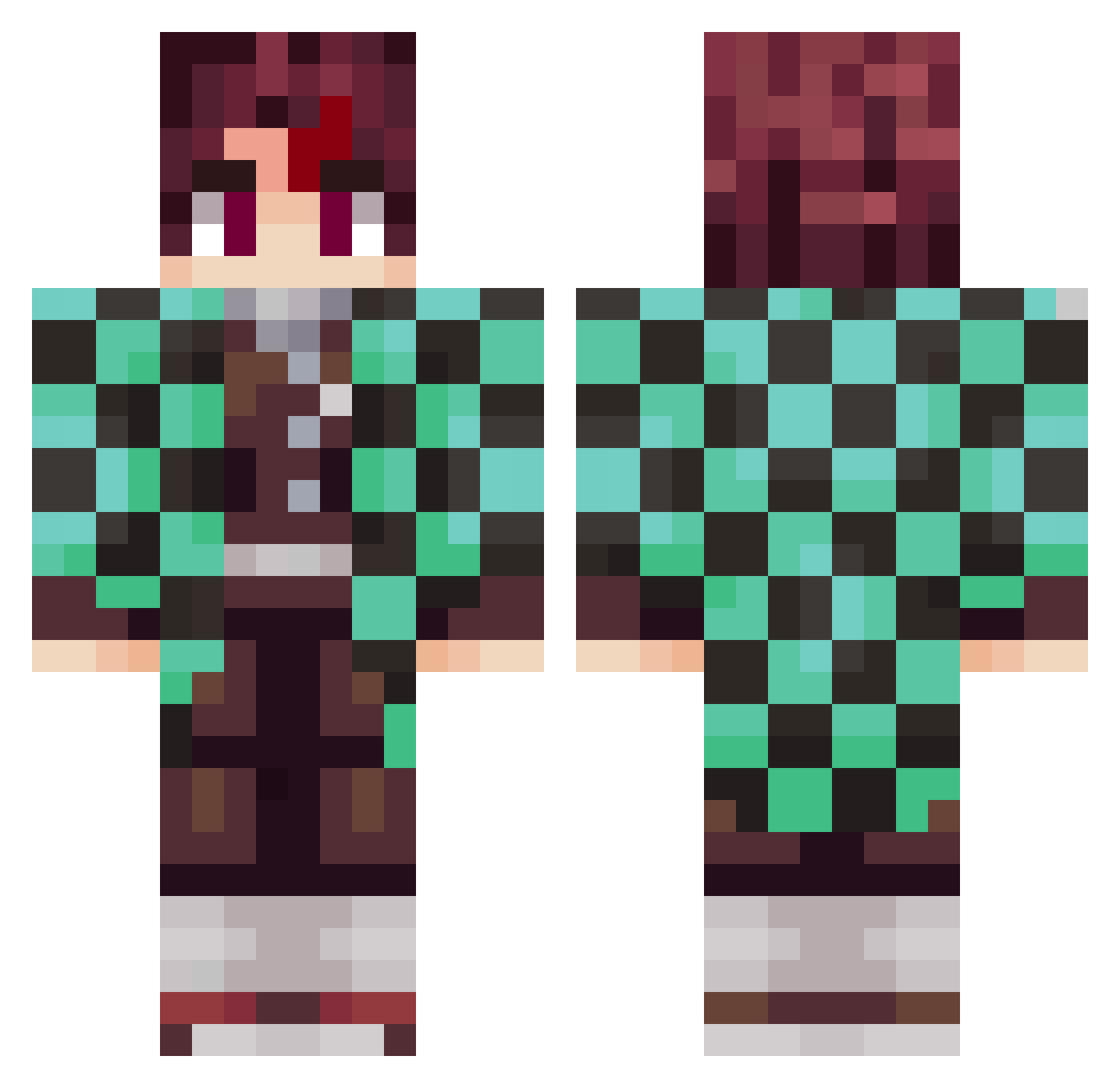
Current Minecraft skin of the player rizzleyy, loaded from the official Mojang API. Rotate the 3D model with your mouse or finger, then download the skin as a PNG file and use it in Minecraft: Bedrock Edition or Java Edition for free. When rizzleyy changes their skin, this page updates automatically and the old skin stays in the history below.
Other players with this skin (797)
rizzleyy was the 509th player we have seen with this skin, first spotted on 27.09.2026. The same skin was seen on these players. Open a nickname to see their current skin and skin history.
 Xeno7803 Vojtat WeabooSZN_ MustardDaddy msdgreen3 Antloveanime BugDr Aka_92 RengokuH Marcii097 KubaGaming08 Takumolol FantasyWheel Llamaman775 Bread_n_Cheese lxrdlb niccuncaged ThatOneGuyE Tanjiro_20 VojoPlay eoJimmy RANKUN4444 ItachiUchiwa015 BlackDogShiba Jhonyone1 KevinSpacey17 37Tony Sanzxf racuet waterwalker1717 koutarou0817 iSlayDemons DeathGamerBoy60 Morekya felkaibr 22_STELLA GoldRook2342137 Mexter_ MilkaSchokoSnack CutsByJL TheGrooch MALO19 MikkeyONE Locmortx7 Rherit Fahzinho ch273for1225 JVPB09 liangmingwei Maturec TnameT Toodes0814 sennyfernando DeliciousNight Dispacia Samurai_Ghost_ Robi7815 benjaminglc TempTheDragon Yveltal03
More Tanjiro Kamado Minecraft skins
See all 389 Tanjiro Kamado skins
How to install the rizzleyy skin
- Press the Download button above to save the skin as a PNG file.
- Minecraft: Bedrock Edition (PE): open the Dressing Room from the main menu (or tap your character → Edit Character), go to Classic Skins → Owned, press the + (new skin) button, choose the downloaded PNG and pick the Classic (Steve) model. Works on PC and mobile; consoles cannot import custom skins.
- Minecraft: Java Edition: open the Minecraft Launcher, go to the Skins tab, click New Skin, load the PNG, pick the Classic (Steve) model and press Save & Use. You can also upload it at minecraft.net → Profile → Change Skin.
The skin does not show up after import - what should I do?
Restart Minecraft and open the Dressing Room again - imported skins sometimes appear only after a restart. Also make sure you selected the imported skin and picked the Classic (Steve) model.
Which model should I choose, Classic or Slim?
This skin is designed for the Classic (Steve) model. If you pick the wrong model, the arms of the skin will look stretched or squeezed.
Is the skin of rizzleyy free to download?
Yes. Press Download, save the PNG file and use it in Minecraft: Bedrock Edition or Java Edition - no payment or registration needed. The skin also works on multiplayer servers and Realms.
More skins
Looking for more? Go back to all Minecraft skins and check the top skins of the week, month and all time, or find any player's skin by nickname.