
ripeex - Minecraft Skins & Skin History
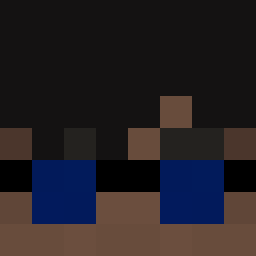
Current Minecraft skin of the player ripeex, loaded from the official Mojang API. Rotate the 3D model with your mouse or finger, then download the skin as a PNG file and use it in Minecraft: Bedrock Edition or Java Edition for free. When ripeex changes their skin, this page updates automatically and the old skin stays in the history below.

Other players with this skin (177)
ripeex was the 46th player we have seen with this skin, first spotted on 14.08.2026. The same skin was seen on these players. Open a nickname to see their current skin and skin history.
 MeOmarr universalst
 FrostyZittihnp _chxcken AwesomeGOAT3901 K0TIK4
 Lx62
Lx62 ArasAtlas Charless41 CookedByVeX Marox204 SINGEN17 55555551 kubaZPro Itz_Dragonix EddieDuel AleLaSciEnce6511 xVasked Its_SimonXD TT_3AMRiley Bremad0 Lucasol_2108 Hipe0n mvrderz_ PASIR74qvcra7d8v not_vrtx RxLucas Triovel
 orang33_ pikatastrophe
 Kubakiaks11 Marian44xD GowiZzus STR_CN Andrew27storm zwj1006 J3rley SANT19J85 Artemis1751 MrEnes_K SayenLouis
 davidlol_ ElKonnor DubbleTheBubble alm1ghty322 x3x_msmc_427 trofass TakahashiLynch scoumdaniel Bubbles13245 XFabledX MatteoX2 JMR7711 ANDMAX4608 forest_green5 GatoAzedo16 m4rko2072 UJinChoi
 MrBlat viper_L
More Agent Minecraft skins
How to install the ripeex skin
- Press the Download button above to save the skin as a PNG file.
- Minecraft: Bedrock Edition (PE): open the Dressing Room from the main menu (or tap your character → Edit Character), go to Classic Skins → Owned, press the + (new skin) button, choose the downloaded PNG and pick the Slim (Alex) model. Works on PC and mobile; consoles cannot import custom skins.
- Minecraft: Java Edition: open the Minecraft Launcher, go to the Skins tab, click New Skin, load the PNG, pick the Slim (Alex) model and press Save & Use. You can also upload it at minecraft.net → Profile → Change Skin.
The skin does not show up after import - what should I do?
Restart Minecraft and open the Dressing Room again - imported skins sometimes appear only after a restart. Also make sure you selected the imported skin and picked the Slim (Alex) model.
Which model should I choose, Classic or Slim?
This skin is designed for the Slim (Alex) model. If you pick the wrong model, the arms of the skin will look stretched or squeezed.
Is the skin of ripeex free to download?
Yes. Press Download, save the PNG file and use it in Minecraft: Bedrock Edition or Java Edition - no payment or registration needed. The skin also works on multiplayer servers and Realms.
More skins
Looking for more? Go back to all Minecraft skins and check the top skins of the week, month and all time, or find any player's skin by nickname.