
ricomacias - Minecraft Skins & Skin History
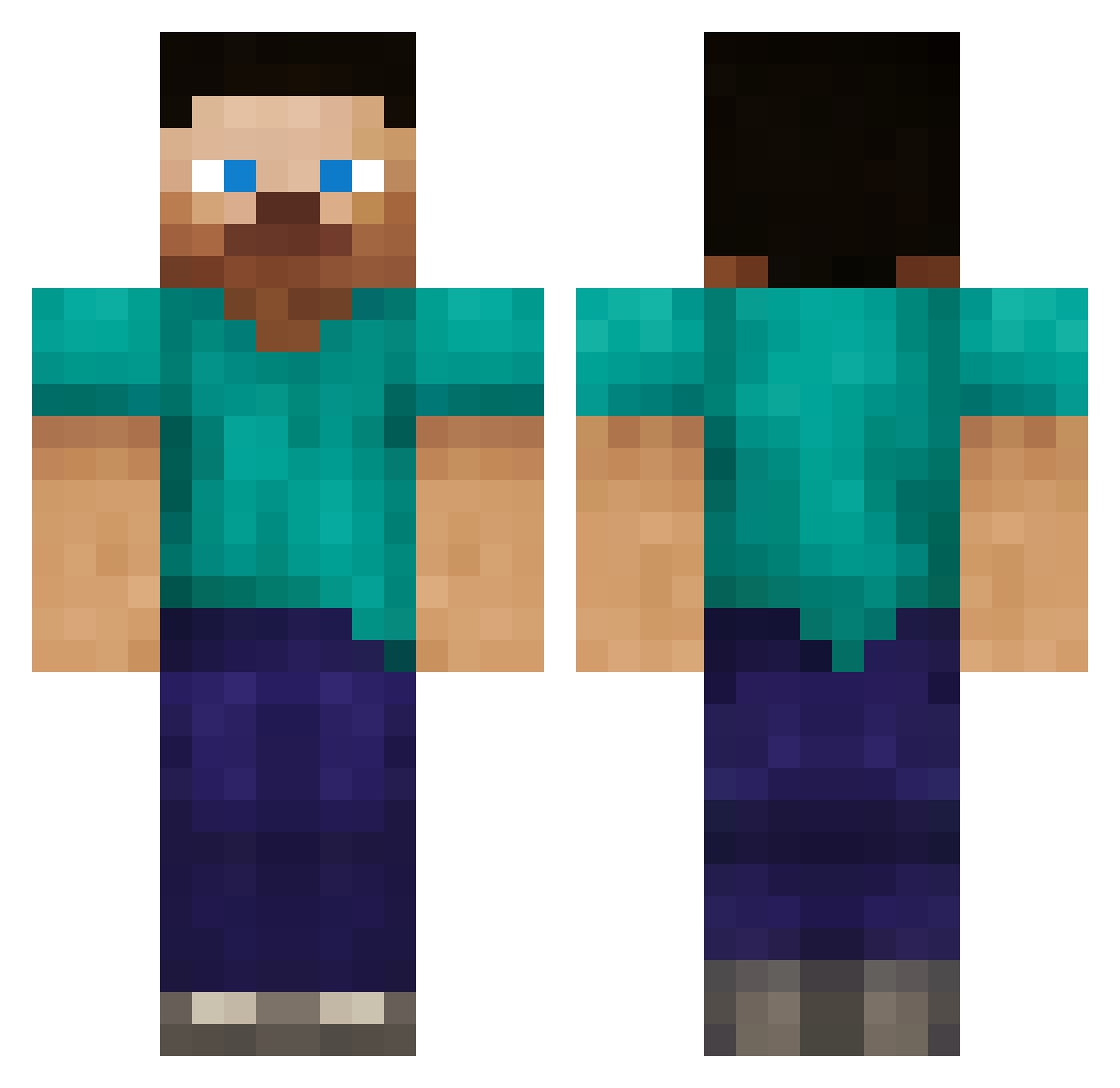
Current Minecraft skin of the player ricomacias, loaded from the official Mojang API. Rotate the 3D model with your mouse or finger, then download the skin as a PNG file and use it in Minecraft: Bedrock Edition or Java Edition for free. When ricomacias changes their skin, this page updates automatically and the old skin stays in the history below.
Other players with this skin (387)
ricomacias was the 365th player we have seen with this skin, first spotted on 04.11.2026. The same skin was seen on these players. Open a nickname to see their current skin and skin history.
 Moloko_b luuk_096 CipherNC Hydrahawk13 mass888o8 lylemcgraw Letsplay101 Starfeffe Matty_69 tripleOGkush the_Shadow2396 rjs02 Asnjorn pizzaboy147 Rockjay 88warriors ianonbaseball Whovian_May RUSsiljoe fierceseahorse BitB0i Oatis2 nathan00107 Deiqor_1337 iloveabbie glaynia nightwingex dudeabledude M_C_Never SwagScarf TheRussianGerman DisSolveMovies Dlinqe Morovitch BBooni alexsi445 xarune PAJIP AVACADOCHIEF1 Snowmansniper ReuterHD MadAtom07 DesertHawk1 nicholaskonk balchoth Silurian1 Mario64remix Jhmudge charlieorrell Lynxspirit Melrosejoe BamMan5505 wolfman2556 Ville96 Lassil991 NickWolfman l7mtRas Rafalw155 kaivaja912 RODRIGO64
How to install the ricomacias skin
- Press the Download button above to save the skin as a PNG file.
- Minecraft: Bedrock Edition (PE): open the Dressing Room from the main menu (or tap your character → Edit Character), go to Classic Skins → Owned, press the + (new skin) button, choose the downloaded PNG and pick the Classic (Steve) model. Works on PC and mobile; consoles cannot import custom skins.
- Minecraft: Java Edition: open the Minecraft Launcher, go to the Skins tab, click New Skin, load the PNG, pick the Classic (Steve) model and press Save & Use. You can also upload it at minecraft.net → Profile → Change Skin.
The skin does not show up after import - what should I do?
Restart Minecraft and open the Dressing Room again - imported skins sometimes appear only after a restart. Also make sure you selected the imported skin and picked the Classic (Steve) model.
Which model should I choose, Classic or Slim?
This skin is designed for the Classic (Steve) model. If you pick the wrong model, the arms of the skin will look stretched or squeezed.
Is the skin of ricomacias free to download?
Yes. Press Download, save the PNG file and use it in Minecraft: Bedrock Edition or Java Edition - no payment or registration needed. The skin also works on multiplayer servers and Realms.
More skins
Looking for more? Go back to all Minecraft skins and check the top skins of the week, month and all time, or find any player's skin by nickname.