
ricardexxx_ - Minecraft Skins & Skin History
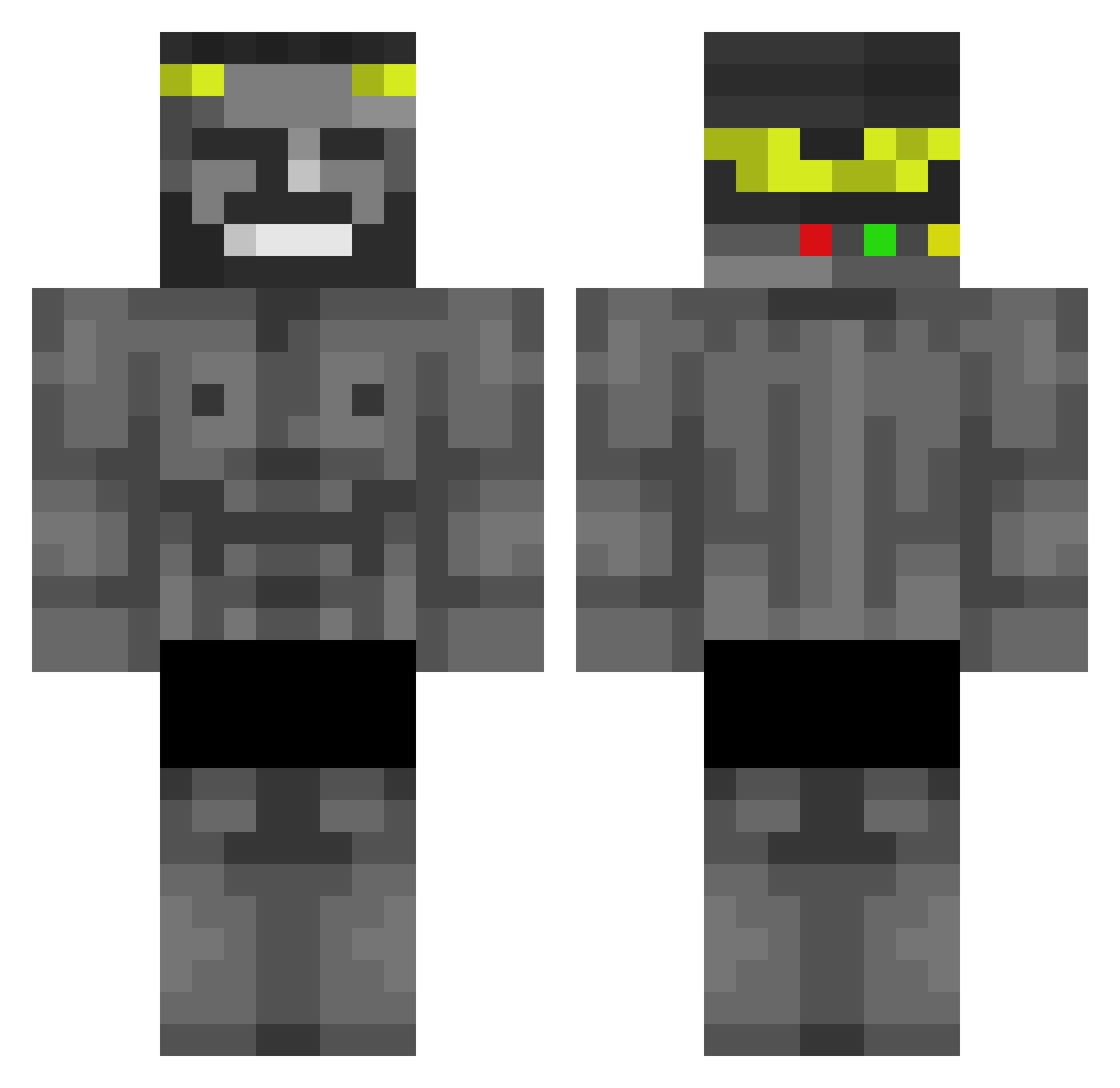
Current Minecraft skin of the player ricardexxx_, loaded from the official Mojang API. Rotate the 3D model with your mouse or finger, then download the skin as a PNG file and use it in Minecraft: Bedrock Edition or Java Edition for free. When ricardexxx_ changes their skin, this page updates automatically and the old skin stays in the history below.
Other players with this skin (521)
ricardexxx_ was the 479th player we have seen with this skin, first spotted on 10.11.2026. The same skin was seen on these players. Open a nickname to see their current skin and skin history.
 iMa3Ns silverlemeilleur CrusaderNiko21 alex2484232021 goyard1227 Mingoo0 LeeMinDuc TH3F3L1X TouTsx2 sheeems Shtoq HxzeGR ErPeppePazzo Korea_Jamin alex07057 TheLionAxl jayd3nwindl3y n3na3_dz Gavin522 D0bby_was_taken Diegoehc DFGsecs synxy099 777nick777 Guillermorfo Teol_E LaxedNinja ALTYRV2 Bakhaen sahanpr0o camilo098 Crunchease turbobertone BloodXot 00syk00 Skryniomix musores Kaasshh tungsten001 maayanmM123 GodMichel ThatMellow mewsiic Suicidal_Demon Mashyan SoraWL Megusta300 TimLal07 the_nooby spocony_szym3k TRICKFINGER4 NamedZoo XX100GG Jeffrey_F GboL1n MR_MENDIGO57 Taco_Man25 SA02MI Marcuzk1 MV_Bill
More Gigachad Minecraft skins
How to install the ricardexxx_ skin
- Press the Download button above to save the skin as a PNG file.
- Minecraft: Bedrock Edition (PE): open the Dressing Room from the main menu (or tap your character → Edit Character), go to Classic Skins → Owned, press the + (new skin) button, choose the downloaded PNG and pick the Classic (Steve) model. Works on PC and mobile; consoles cannot import custom skins.
- Minecraft: Java Edition: open the Minecraft Launcher, go to the Skins tab, click New Skin, load the PNG, pick the Classic (Steve) model and press Save & Use. You can also upload it at minecraft.net → Profile → Change Skin.
The skin does not show up after import - what should I do?
Restart Minecraft and open the Dressing Room again - imported skins sometimes appear only after a restart. Also make sure you selected the imported skin and picked the Classic (Steve) model.
Which model should I choose, Classic or Slim?
This skin is designed for the Classic (Steve) model. If you pick the wrong model, the arms of the skin will look stretched or squeezed.
Is the skin of ricardexxx_ free to download?
Yes. Press Download, save the PNG file and use it in Minecraft: Bedrock Edition or Java Edition - no payment or registration needed. The skin also works on multiplayer servers and Realms.
More skins
Looking for more? Go back to all Minecraft skins and check the top skins of the week, month and all time, or find any player's skin by nickname.