
reyzem - Minecraft Skins & Skin History
Current Minecraft skin of the player reyzem, loaded from the official Mojang API. Rotate the 3D model with your mouse or finger, then download the skin as a PNG file and use it in Minecraft: Bedrock Edition or Java Edition for free. When reyzem changes their skin, this page updates automatically and the old skin stays in the history below.
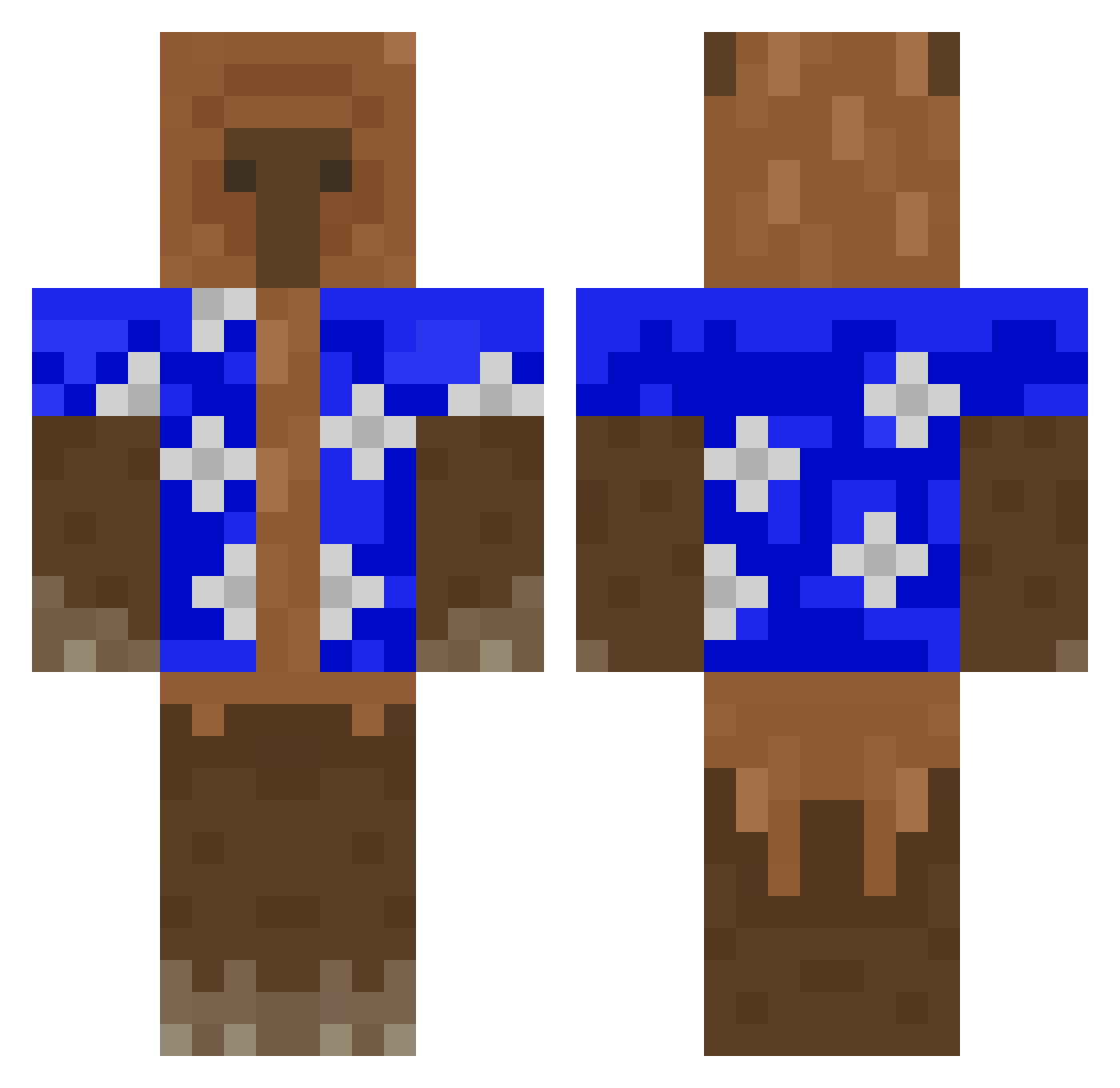
Other players with this skin (529)
reyzem was the 452nd player we have seen with this skin, first spotted on 05.11.2026. The same skin was seen on these players. Open a nickname to see their current skin and skin history.
 G4_NicNac kchizzo Mono2136 LionFox99 DDukDDakDDak jayjaypoo2 007mf RBOImQwacked roten3 Kiler7901 GignacAlaska2017 WVichoBarriosW EnderSlimer Aeffchen21 999Sneaky Laura1412 luzcas18 Pateo4321 StarblyMiCasita Felps88 whatarethose8 blooomzyy whoonmicrosoft ChiminMaster jelllq Leo556612 mel_zinha y0ungdun3 ViewlessKarma31 Who__One springrolls JGhey darioska08 Alex123papa optiqxl Winston_Gus Katana2280 Manlymanington Frederico_69 choupachups Storm__Zeus VISIOLSM micman05 dyzioooMC ITz_Poppyy ABIBULDOG20 PrinzAnwalt8233 IREX420 pacifista6556 Lucsone LucasCrackYT Etancho KrzyLOL mamba_out Hobbit_12 MaksMini RaddiPlays CarloGP Marelojavi SirSteini
More Bear Minecraft skins
How to install the reyzem skin
- Press the Download button above to save the skin as a PNG file.
- Minecraft: Bedrock Edition (PE): open the Dressing Room from the main menu (or tap your character → Edit Character), go to Classic Skins → Owned, press the + (new skin) button, choose the downloaded PNG and pick the Classic (Steve) model. Works on PC and mobile; consoles cannot import custom skins.
- Minecraft: Java Edition: open the Minecraft Launcher, go to the Skins tab, click New Skin, load the PNG, pick the Classic (Steve) model and press Save & Use. You can also upload it at minecraft.net → Profile → Change Skin.
The skin does not show up after import - what should I do?
Restart Minecraft and open the Dressing Room again - imported skins sometimes appear only after a restart. Also make sure you selected the imported skin and picked the Classic (Steve) model.
Which model should I choose, Classic or Slim?
This skin is designed for the Classic (Steve) model. If you pick the wrong model, the arms of the skin will look stretched or squeezed.
Is the skin of reyzem free to download?
Yes. Press Download, save the PNG file and use it in Minecraft: Bedrock Edition or Java Edition - no payment or registration needed. The skin also works on multiplayer servers and Realms.
More skins
Looking for more? Go back to all Minecraft skins and check the top skins of the week, month and all time, or find any player's skin by nickname.