
renhestia - Minecraft Skins & Skin History
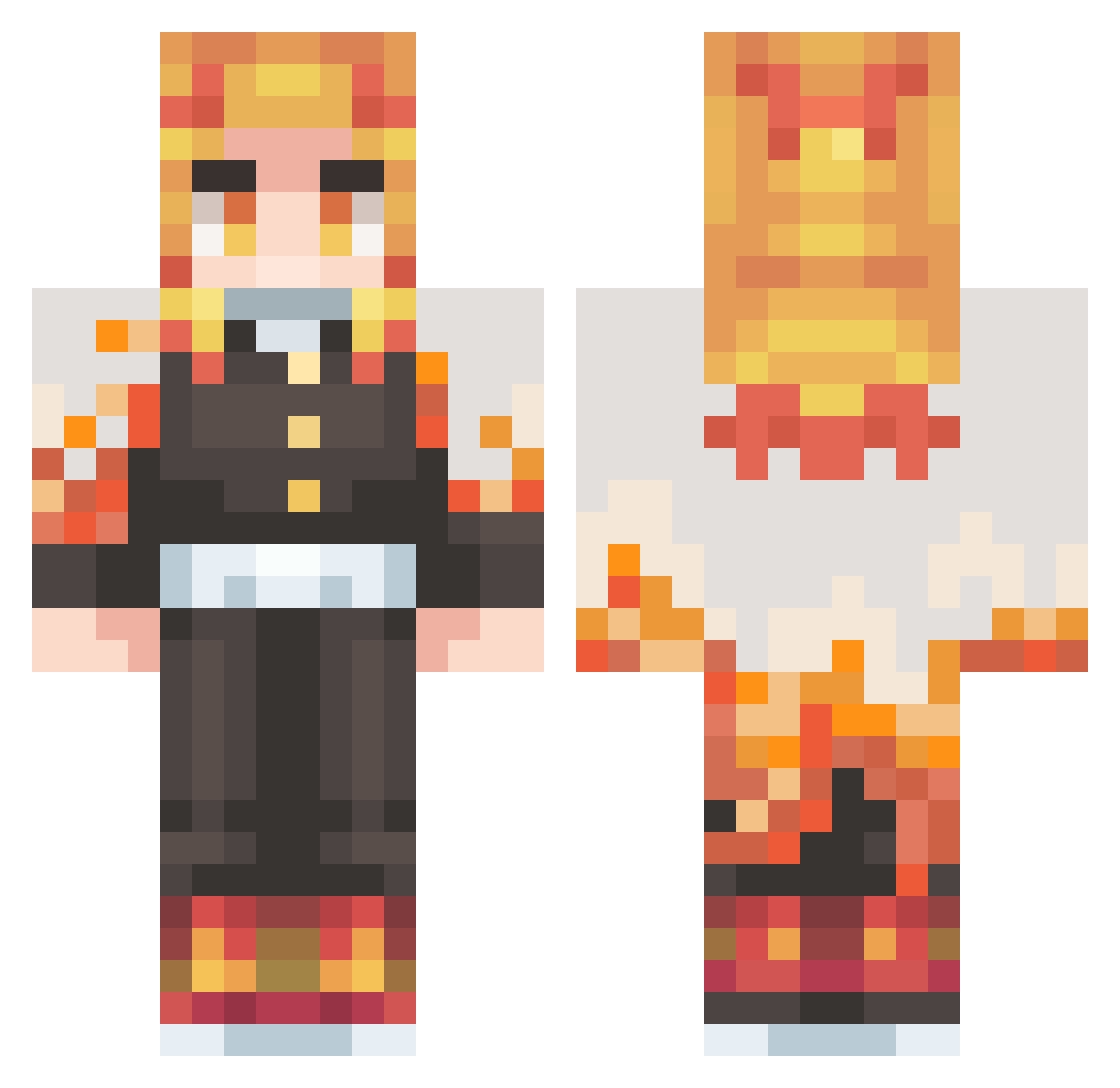
Current Minecraft skin of the player renhestia, loaded from the official Mojang API. Rotate the 3D model with your mouse or finger, then download the skin as a PNG file and use it in Minecraft: Bedrock Edition or Java Edition for free. When renhestia changes their skin, this page updates automatically and the old skin stays in the history below.
Other players with this skin (410)
renhestia was the 363rd player we have seen with this skin, first spotted on 22.10.2026. The same skin was seen on these players. Open a nickname to see their current skin and skin history.
 Elmiguel202 FR_BeliCraaft RyoheRay CyrusSett22 Boel3ky Kokowi ATKMang0 ThAlvs Squaris13 PeanutBbt STDMGod kazukimaru Sk4duwee Will_PK4 Gornex Dalinho shazamof2020 BarilLynX22 AppleballZ Snared08 pf4v lani504 Ilovesyubi SiphonCloud1 DIMONiop niciman66 KANY0Us Sato_kazuma Aranachiel The_reaper282 BlackDevil_Shion AnimalFriend524 rhy_chu jr_devil Hanioken yuuma5050 XfgTekato BOTIMAS Linus0227 rhysbland Chief571 HGHG0623 svente_btw kurando1216 HOISING fqr92 pucchino Dodosolnaro sr3n1ty hinjed AVTA LeonidasNox RengokuKyujuro ogKyntra cendol666 Sulfuricwolf263 zs0725 PanicLUL swimming_29 DeuxQuoi
More Kyojuro Rengoku Minecraft skins
See all 108 Kyojuro Rengoku skins
How to install the renhestia skin
- Press the Download button above to save the skin as a PNG file.
- Minecraft: Bedrock Edition (PE): open the Dressing Room from the main menu (or tap your character → Edit Character), go to Classic Skins → Owned, press the + (new skin) button, choose the downloaded PNG and pick the Classic (Steve) model. Works on PC and mobile; consoles cannot import custom skins.
- Minecraft: Java Edition: open the Minecraft Launcher, go to the Skins tab, click New Skin, load the PNG, pick the Classic (Steve) model and press Save & Use. You can also upload it at minecraft.net → Profile → Change Skin.
The skin does not show up after import - what should I do?
Restart Minecraft and open the Dressing Room again - imported skins sometimes appear only after a restart. Also make sure you selected the imported skin and picked the Classic (Steve) model.
Which model should I choose, Classic or Slim?
This skin is designed for the Classic (Steve) model. If you pick the wrong model, the arms of the skin will look stretched or squeezed.
Is the skin of renhestia free to download?
Yes. Press Download, save the PNG file and use it in Minecraft: Bedrock Edition or Java Edition - no payment or registration needed. The skin also works on multiplayer servers and Realms.
More skins
Looking for more? Go back to all Minecraft skins and check the top skins of the week, month and all time, or find any player's skin by nickname.