
reflexz71 - Minecraft Skins & Skin History
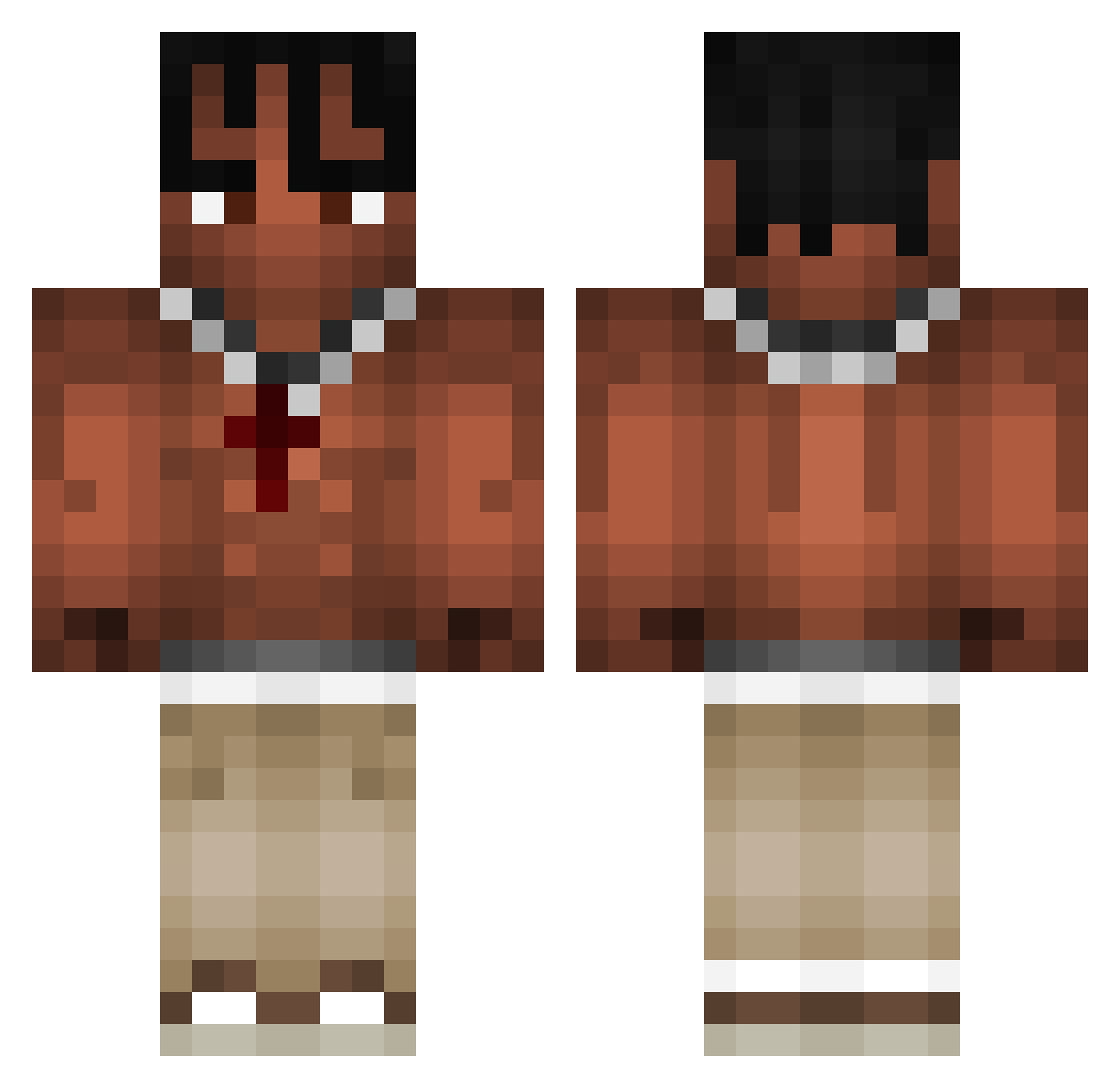
Current Minecraft skin of the player reflexz71, loaded from the official Mojang API. Rotate the 3D model with your mouse or finger, then download the skin as a PNG file and use it in Minecraft: Bedrock Edition or Java Edition for free. When reflexz71 changes their skin, this page updates automatically and the old skin stays in the history below.
Other players with this skin (973)
reflexz71 was the 691st player we have seen with this skin, first spotted on 06.10.2026. The same skin was seen on these players. Open a nickname to see their current skin and skin history.
 NOMEUTENE123 TomyTrumpet silviuu ShinyCrab26 TerryLai0613 tlages08 RAZUO3 FrDarko EMASSS Ducktopia Palatrons1 goofypaulus Brookyyyyyyy Legend173 Domyynoo TheRedBoicuh kwintee Krunqz LindaLean Skwyte Murek22 XCSOTIX cgmotor zohar_ choosyfanaccount BoubouleMarabou Byzaremba ocenathan Raabinho Byakuja nicords Charlevoix_ T_dot_a batonbounty Txcciaa Alison5029 BIT_123 Dr1pKage Adamec_ MaciejDrummer7 JasaNine1 KAPPA1828 Rrraaash zorvex34 L_E0_ Not_Norrmal maxderlolly Nick_Robbie Qarkufka Y22r vtr1 ICKE257 mauriceroos Steezsurb paracadutepazzo Pirat0815 tukson5490 FUSUKURA Gabcharlie S2YBKI_
More Xxxtentacion Minecraft skins
See all 407 Xxxtentacion skins
How to install the reflexz71 skin
- Press the Download button above to save the skin as a PNG file.
- Minecraft: Bedrock Edition (PE): open the Dressing Room from the main menu (or tap your character → Edit Character), go to Classic Skins → Owned, press the + (new skin) button, choose the downloaded PNG and pick the Classic (Steve) model. Works on PC and mobile; consoles cannot import custom skins.
- Minecraft: Java Edition: open the Minecraft Launcher, go to the Skins tab, click New Skin, load the PNG, pick the Classic (Steve) model and press Save & Use. You can also upload it at minecraft.net → Profile → Change Skin.
The skin does not show up after import - what should I do?
Restart Minecraft and open the Dressing Room again - imported skins sometimes appear only after a restart. Also make sure you selected the imported skin and picked the Classic (Steve) model.
Which model should I choose, Classic or Slim?
This skin is designed for the Classic (Steve) model. If you pick the wrong model, the arms of the skin will look stretched or squeezed.
Is the skin of reflexz71 free to download?
Yes. Press Download, save the PNG file and use it in Minecraft: Bedrock Edition or Java Edition - no payment or registration needed. The skin also works on multiplayer servers and Realms.
More skins
Looking for more? Go back to all Minecraft skins and check the top skins of the week, month and all time, or find any player's skin by nickname.