
reapexxx - Minecraft Skins & Skin History
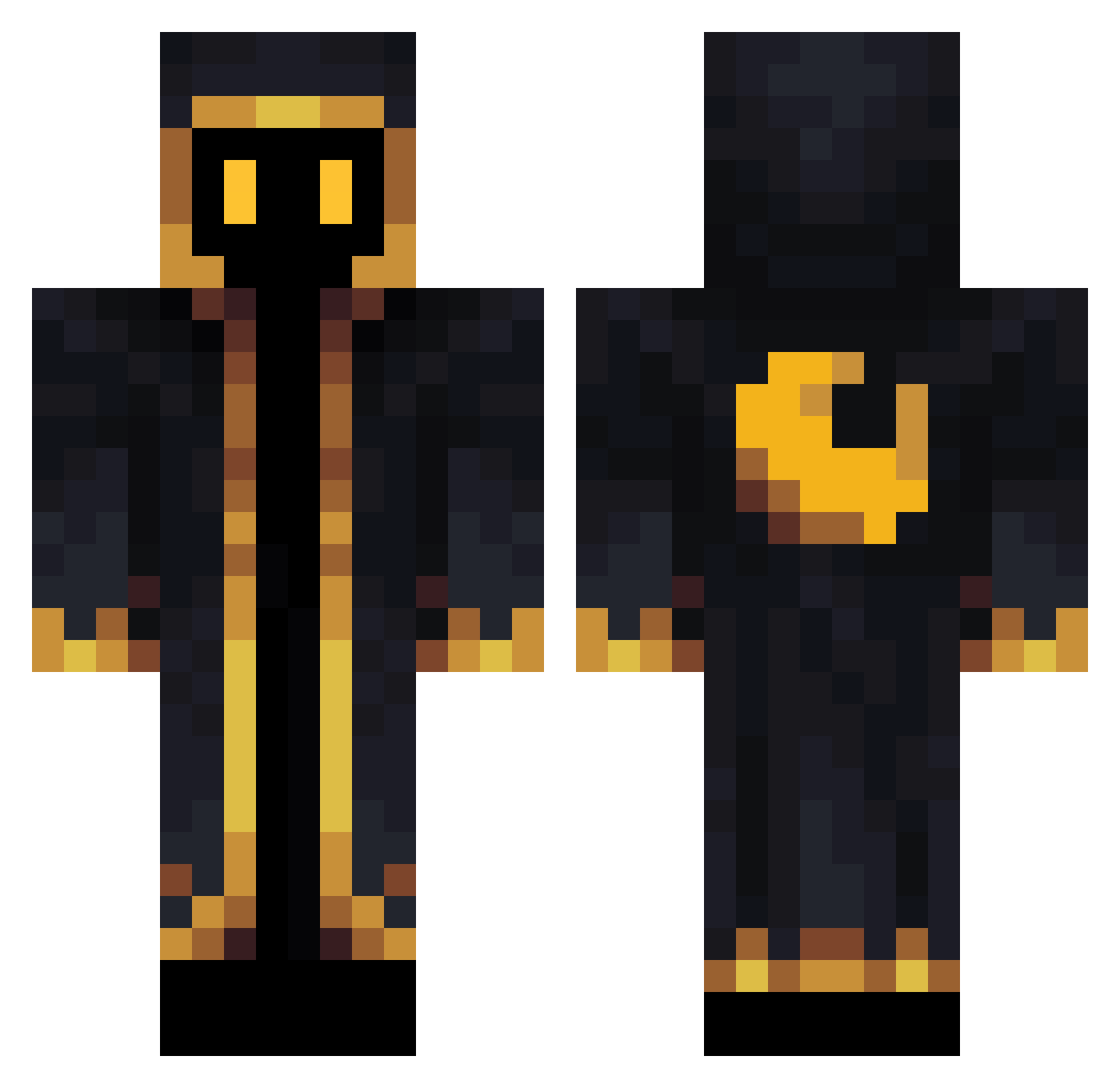
Current Minecraft skin of the player reapexxx, loaded from the official Mojang API. Rotate the 3D model with your mouse or finger, then download the skin as a PNG file and use it in Minecraft: Bedrock Edition or Java Edition for free. When reapexxx changes their skin, this page updates automatically and the old skin stays in the history below.
Other players with this skin (689)
reapexxx was the 614th player we have seen with this skin, first spotted on 07.11.2026. The same skin was seen on these players. Open a nickname to see their current skin and skin history.
 CarltonHuang sleepyping ShordieIX Brobitussin Elmaravilloso Delifox58 Jessey07 _EvPlus_ CaptainASystem SpazumsW0rld Explobusch Okamyko Jarvetagune GianBerto_ XDatLouisianianX _xLemonadex_ cygnul Kilur0628 Jaras1995 Nyggaus Sand_in_a_can arcaneadventurer OmarTheDum vaderciya heheb0y00 Gubbels829 Smaties gd34012 Neakio Zambrotaa Limon4ik_091 fafik111 i_wreck_creepers Silent_Gamer542 volcom4040 WarHammer3 Katnips31 P1Bear kierxn_ Chappp0 mxdn BlizardWizard69 Magical_Sky_Dash Nayoji Winsu27 fietsensteler svante577 Skulls9532 AMEbeere _MinerLeaguer_ Onixpheonix Yorudan01 ahj47 ShamanTengri FancoPK dobbymichael6 Believer_cry2024 Gogolus Cuaugl NeonDesu
More Crescent Moon Minecraft skins
See all 321 Crescent Moon skins
How to install the reapexxx skin
- Press the Download button above to save the skin as a PNG file.
- Minecraft: Bedrock Edition (PE): open the Dressing Room from the main menu (or tap your character → Edit Character), go to Classic Skins → Owned, press the + (new skin) button, choose the downloaded PNG and pick the Classic (Steve) model. Works on PC and mobile; consoles cannot import custom skins.
- Minecraft: Java Edition: open the Minecraft Launcher, go to the Skins tab, click New Skin, load the PNG, pick the Classic (Steve) model and press Save & Use. You can also upload it at minecraft.net → Profile → Change Skin.
The skin does not show up after import - what should I do?
Restart Minecraft and open the Dressing Room again - imported skins sometimes appear only after a restart. Also make sure you selected the imported skin and picked the Classic (Steve) model.
Which model should I choose, Classic or Slim?
This skin is designed for the Classic (Steve) model. If you pick the wrong model, the arms of the skin will look stretched or squeezed.
Is the skin of reapexxx free to download?
Yes. Press Download, save the PNG file and use it in Minecraft: Bedrock Edition or Java Edition - no payment or registration needed. The skin also works on multiplayer servers and Realms.
More skins
Looking for more? Go back to all Minecraft skins and check the top skins of the week, month and all time, or find any player's skin by nickname.