
rayanfufu - Minecraft Skins & Skin History
Current Minecraft skin of the player rayanfufu, loaded from the official Mojang API. Rotate the 3D model with your mouse or finger, then download the skin as a PNG file and use it in Minecraft: Bedrock Edition or Java Edition for free. When rayanfufu changes their skin, this page updates automatically and the old skin stays in the history below.
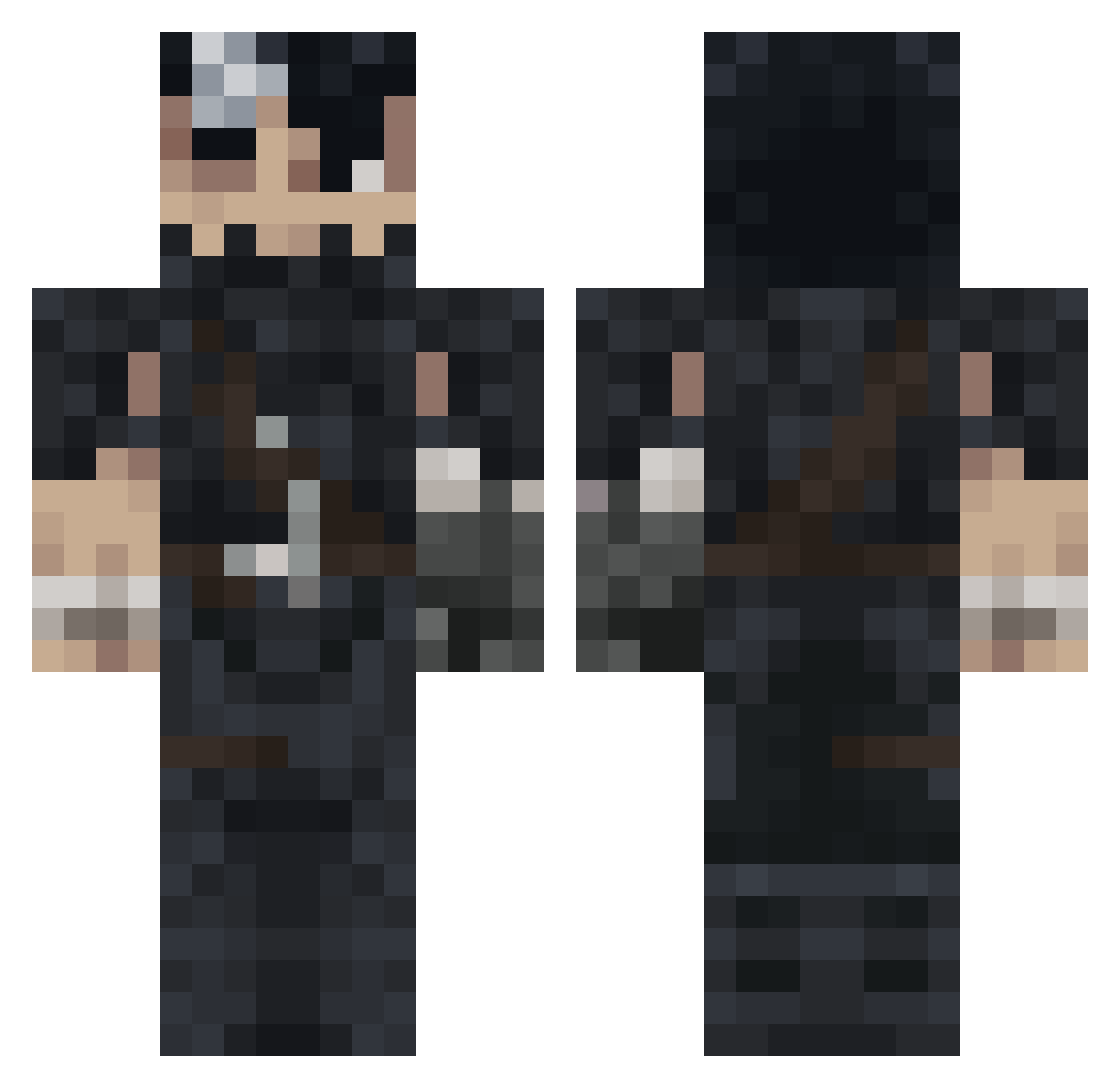
Other players with this skin (993)
rayanfufu was the 32nd player we have seen with this skin, first spotted on 25.07.2026. The same skin was seen on these players. Open a nickname to see their current skin and skin history.
 flami1n
 MAD970 sowden00 Yuuta_FR M3rllin Yougo69120 SaguinMC Kali_rl MrX6413 skynetx GRAF0N MillionGecko995 Tev902 UnHumane StumpWith2Ps Taumus GUTTSSU K0sta09 Balukion eNeBiA Tolween lolo95aa Kuroushin ewanoo kurayam11 garsonestla_ s0rgenk1nd Praxla SINDIBAD_
 Schievenin DiositoLeo David0911_19 xJenco xaul31 ReekyBurrito9 BlazeBlox Shacress Mewsteel Dylanmix Tomikys ErLizzo Jakeepper Aram160 Danimals234 Flupsky curioni Yoheem SyFroz Razorxr arracheur2lgbt craicthug Its_Catalysst JMAC923 aligaan Fatchinho B_F10 Totiman6 JosMSnow IIIbatya777III iNaHe3
More Guts Minecraft skins
How to install the rayanfufu skin
- Press the Download button above to save the skin as a PNG file.
- Minecraft: Bedrock Edition (PE): open the Dressing Room from the main menu (or tap your character → Edit Character), go to Classic Skins → Owned, press the + (new skin) button, choose the downloaded PNG and pick the Classic (Steve) model. Works on PC and mobile; consoles cannot import custom skins.
- Minecraft: Java Edition: open the Minecraft Launcher, go to the Skins tab, click New Skin, load the PNG, pick the Classic (Steve) model and press Save & Use. You can also upload it at minecraft.net → Profile → Change Skin.
The skin does not show up after import - what should I do?
Restart Minecraft and open the Dressing Room again - imported skins sometimes appear only after a restart. Also make sure you selected the imported skin and picked the Classic (Steve) model.
Which model should I choose, Classic or Slim?
This skin is designed for the Classic (Steve) model. If you pick the wrong model, the arms of the skin will look stretched or squeezed.
Is the skin of rayanfufu free to download?
Yes. Press Download, save the PNG file and use it in Minecraft: Bedrock Edition or Java Edition - no payment or registration needed. The skin also works on multiplayer servers and Realms.
More skins
Looking for more? Go back to all Minecraft skins and check the top skins of the week, month and all time, or find any player's skin by nickname.