
ravyoly - Minecraft Skins & Skin History
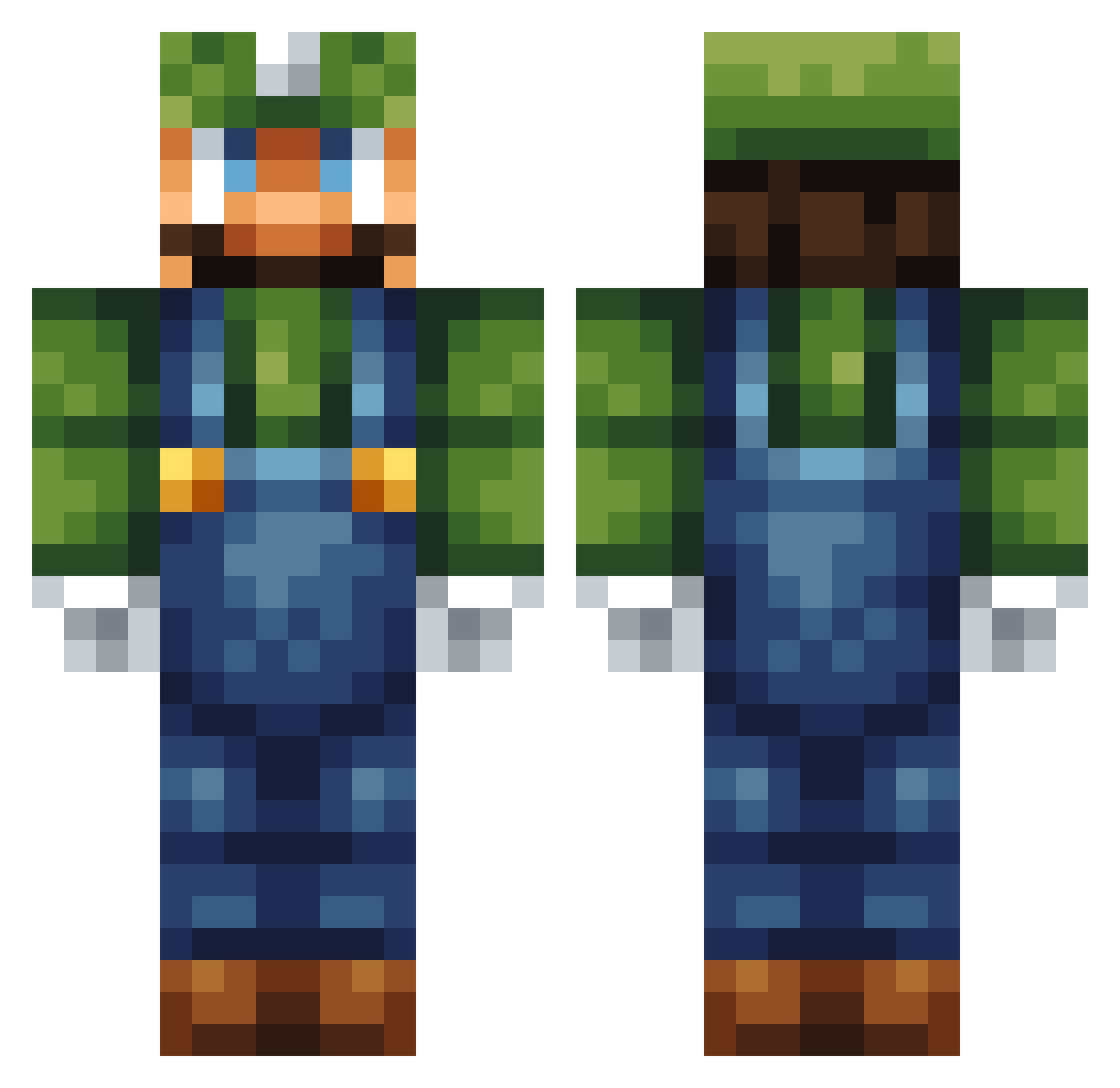
Current Minecraft skin of the player ravyoly, loaded from the official Mojang API. Rotate the 3D model with your mouse or finger, then download the skin as a PNG file and use it in Minecraft: Bedrock Edition or Java Edition for free. When ravyoly changes their skin, this page updates automatically and the old skin stays in the history below.
Other players with this skin (124)
ravyoly was the 76th player we have seen with this skin, first spotted on 28.09.2026. The same skin was seen on these players. Open a nickname to see their current skin and skin history.
 Cluinex2 Bruxinth Jonnie_361 Aigature DemonToretto Meep357 TobisHatred logi88 sekela TheEpicLemon ErgoSensation1 Varkreth Viejolopez Mista_JT alfredpro20 Pikamolga Ch1ll_G0y changhong333 Tyree1579 TTAAEEAAMMIINN punkayer braindeadw Tryfon123 RST_2008 C8838 Gingerbread_2 The_Scythe_Guru ygif MemoMC MikeCheck94 Steinar20 molevin Necrodancer40 MatticusTG JustLuukeWarm bigjoe4real mamathys ItsLugi anson134 sushh45 F1ASH8ANG abstractvoodoo LeviWorth16 ASTurtle ScreamingTantrum IHateRanked Huggz69 Crazytails2000 RnG_2000 corntub wicwiz PesoSP TepperPepper666 Feebling Arikaku gjwags Seeker_yyw Luniixx Confuse SnappinTuna
More Luigi Minecraft skins
How to install the ravyoly skin
- Press the Download button above to save the skin as a PNG file.
- Minecraft: Bedrock Edition (PE): open the Dressing Room from the main menu (or tap your character → Edit Character), go to Classic Skins → Owned, press the + (new skin) button, choose the downloaded PNG and pick the Classic (Steve) model. Works on PC and mobile; consoles cannot import custom skins.
- Minecraft: Java Edition: open the Minecraft Launcher, go to the Skins tab, click New Skin, load the PNG, pick the Classic (Steve) model and press Save & Use. You can also upload it at minecraft.net → Profile → Change Skin.
The skin does not show up after import - what should I do?
Restart Minecraft and open the Dressing Room again - imported skins sometimes appear only after a restart. Also make sure you selected the imported skin and picked the Classic (Steve) model.
Which model should I choose, Classic or Slim?
This skin is designed for the Classic (Steve) model. If you pick the wrong model, the arms of the skin will look stretched or squeezed.
Is the skin of ravyoly free to download?
Yes. Press Download, save the PNG file and use it in Minecraft: Bedrock Edition or Java Edition - no payment or registration needed. The skin also works on multiplayer servers and Realms.
More skins
Looking for more? Go back to all Minecraft skins and check the top skins of the week, month and all time, or find any player's skin by nickname.