
rave2tBvYwGV - Minecraft Skins & Skin History
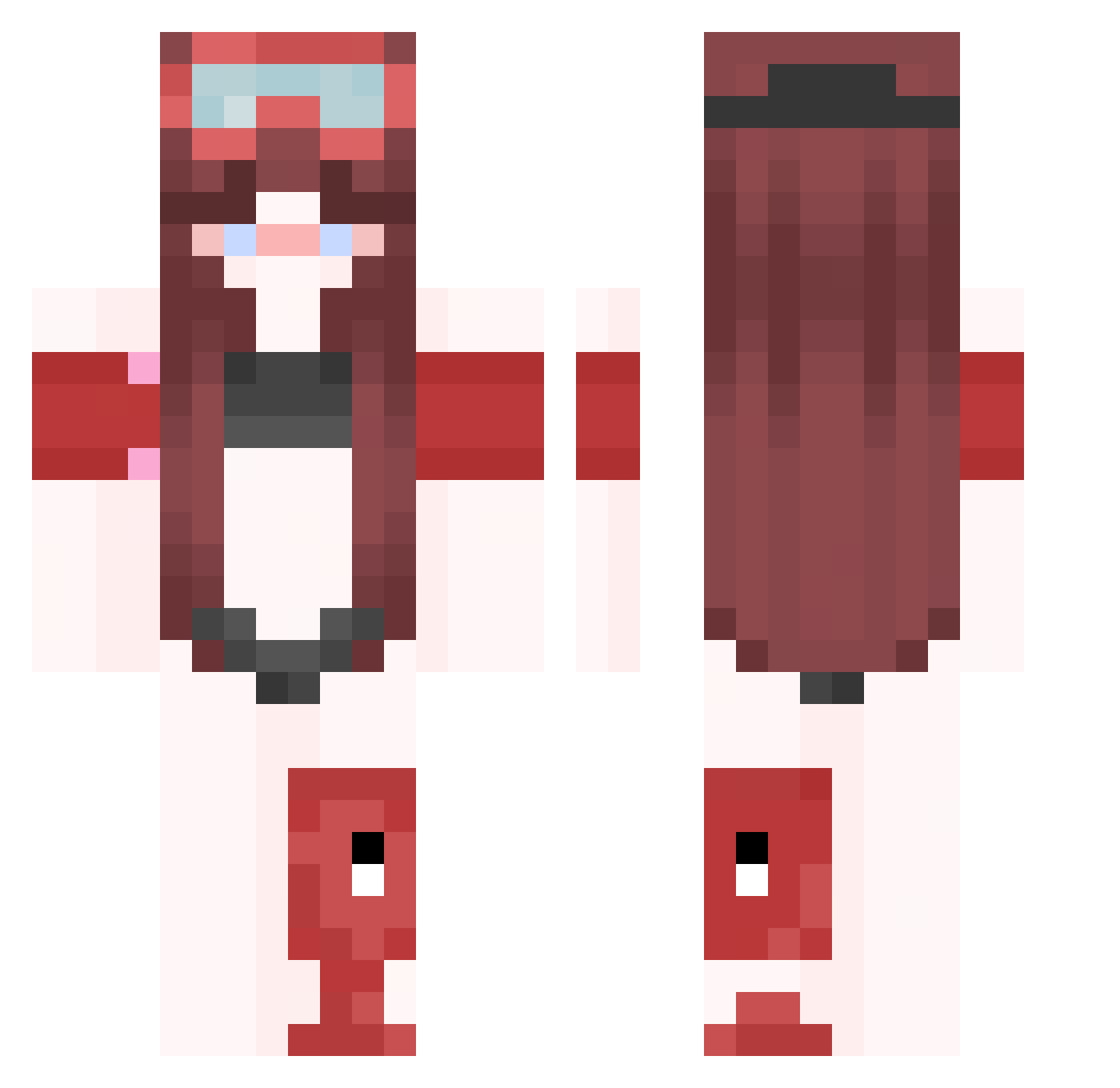
Current Minecraft skin of the player rave2tBvYwGV, loaded from the official Mojang API. Rotate the 3D model with your mouse or finger, then download the skin as a PNG file and use it in Minecraft: Bedrock Edition or Java Edition for free. When rave2tBvYwGV changes their skin, this page updates automatically and the old skin stays in the history below.
Other players with this skin (347)
rave2tBvYwGV was the 42nd player we have seen with this skin, first spotted on 03.08.2026. The same skin was seen on these players. Open a nickname to see their current skin and skin history.
 n0xbrand ptaltssBLph lark9unsightly51 ksyzischefHNdZU A4omgndree
 KaarOoliiin86a Megabee69 LinhgSYWU0107 Deallexcited8 raveeOXLzxl9 LinhdAjmF0118 Javiersh SXO0KY EELY4Y5 effectivefla8by FernaN355806 Ro54usseauXx decayedCo7ticea Jolledoe tidyunm6atched n3kr0305 VRC_iGRLX Xx_OnyxWraith_xX Jackless25 FERNAN697296 ptaltsWcXUs DripGEN650636
 aurafel Kzalan voxerismQVior grayson1234p ravej9GJc7hD Azamil EzFcoinCelle Novais2Xx FernaN898616 ptaltsYmSvU BrianKrebs039296 PessaSP rave3rXrkPxQ BudIg4YT923 LecstasySuicide Agness43 dutifulindivisi meow_vKgEH_08 Farazi242 Banana_ZsF rave0l8WKyc0 zz_HYxnl_12_12 0v804324282 Player21617 FernaN593936 ElKpar DripGEN451146 1616supernova432 3mightyubiquito decayedHlaus5ib 52r7orem9e1 strats_fjiSH KeineProblem
More Lifeguard Minecraft skins
How to install the rave2tBvYwGV skin
- Press the Download button above to save the skin as a PNG file.
- Minecraft: Bedrock Edition (PE): open the Dressing Room from the main menu (or tap your character → Edit Character), go to Classic Skins → Owned, press the + (new skin) button, choose the downloaded PNG and pick the Classic (Steve) model. Works on PC and mobile; consoles cannot import custom skins.
- Minecraft: Java Edition: open the Minecraft Launcher, go to the Skins tab, click New Skin, load the PNG, pick the Classic (Steve) model and press Save & Use. You can also upload it at minecraft.net → Profile → Change Skin.
The skin does not show up after import - what should I do?
Restart Minecraft and open the Dressing Room again - imported skins sometimes appear only after a restart. Also make sure you selected the imported skin and picked the Classic (Steve) model.
Which model should I choose, Classic or Slim?
This skin is designed for the Classic (Steve) model. If you pick the wrong model, the arms of the skin will look stretched or squeezed.
Is the skin of rave2tBvYwGV free to download?
Yes. Press Download, save the PNG file and use it in Minecraft: Bedrock Edition or Java Edition - no payment or registration needed. The skin also works on multiplayer servers and Realms.
More skins
Looking for more? Go back to all Minecraft skins and check the top skins of the week, month and all time, or find any player's skin by nickname.