
raute2002 - Minecraft Skins & Skin History
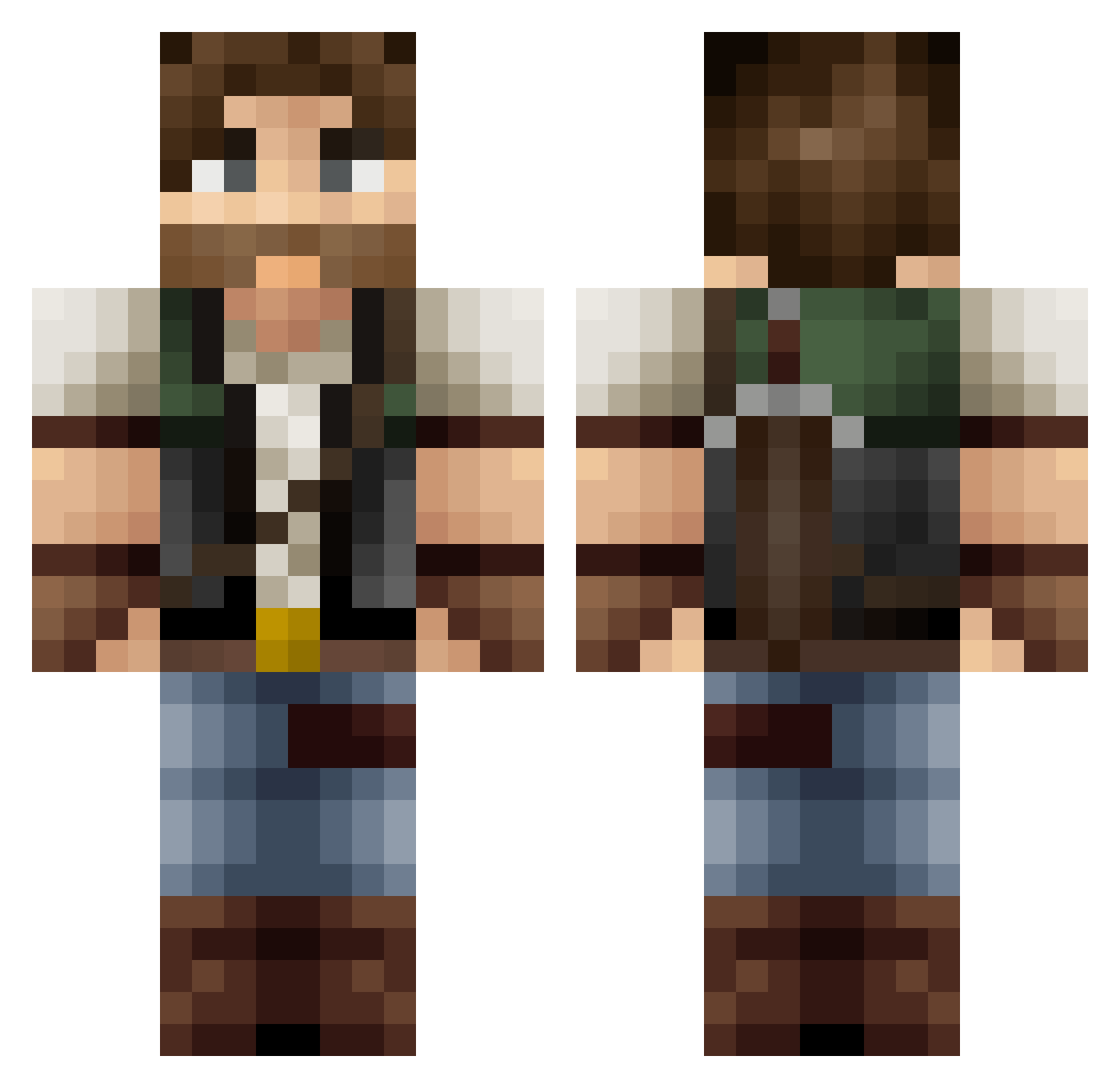
Current Minecraft skin of the player raute2002, loaded from the official Mojang API. Rotate the 3D model with your mouse or finger, then download the skin as a PNG file and use it in Minecraft: Bedrock Edition or Java Edition for free. When raute2002 changes their skin, this page updates automatically and the old skin stays in the history below.
Other players with this skin (418)
raute2002 was the 45th player we have seen with this skin, first spotted on 04.08.2026. The same skin was seen on these players. Open a nickname to see their current skin and skin history.
 M0ndy AapeliV Lorayn SchubSchubX3 Shacazulu PMulk84 xZayed MashogaLemur kareldehond JayFranks Benji_69 jimmyblockhead AnchorConspiracy MCDrenas wychelm666 Lunar_Nastyy Goober16 123McCookie Malrig jhirdy MC_Matt_ Tompamaster Gary0828 MTmike26 Musclebard chuckhedden ProminentCabbage Reinaxi Andelir ForgingTonight Pr3dator28 Rasquez Barebas Vlad_Thee_Poker Axborc minner225 lootuska NickVasos Holst_n scotty8365 Whiskeyy CyborgPig1012 RedShark74 philipberch Guzmod Accelskate Huffbuilders Broski101_ feuerwehr11 SlimySquid07 woodforall Deronium KarlWhite02 plumboy98 SindBad07 Elkantor nikll345 ianterrell Lymfan ArvidBaws
More Joel Miller Minecraft skins
How to install the raute2002 skin
- Press the Download button above to save the skin as a PNG file.
- Minecraft: Bedrock Edition (PE): open the Dressing Room from the main menu (or tap your character → Edit Character), go to Classic Skins → Owned, press the + (new skin) button, choose the downloaded PNG and pick the Classic (Steve) model. Works on PC and mobile; consoles cannot import custom skins.
- Minecraft: Java Edition: open the Minecraft Launcher, go to the Skins tab, click New Skin, load the PNG, pick the Classic (Steve) model and press Save & Use. You can also upload it at minecraft.net → Profile → Change Skin.
The skin does not show up after import - what should I do?
Restart Minecraft and open the Dressing Room again - imported skins sometimes appear only after a restart. Also make sure you selected the imported skin and picked the Classic (Steve) model.
Which model should I choose, Classic or Slim?
This skin is designed for the Classic (Steve) model. If you pick the wrong model, the arms of the skin will look stretched or squeezed.
Is the skin of raute2002 free to download?
Yes. Press Download, save the PNG file and use it in Minecraft: Bedrock Edition or Java Edition - no payment or registration needed. The skin also works on multiplayer servers and Realms.
More skins
Looking for more? Go back to all Minecraft skins and check the top skins of the week, month and all time, or find any player's skin by nickname.