
raszk - Minecraft Skins & Skin History
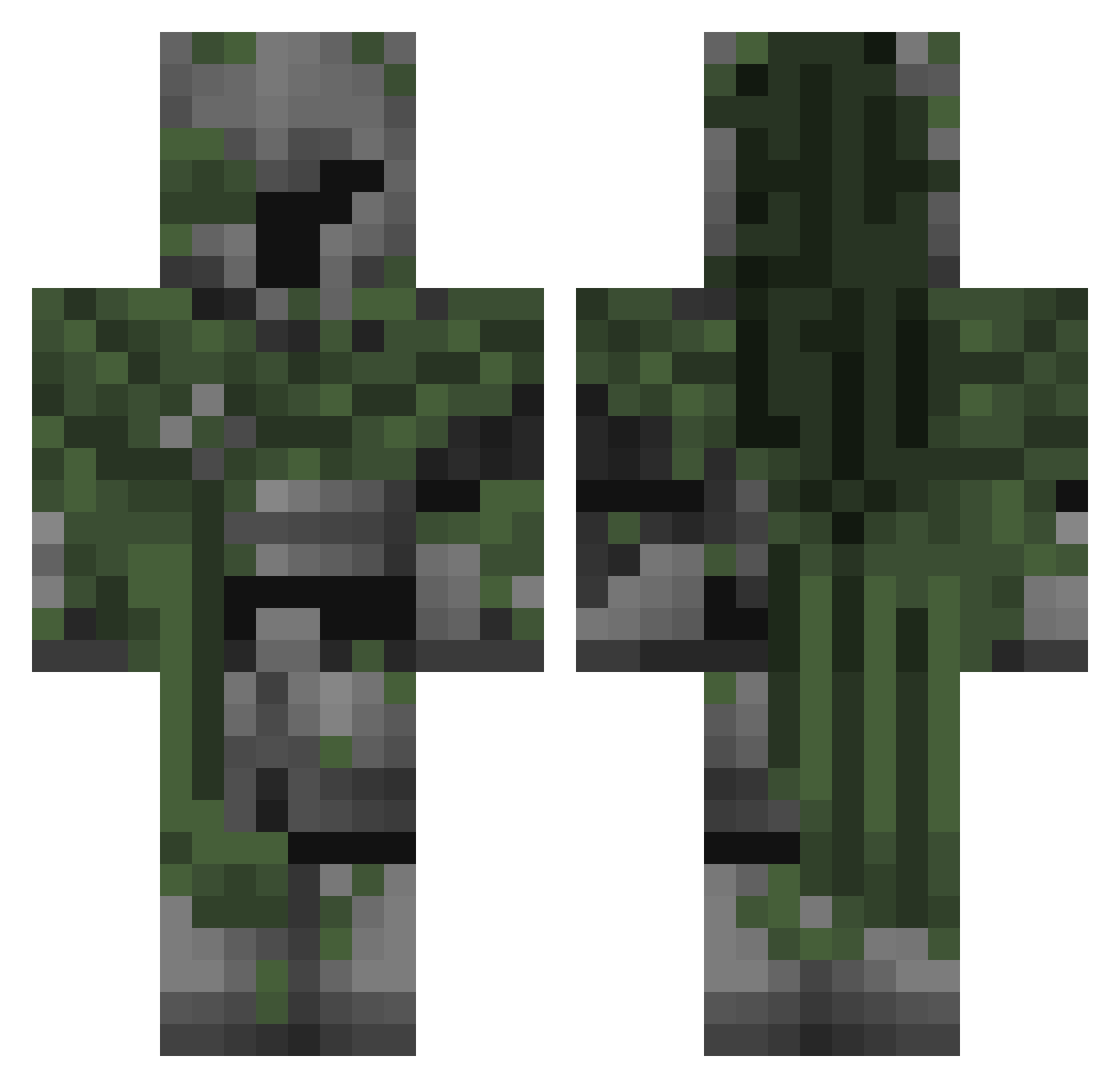
Current Minecraft skin of the player raszk, loaded from the official Mojang API. Rotate the 3D model with your mouse or finger, then download the skin as a PNG file and use it in Minecraft: Bedrock Edition or Java Edition for free. When raszk changes their skin, this page updates automatically and the old skin stays in the history below.
Other players with this skin (166)
raszk was the 128th player we have seen with this skin, first spotted on 15.10.2026. The same skin was seen on these players. Open a nickname to see their current skin and skin history.
 japabiel ORANGE9865 Kitobey BryceD04 TookiToo Micheal_Vick W0GANGG Maskedbotbro Geffroi JastakingV2 numbnut_ ProfUnknowed Myroslav1215 ttgfg notbenyx Kadu_2013 inxrr_ Senpai_lamber co2inhaler vezzable Fraccture_ DAvVex Yoshikage2004 Entity______ Esdras_P sweephit Azjia Createorcrash vencaa_ xdpeppo desmembracion Supramartin1 Dxwk RIHALIUS Nightgrass HanaFlower22 Nether_Reaper Skychii roseflowers00 ABear008 vorrtex1 greeenwoood sky_sea32 Zefixon Fray399 ImVozx xmichell Waskangame jxtyoto bannedfat THIEVES_MO keks1626 stormlights__ bananinha123456 Dwek_ ilFateco x_43 gamerduck2010000 1ExtraKromosom Rustybey35
Previous skins of raszk
Skins that raszk wore before, newest first. Click a skin to open its page and download it.
More Mossy Minecraft skins
How to install the raszk skin
- Press the Download button above to save the skin as a PNG file.
- Minecraft: Bedrock Edition (PE): open the Dressing Room from the main menu (or tap your character → Edit Character), go to Classic Skins → Owned, press the + (new skin) button, choose the downloaded PNG and pick the Classic (Steve) model. Works on PC and mobile; consoles cannot import custom skins.
- Minecraft: Java Edition: open the Minecraft Launcher, go to the Skins tab, click New Skin, load the PNG, pick the Classic (Steve) model and press Save & Use. You can also upload it at minecraft.net → Profile → Change Skin.
The skin does not show up after import - what should I do?
Restart Minecraft and open the Dressing Room again - imported skins sometimes appear only after a restart. Also make sure you selected the imported skin and picked the Classic (Steve) model.
Which model should I choose, Classic or Slim?
This skin is designed for the Classic (Steve) model. If you pick the wrong model, the arms of the skin will look stretched or squeezed.
Is the skin of raszk free to download?
Yes. Press Download, save the PNG file and use it in Minecraft: Bedrock Edition or Java Edition - no payment or registration needed. The skin also works on multiplayer servers and Realms.
More skins
Looking for more? Go back to all Minecraft skins and check the top skins of the week, month and all time, or find any player's skin by nickname.