
rams_s - Minecraft Skins & Skin History
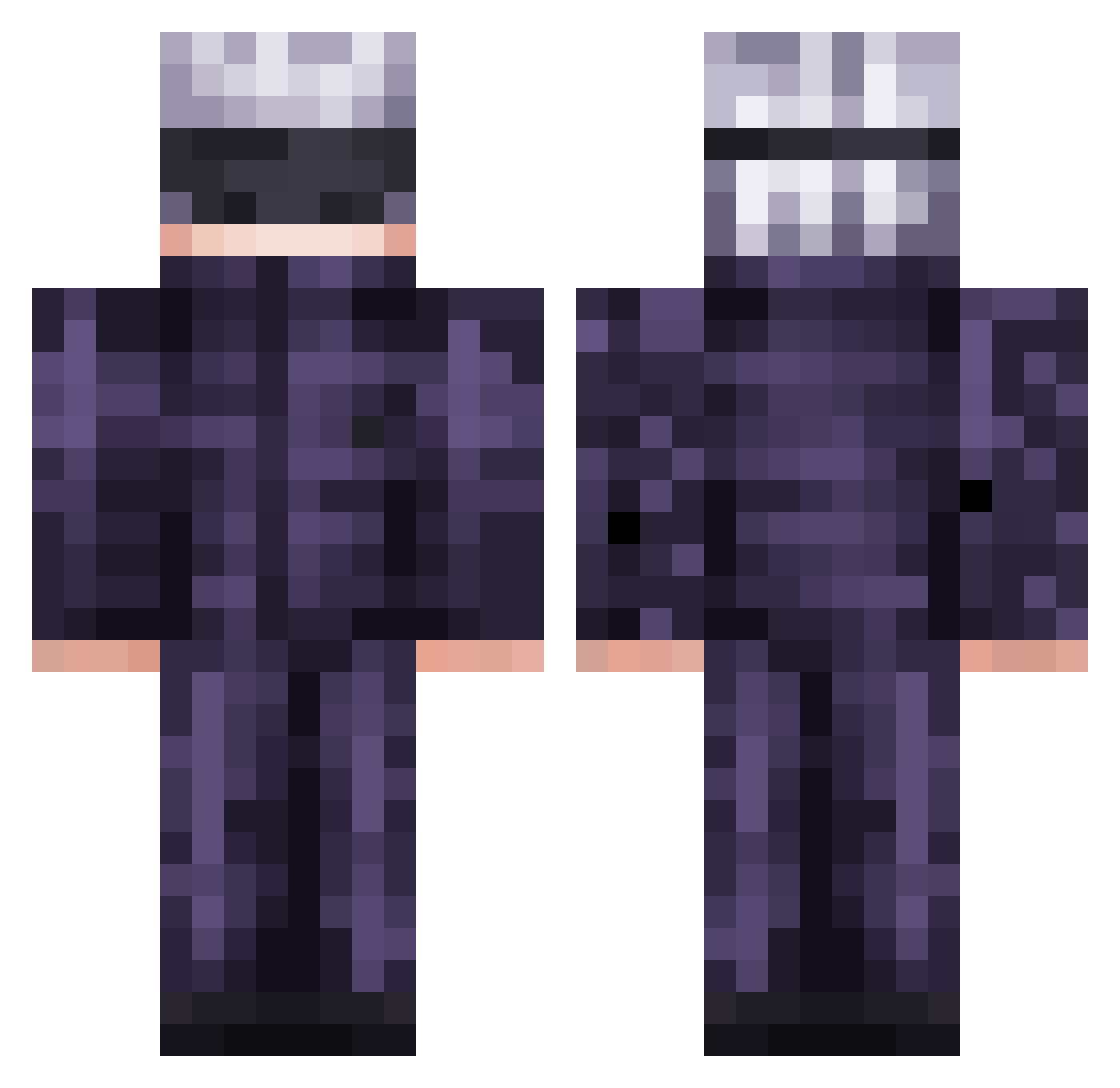
Current Minecraft skin of the player rams_s, loaded from the official Mojang API. Rotate the 3D model with your mouse or finger, then download the skin as a PNG file and use it in Minecraft: Bedrock Edition or Java Edition for free. When rams_s changes their skin, this page updates automatically and the old skin stays in the history below.
Other players with this skin (569)
rams_s was the 513th player we have seen with this skin, first spotted on 29.10.2026. The same skin was seen on these players. Open a nickname to see their current skin and skin history.
 Czech_Lovec Tp3m Affe0004 siwoo7777 Squuge KQUOOP kantoku39 PsychoVillager Cosmo_3000 Gamer_Leaf Tartanard_ Shogitsuu Malte5 URAFoot Azerry IANMAK20 vobzzz Emnl7 AydenSvK MrFabian101King Sakiiro InvisiblePause Ariszle2136 Dopeyswift MetroSenju Brutal66 Hemworior Shivenn051208 Mikaiji Sammy_sam1 Keillesvirus32 EnderCleave glab69 astric_ruler xSatoruGojo Gurgledirt Perfec11 Nivemara VilcabambaM Mxndyz ThePurpleKoi makTsz Bryceward20 STiVExD JaQ2012 Genchiro xanxushu 13125L SlightDepression xBigDDylann K_hrono Zyienn YUDURU322 Infixityx NopiFishy pa6r RochaWRLD EyanLJM Dragonfiree31 gameer6767
More Satoru Gojo Minecraft skins
See all 1375 Satoru Gojo skins
How to install the rams_s skin
- Press the Download button above to save the skin as a PNG file.
- Minecraft: Bedrock Edition (PE): open the Dressing Room from the main menu (or tap your character → Edit Character), go to Classic Skins → Owned, press the + (new skin) button, choose the downloaded PNG and pick the Classic (Steve) model. Works on PC and mobile; consoles cannot import custom skins.
- Minecraft: Java Edition: open the Minecraft Launcher, go to the Skins tab, click New Skin, load the PNG, pick the Classic (Steve) model and press Save & Use. You can also upload it at minecraft.net → Profile → Change Skin.
The skin does not show up after import - what should I do?
Restart Minecraft and open the Dressing Room again - imported skins sometimes appear only after a restart. Also make sure you selected the imported skin and picked the Classic (Steve) model.
Which model should I choose, Classic or Slim?
This skin is designed for the Classic (Steve) model. If you pick the wrong model, the arms of the skin will look stretched or squeezed.
Is the skin of rams_s free to download?
Yes. Press Download, save the PNG file and use it in Minecraft: Bedrock Edition or Java Edition - no payment or registration needed. The skin also works on multiplayer servers and Realms.
More skins
Looking for more? Go back to all Minecraft skins and check the top skins of the week, month and all time, or find any player's skin by nickname.