
ragerside - Minecraft Skins & Skin History
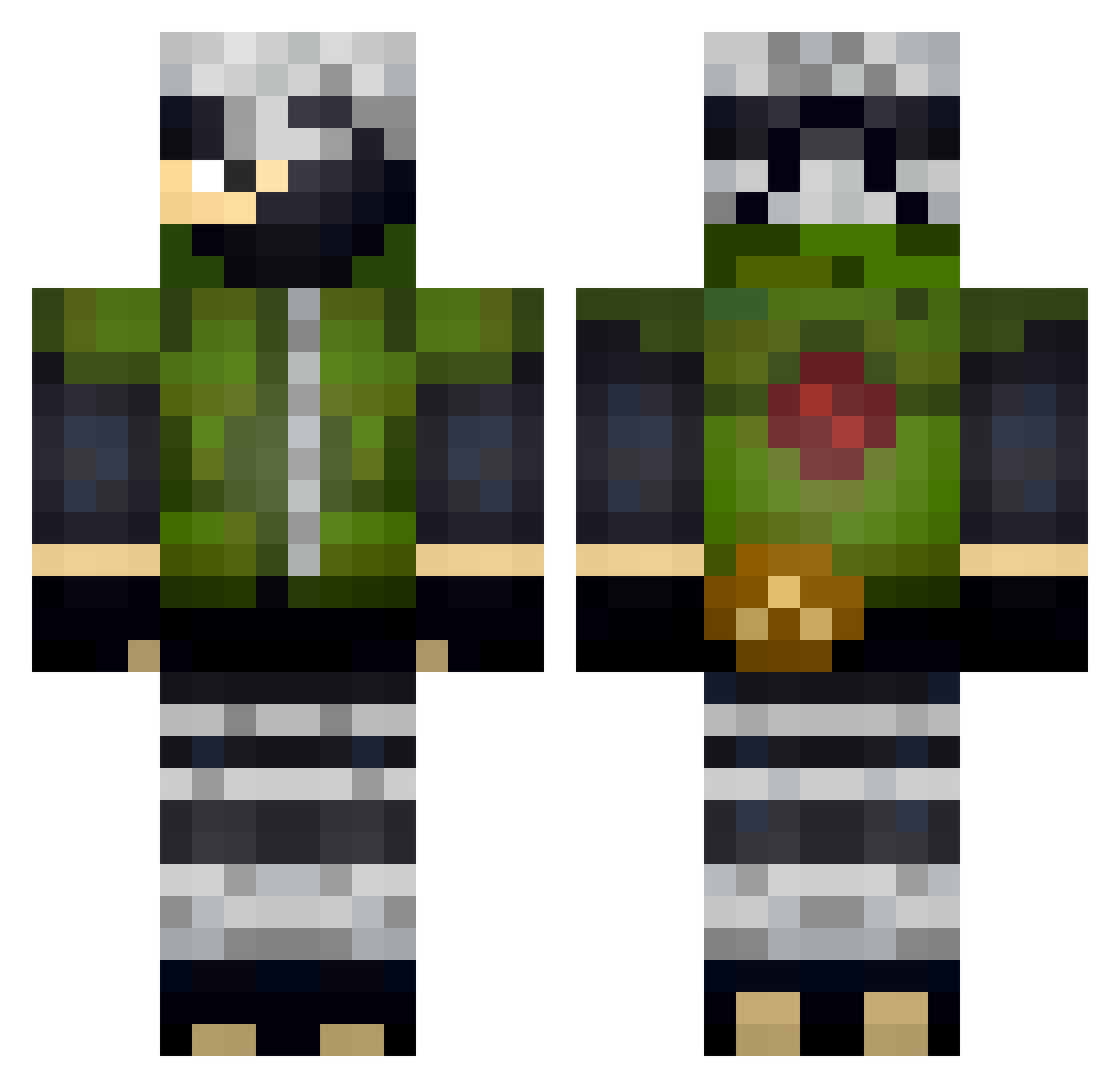
Current Minecraft skin of the player ragerside, loaded from the official Mojang API. Rotate the 3D model with your mouse or finger, then download the skin as a PNG file and use it in Minecraft: Bedrock Edition or Java Edition for free. When ragerside changes their skin, this page updates automatically and the old skin stays in the history below.
Other players with this skin (329)
ragerside was the 34th player we have seen with this skin, first spotted on 02.08.2026. The same skin was seen on these players. Open a nickname to see their current skin and skin history.
 Blazerz69 LastBread BenziHagever sensor_2307 _____boob______ SKUSKUH IvanHR02 markusgeist1 Lajinio Mlg_Dankmaster Cramox12 Petit_Pere proletariy0 Pxndaagirl OKronos WyLoXx ColTMit Giba_Craft Sharaqua BIG_BOB_99 Boobzer SoppierJungle49 Bunker_Easy Maykinho Banana_man7722 4ISYU dwootsong gordonlam9 IdKncg ViniSemL Negrelax kanicjuSZ Only_JB_is_real2 Ilhawari HomeBrewer0525 xSGGxDarthVader AZZTRO_YT Akuma2578 DinoB23 Atwane MVLVNN ZephyR3R ChupaPWNZ bryandu123 Vinii_Bm Engerrial Officer_Meme SpawnSixONE rivaly_Shadow FuzzyMindFactory RocketTino FlatGirther DarkShadowCM Vabont6 Rx_NeXo karolthepro fredytoxx podebatata lordsihma11 Devwick
More Kakashi Hatake Minecraft skins
See all 468 Kakashi Hatake skins
How to install the ragerside skin
- Press the Download button above to save the skin as a PNG file.
- Minecraft: Bedrock Edition (PE): open the Dressing Room from the main menu (or tap your character → Edit Character), go to Classic Skins → Owned, press the + (new skin) button, choose the downloaded PNG and pick the Classic (Steve) model. Works on PC and mobile; consoles cannot import custom skins.
- Minecraft: Java Edition: open the Minecraft Launcher, go to the Skins tab, click New Skin, load the PNG, pick the Classic (Steve) model and press Save & Use. You can also upload it at minecraft.net → Profile → Change Skin.
The skin does not show up after import - what should I do?
Restart Minecraft and open the Dressing Room again - imported skins sometimes appear only after a restart. Also make sure you selected the imported skin and picked the Classic (Steve) model.
Which model should I choose, Classic or Slim?
This skin is designed for the Classic (Steve) model. If you pick the wrong model, the arms of the skin will look stretched or squeezed.
Is the skin of ragerside free to download?
Yes. Press Download, save the PNG file and use it in Minecraft: Bedrock Edition or Java Edition - no payment or registration needed. The skin also works on multiplayer servers and Realms.
More skins
Looking for more? Go back to all Minecraft skins and check the top skins of the week, month and all time, or find any player's skin by nickname.