
rAbItStInK - Minecraft Skins & Skin History
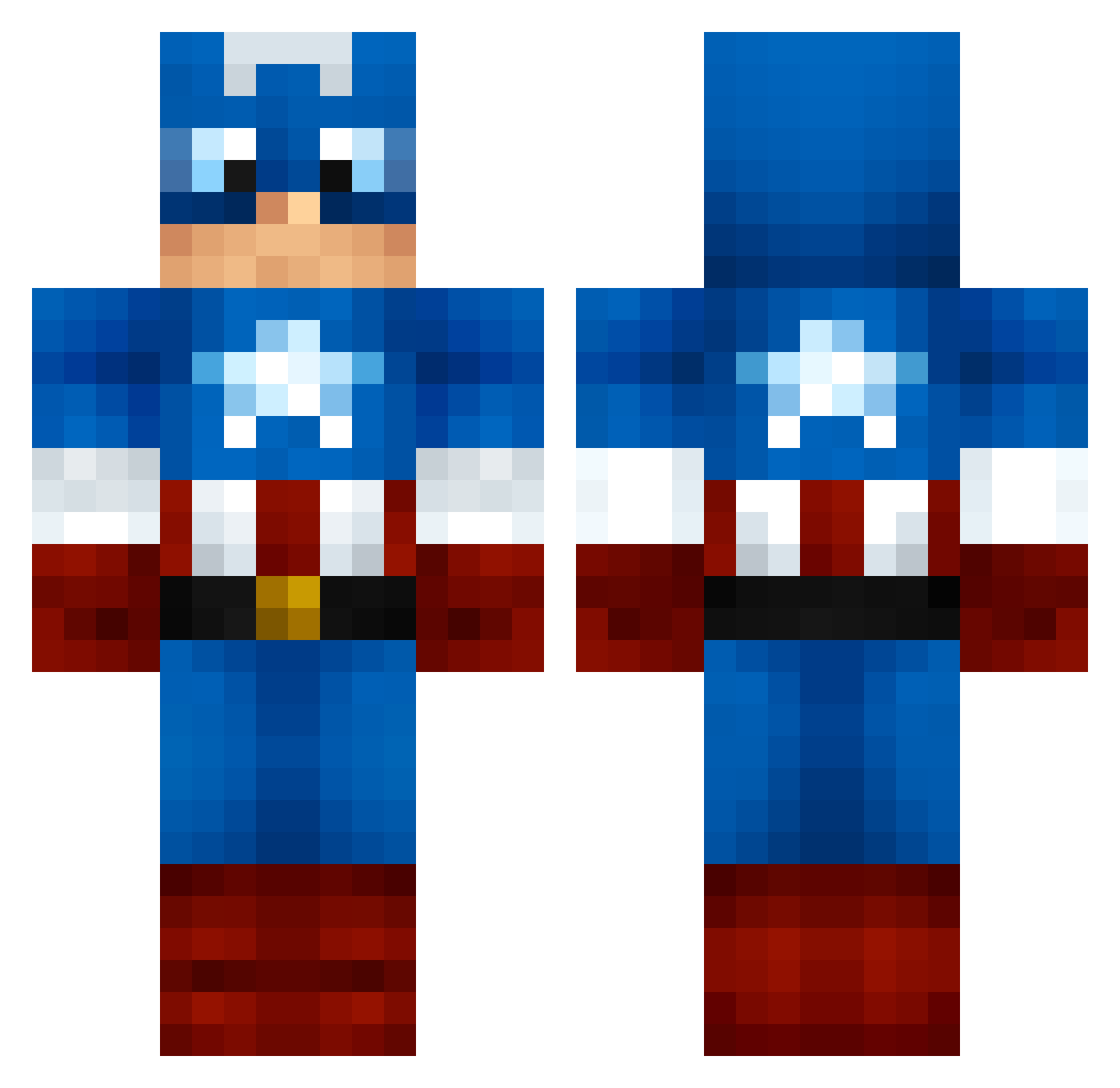
Current Minecraft skin of the player rAbItStInK, loaded from the official Mojang API. Rotate the 3D model with your mouse or finger, then download the skin as a PNG file and use it in Minecraft: Bedrock Edition or Java Edition for free. When rAbItStInK changes their skin, this page updates automatically and the old skin stays in the history below.
Other players with this skin (999)
rAbItStInK was the 310th player we have seen with this skin, first spotted on 22.08.2026. The same skin was seen on these players. Open a nickname to see their current skin and skin history.
 Isaiazz dedoom mcfisticuffs75 kobelu OscarHdz00 conlax16 BSherrard Triggels ock2005 GalacticCowBoy TILLERGIRL01 rex361 SallyLeftout Schmutzaaa mike2020 Scarabe dafart999 Reptile666 Caption_Armor Vespasiana _KolibriPlay_ andreasdav HaoleBradaMan Bunjai dylantgarvey LeSangDlaVeine OGsUndies Marathon_10 ChazTig magicjayman captain_caddy Leroyvdk MagicalRKO evilgoder1 _AlexTheGreat_ FaZe_RAIN69 Axelstylezz Kilwarden SACHA44610 PantherXX amalamey gabrylo TropicalMonsoon7 hadywades ThePJC Cap_Tony Taco_Fear Excalibrah 8lue8erry AtomicArclight Hedwig88 pongohen spyke24 Patriots188 DopeyBird timbo1970 uu7798 Baymose matek10 Mr_SaxoBeat_
More Captain America Minecraft skins
See all 148 Captain America skins
How to install the rAbItStInK skin
- Press the Download button above to save the skin as a PNG file.
- Minecraft: Bedrock Edition (PE): open the Dressing Room from the main menu (or tap your character → Edit Character), go to Classic Skins → Owned, press the + (new skin) button, choose the downloaded PNG and pick the Classic (Steve) model. Works on PC and mobile; consoles cannot import custom skins.
- Minecraft: Java Edition: open the Minecraft Launcher, go to the Skins tab, click New Skin, load the PNG, pick the Classic (Steve) model and press Save & Use. You can also upload it at minecraft.net → Profile → Change Skin.
The skin does not show up after import - what should I do?
Restart Minecraft and open the Dressing Room again - imported skins sometimes appear only after a restart. Also make sure you selected the imported skin and picked the Classic (Steve) model.
Which model should I choose, Classic or Slim?
This skin is designed for the Classic (Steve) model. If you pick the wrong model, the arms of the skin will look stretched or squeezed.
Is the skin of rAbItStInK free to download?
Yes. Press Download, save the PNG file and use it in Minecraft: Bedrock Edition or Java Edition - no payment or registration needed. The skin also works on multiplayer servers and Realms.
More skins
Looking for more? Go back to all Minecraft skins and check the top skins of the week, month and all time, or find any player's skin by nickname.