
r1pp_ - Minecraft Skins & Skin History
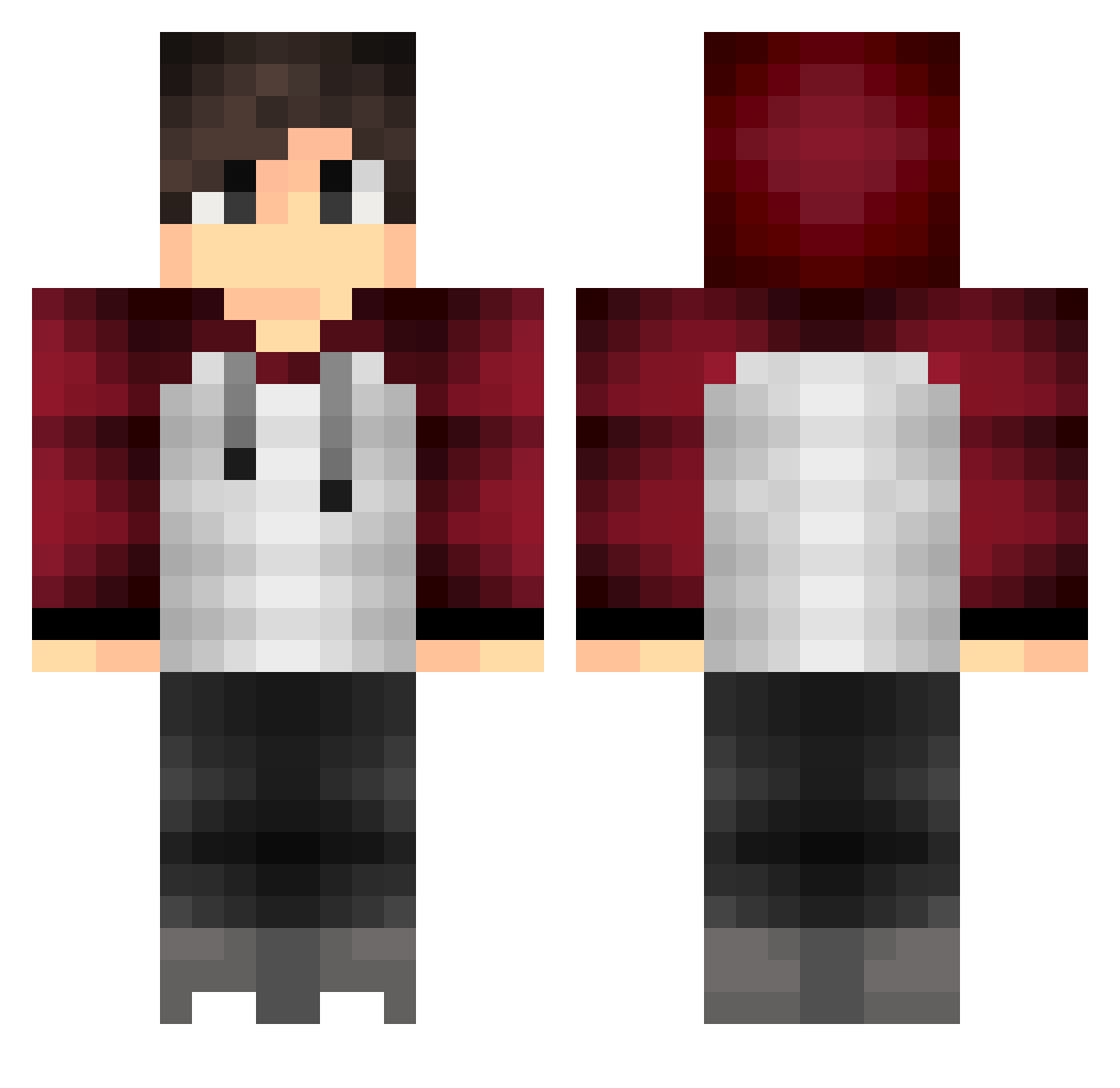
Current Minecraft skin of the player r1pp_, loaded from the official Mojang API. Rotate the 3D model with your mouse or finger, then download the skin as a PNG file and use it in Minecraft: Bedrock Edition or Java Edition for free. When r1pp_ changes their skin, this page updates automatically and the old skin stays in the history below.
Other players with this skin (467)
r1pp_ was the 448th player we have seen with this skin, first spotted on 15.11.2026. The same skin was seen on these players. Open a nickname to see their current skin and skin history.
 LotusLove DADINGHAO ferchoASR 666octx eltiouli UltimateStar JStroodle Kiri_Cosplays ClarkKent_ dentifrice31 suzukihiko S3lfer CrazyBenja Dongqi_2 Uni_is_a_pen chudy00 Z1rKO Jurdyn Semares Bewwwyy Blackron MaxLP17 RJV97 joshy_gee taka4_i TOXA__ ElColoo Marcel2311 Ryodann VanJext HShen_data MaxRimer DanyaKulRusYT jakeno9 Krille69 LosingLight sgtoptic areyoujoshingme_ MateusMadoka Abraham42 dicaastro Lil_Wally Flash918 aaroncio11 4AoJ4 Pharosaus LLeeoo114514 Oathnk WNPoseidon ADlpne Crazyinjusti At0m1905 Secolo MrKameron Erks1 Alexward74 The_King_Jumper SniperofAngel justiinz Moggie77
How to install the r1pp_ skin
- Press the Download button above to save the skin as a PNG file.
- Minecraft: Bedrock Edition (PE): open the Dressing Room from the main menu (or tap your character → Edit Character), go to Classic Skins → Owned, press the + (new skin) button, choose the downloaded PNG and pick the Classic (Steve) model. Works on PC and mobile; consoles cannot import custom skins.
- Minecraft: Java Edition: open the Minecraft Launcher, go to the Skins tab, click New Skin, load the PNG, pick the Classic (Steve) model and press Save & Use. You can also upload it at minecraft.net → Profile → Change Skin.
The skin does not show up after import - what should I do?
Restart Minecraft and open the Dressing Room again - imported skins sometimes appear only after a restart. Also make sure you selected the imported skin and picked the Classic (Steve) model.
Which model should I choose, Classic or Slim?
This skin is designed for the Classic (Steve) model. If you pick the wrong model, the arms of the skin will look stretched or squeezed.
Is the skin of r1pp_ free to download?
Yes. Press Download, save the PNG file and use it in Minecraft: Bedrock Edition or Java Edition - no payment or registration needed. The skin also works on multiplayer servers and Realms.
More skins
Looking for more? Go back to all Minecraft skins and check the top skins of the week, month and all time, or find any player's skin by nickname.