
qweyamanbooi - Minecraft Skins & Skin History
Current Minecraft skin of the player qweyamanbooi, loaded from the official Mojang API. Rotate the 3D model with your mouse or finger, then download the skin as a PNG file and use it in Minecraft: Bedrock Edition or Java Edition for free. When qweyamanbooi changes their skin, this page updates automatically and the old skin stays in the history below.
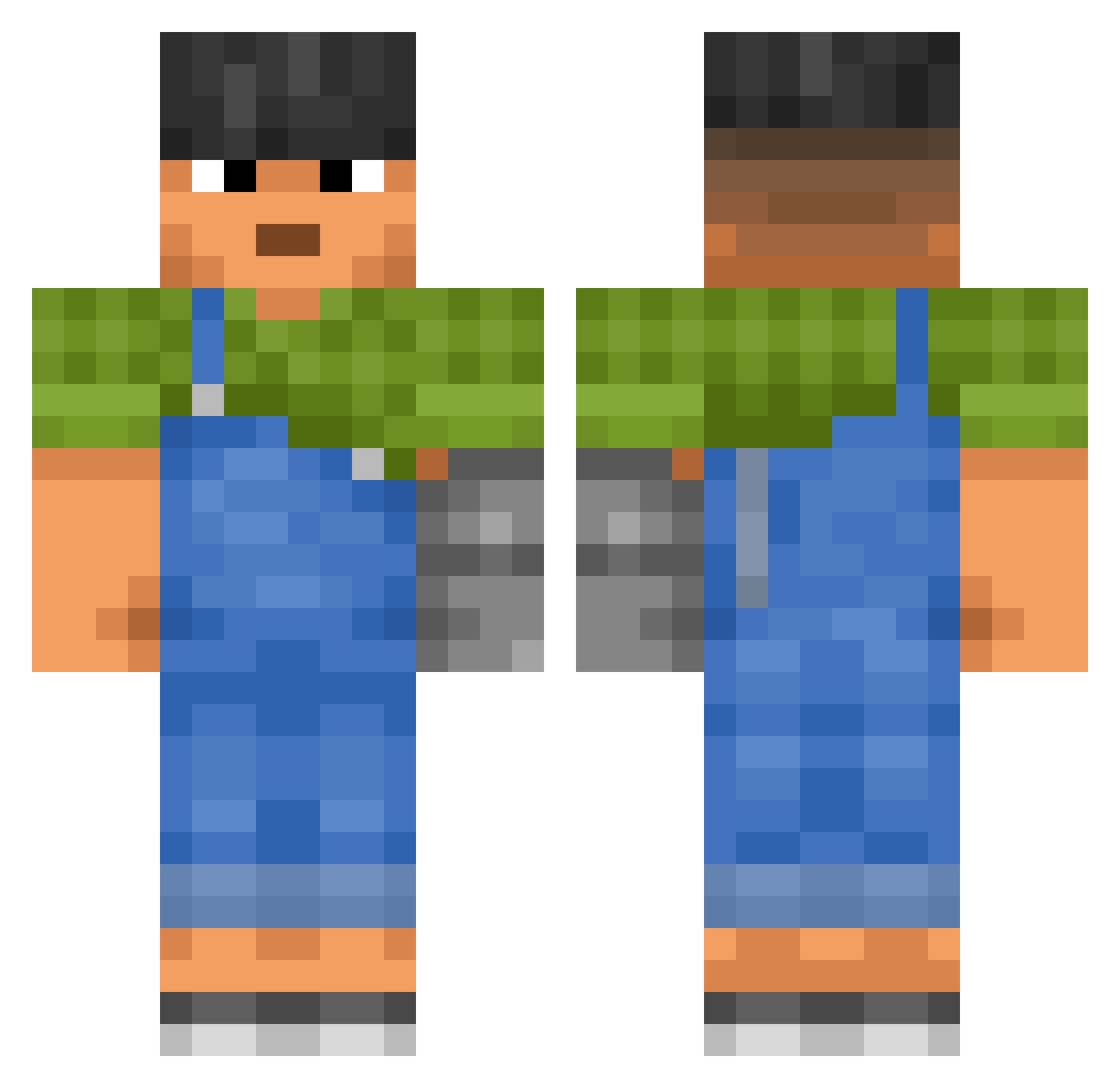
Other players with this skin (3606)
qweyamanbooi was the 2698th player we have seen with this skin, first spotted on 25.10.2026. The same skin was seen on these players. Open a nickname to see their current skin and skin history.
 LTB8R tajcik _CodeBlue_ Joe286 LV_999 Empeo zgredunik YoungYoungBB shootme_ 0rganize theyobrad Aro0723 jumpirx Magisters tony10997 Cud0aco DoDaRi999 Agonises Seppezz_ martin48_CZ microbz13 Truce younkers Dudish alkool Xylotypographic_ lcgann Lajf Aquanine Spencerjanssenbr Looking4HotGirl GordanTheLion208 AntonioDoo Deshimono Maverick24NL Maceake CTG xR3ll brusd19 _lfy Dejmon007 JimboDemarcusFan hhyyee JeanLeGaulois Mahala Drakezin Habbibu123 GuideMark2 my5thelbow Scout1352 ALThorns HAM0303 sxid2 neirda999 Xavar ErwinSchouten codot Forber Malpa_Bruk Uveitis
More Prosthetic Arm Minecraft skins
See all 84 Prosthetic Arm skins
How to install the qweyamanbooi skin
- Press the Download button above to save the skin as a PNG file.
- Minecraft: Bedrock Edition (PE): open the Dressing Room from the main menu (or tap your character → Edit Character), go to Classic Skins → Owned, press the + (new skin) button, choose the downloaded PNG and pick the Classic (Steve) model. Works on PC and mobile; consoles cannot import custom skins.
- Minecraft: Java Edition: open the Minecraft Launcher, go to the Skins tab, click New Skin, load the PNG, pick the Classic (Steve) model and press Save & Use. You can also upload it at minecraft.net → Profile → Change Skin.
The skin does not show up after import - what should I do?
Restart Minecraft and open the Dressing Room again - imported skins sometimes appear only after a restart. Also make sure you selected the imported skin and picked the Classic (Steve) model.
Which model should I choose, Classic or Slim?
This skin is designed for the Classic (Steve) model. If you pick the wrong model, the arms of the skin will look stretched or squeezed.
Is the skin of qweyamanbooi free to download?
Yes. Press Download, save the PNG file and use it in Minecraft: Bedrock Edition or Java Edition - no payment or registration needed. The skin also works on multiplayer servers and Realms.
More skins
Looking for more? Go back to all Minecraft skins and check the top skins of the week, month and all time, or find any player's skin by nickname.