
qinkuaidenongmin - Minecraft Skins & Skin History
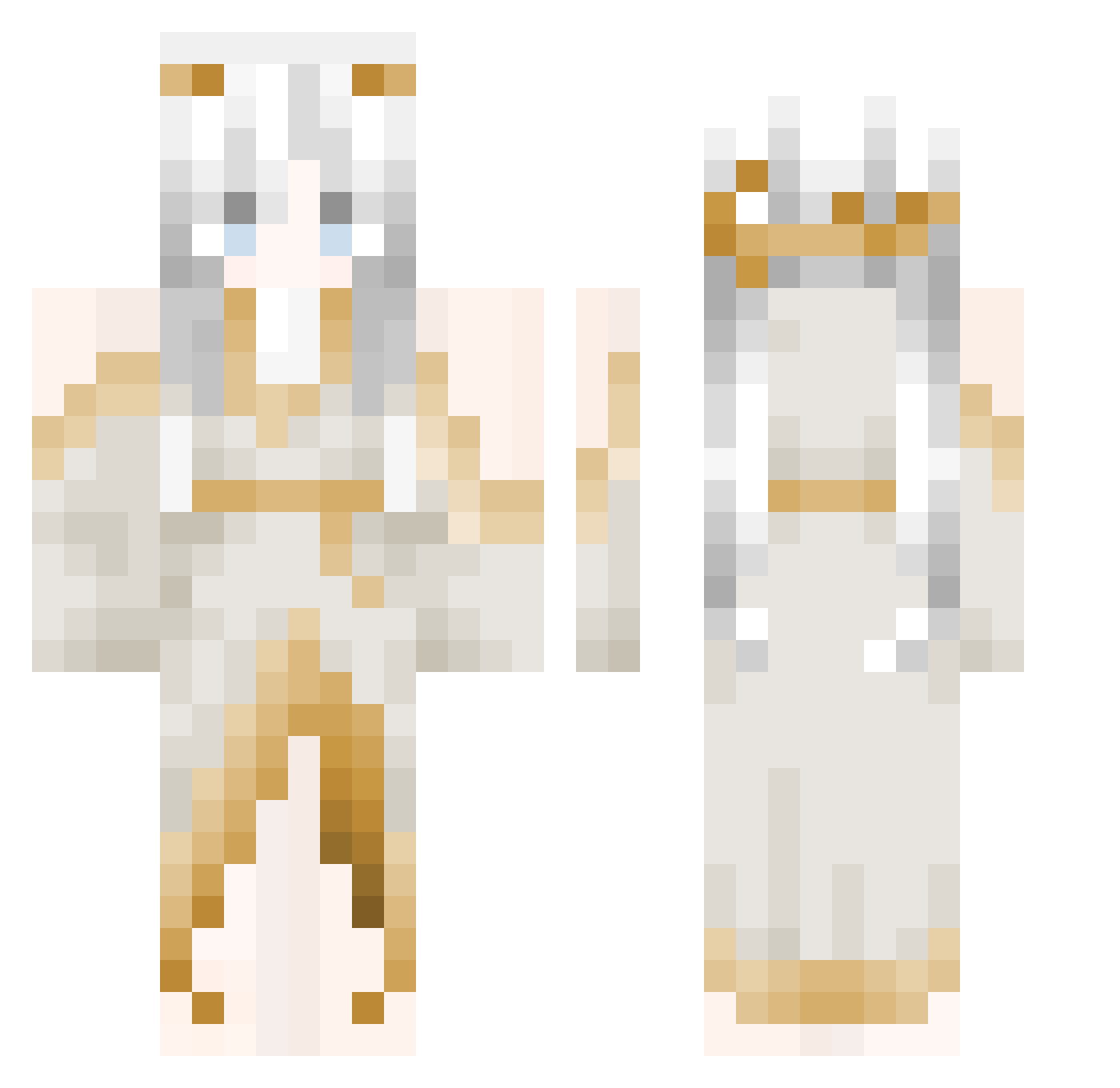
Current Minecraft skin of the player qinkuaidenongmin, loaded from the official Mojang API. Rotate the 3D model with your mouse or finger, then download the skin as a PNG file and use it in Minecraft: Bedrock Edition or Java Edition for free. When qinkuaidenongmin changes their skin, this page updates automatically and the old skin stays in the history below.
Other players with this skin (104)
qinkuaidenongmin was the 51st player we have seen with this skin, first spotted on 09.09.2026. The same skin was seen on these players. Open a nickname to see their current skin and skin history.
 D14n3_p sharkbig nightsky_22PM RVGVIVN artexxmy 7yda _CyberCookie_ beach007 VickThomas_ The_PacificOcean Liziabby RuD81 RudnikM ArthurMorrgan Bl0odberry0 RenJiYouLing T1tan_Miner MissPotatoh mxynyq justin0720101 Neviada 200IQ_HERO dth2219 KanYeWestern ImTheSparkman ___VICI___ MaomaoLololo DivineCindy hardcoreblock nomelli Kuzumi1355 Niinety Jinyoung82 Ephtal sadicles neyd1s xkxmuii llisum kmlkos axgelcat Stagnantt y4es orcopollo
 LazyIsMyLife Lea_nyx Rbt_9 yun9888 arminE_wow Starflight_NW Limpan333 RaPhililp Athena0315 swordofverity suuuu24 X_Oper yusuftr0007 _p4nther_ Amelia0804 Kuro_12579 Catty_Queen
More Goddess Minecraft skins
How to install the qinkuaidenongmin skin
- Press the Download button above to save the skin as a PNG file.
- Minecraft: Bedrock Edition (PE): open the Dressing Room from the main menu (or tap your character → Edit Character), go to Classic Skins → Owned, press the + (new skin) button, choose the downloaded PNG and pick the Classic (Steve) model. Works on PC and mobile; consoles cannot import custom skins.
- Minecraft: Java Edition: open the Minecraft Launcher, go to the Skins tab, click New Skin, load the PNG, pick the Classic (Steve) model and press Save & Use. You can also upload it at minecraft.net → Profile → Change Skin.
The skin does not show up after import - what should I do?
Restart Minecraft and open the Dressing Room again - imported skins sometimes appear only after a restart. Also make sure you selected the imported skin and picked the Classic (Steve) model.
Which model should I choose, Classic or Slim?
This skin is designed for the Classic (Steve) model. If you pick the wrong model, the arms of the skin will look stretched or squeezed.
Is the skin of qinkuaidenongmin free to download?
Yes. Press Download, save the PNG file and use it in Minecraft: Bedrock Edition or Java Edition - no payment or registration needed. The skin also works on multiplayer servers and Realms.
More skins
Looking for more? Go back to all Minecraft skins and check the top skins of the week, month and all time, or find any player's skin by nickname.