
qingyuan233 - Minecraft Skins & Skin History
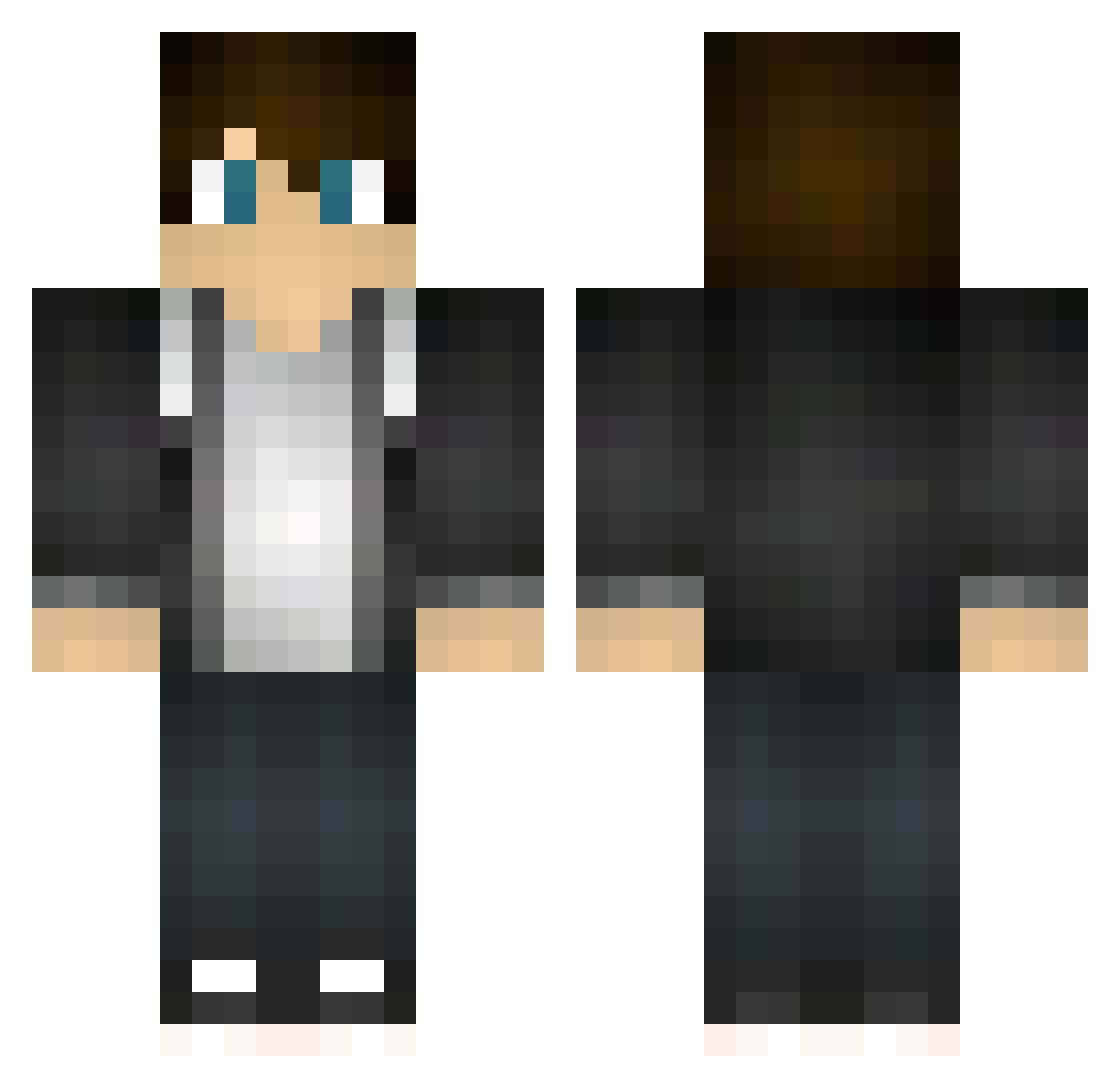
Current Minecraft skin of the player qingyuan233, loaded from the official Mojang API. Rotate the 3D model with your mouse or finger, then download the skin as a PNG file and use it in Minecraft: Bedrock Edition or Java Edition for free. When qingyuan233 changes their skin, this page updates automatically and the old skin stays in the history below.
Other players with this skin (177)
qingyuan233 was the 160th player we have seen with this skin, first spotted on 01.11.2026. The same skin was seen on these players. Open a nickname to see their current skin and skin history.
 wushiyi TaKa_1231 Risyaomu EgeKayaK Julooot silverinfinite_ Whiting0911 qingxiaoyun_ D_DreamS LingChu1206 ImortalAds Raybiii Ehun06 _MagicMan wolfwind00 ItookPoland _TheGamingNerd_ 2bxiang Niconator94 LevelOak0 matey1287 KidCharlie vac_yichen meeshatheminer SpringLier CuteGirlOlavo starbow_ needfampc Olow1431 ZjamboSober MSZBY3030 Iamur huanying2465 KunEn0214 Davix704 vbo009 Floki95 Bdogg493 KIMHANGYUL FreeAGaming ZZY001 deepsea_ SuiXin78 ARenCoCo _Soos physikai123 hreeythree masa45314 Mcboon weilt pozel73 ConnorS886 ReW_Jack Cat_Seven JohnHeisenbergCN Love_China_ Scofield_Luo Muyu8038 Beat_0102 IDoNotGiveATV
How to install the qingyuan233 skin
- Press the Download button above to save the skin as a PNG file.
- Minecraft: Bedrock Edition (PE): open the Dressing Room from the main menu (or tap your character → Edit Character), go to Classic Skins → Owned, press the + (new skin) button, choose the downloaded PNG and pick the Classic (Steve) model. Works on PC and mobile; consoles cannot import custom skins.
- Minecraft: Java Edition: open the Minecraft Launcher, go to the Skins tab, click New Skin, load the PNG, pick the Classic (Steve) model and press Save & Use. You can also upload it at minecraft.net → Profile → Change Skin.
The skin does not show up after import - what should I do?
Restart Minecraft and open the Dressing Room again - imported skins sometimes appear only after a restart. Also make sure you selected the imported skin and picked the Classic (Steve) model.
Which model should I choose, Classic or Slim?
This skin is designed for the Classic (Steve) model. If you pick the wrong model, the arms of the skin will look stretched or squeezed.
Is the skin of qingyuan233 free to download?
Yes. Press Download, save the PNG file and use it in Minecraft: Bedrock Edition or Java Edition - no payment or registration needed. The skin also works on multiplayer servers and Realms.
More skins
Looking for more? Go back to all Minecraft skins and check the top skins of the week, month and all time, or find any player's skin by nickname.