
pytonik1234 - Minecraft Skins & Skin History
Current Minecraft skin of the player pytonik1234, loaded from the official Mojang API. Rotate the 3D model with your mouse or finger, then download the skin as a PNG file and use it in Minecraft: Bedrock Edition or Java Edition for free. When pytonik1234 changes their skin, this page updates automatically and the old skin stays in the history below.
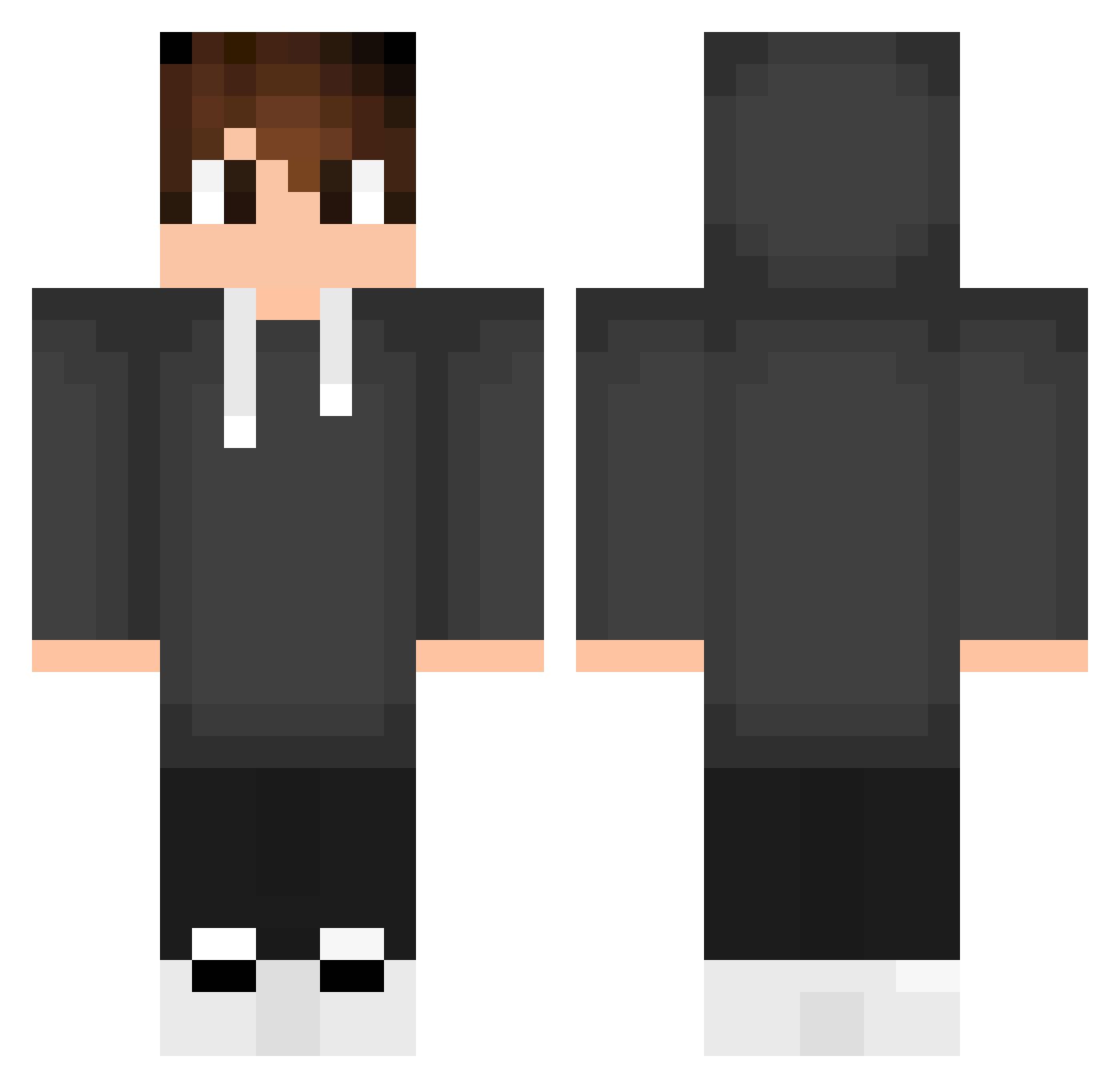
Other players with this skin (553)
pytonik1234 was the 74th player we have seen with this skin, first spotted on 12.08.2026. The same skin was seen on these players. Open a nickname to see their current skin and skin history.
 Ogzglbn Tinvi_ CYHuang0408 miguelzin_123 M4N5O KaKa_123 Entreti80 talis324 KingNicohd123 vulture3 milntrol tomomomo4 Deepzzz08 Davilla07 ZedyyMC Goldn_Huntr Vittorzzz Musti_1281 Manu_GTI bfrduarte TioHunterr WoogiTW Coo55 PowerWheelie Remsouille SilentMelio frxnqs xyzcap TBl4kk Blckzinn Your_Pickle VardashDE Rioonz kaedeTsr Raven3661 Alex034Gl JPPretzel Rayson4152 Asserman z3ron9 BlazeTamer Jvfrancisconi gabiizzy Njieh PedyeeYT Br4sel Nireal SkyFish20 Aiwun Samx30 Armin100 xFurinx Kanzeroo SrFranciis PeacefulJanosch ItzMeArcyane RoseDiamond4690 Koxyy1 quinalty0 alexsalehi11
How to install the pytonik1234 skin
- Press the Download button above to save the skin as a PNG file.
- Minecraft: Bedrock Edition (PE): open the Dressing Room from the main menu (or tap your character → Edit Character), go to Classic Skins → Owned, press the + (new skin) button, choose the downloaded PNG and pick the Classic (Steve) model. Works on PC and mobile; consoles cannot import custom skins.
- Minecraft: Java Edition: open the Minecraft Launcher, go to the Skins tab, click New Skin, load the PNG, pick the Classic (Steve) model and press Save & Use. You can also upload it at minecraft.net → Profile → Change Skin.
The skin does not show up after import - what should I do?
Restart Minecraft and open the Dressing Room again - imported skins sometimes appear only after a restart. Also make sure you selected the imported skin and picked the Classic (Steve) model.
Which model should I choose, Classic or Slim?
This skin is designed for the Classic (Steve) model. If you pick the wrong model, the arms of the skin will look stretched or squeezed.
Is the skin of pytonik1234 free to download?
Yes. Press Download, save the PNG file and use it in Minecraft: Bedrock Edition or Java Edition - no payment or registration needed. The skin also works on multiplayer servers and Realms.
More skins
Looking for more? Go back to all Minecraft skins and check the top skins of the week, month and all time, or find any player's skin by nickname.