
psyonix23 - Minecraft Skins & Skin History
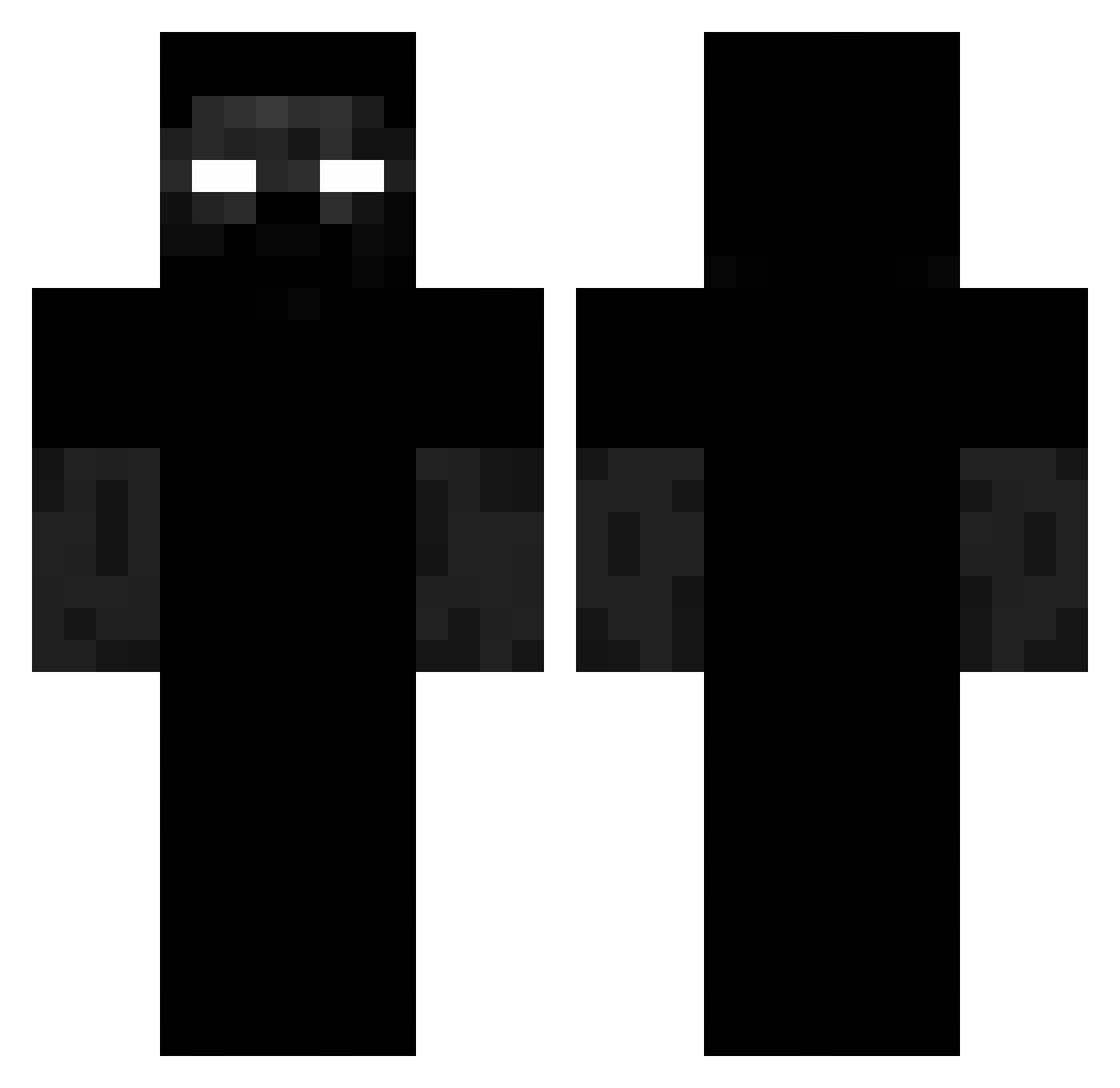
Current Minecraft skin of the player psyonix23, loaded from the official Mojang API. Rotate the 3D model with your mouse or finger, then download the skin as a PNG file and use it in Minecraft: Bedrock Edition or Java Edition for free. When psyonix23 changes their skin, this page updates automatically and the old skin stays in the history below.
Other players with this skin (217)
psyonix23 was the 67th player we have seen with this skin, first spotted on 18.08.2026. The same skin was seen on these players. Open a nickname to see their current skin and skin history.
 AidenP2k11 wilkolok499 DJ_Watter
 slaicheur KamilMaKlocka Ladam009
 Deyavu_ Lucid_20YT
 Blafuil 67kirtan felix_arguile Fernando2026 Unisom mvzu ElLeo1232 NOSSAS1 Zenski_Boxer
 Slandeeeer Icycritass Kumpiir
 dgb
dgb StrollBaker Lyxi4 MeetYourMCMaker VivoXs wolf_34XD kriper_00 meheprasi DenziGlukhov Gamer69_gg fxerless full33 gxfou borkol Raisi0 antjd kasjdhfksdjfh imProballyZooted Y0u2o7 daleliel zFujin
 BoBoV01 HaYun_Lee 5ra
 M3rxt merlin0709 Mingos__ williamdc WhiteAndrea GamerSaren
 ClankyApple7485 pooman134 Eydri poneak Rxngerakos BLIZZARD4321 domlenses Juior9 eluwinak Damiqnn__
More Creepy Minecraft skins
How to install the psyonix23 skin
- Press the Download button above to save the skin as a PNG file.
- Minecraft: Bedrock Edition (PE): open the Dressing Room from the main menu (or tap your character → Edit Character), go to Classic Skins → Owned, press the + (new skin) button, choose the downloaded PNG and pick the Classic (Steve) model. Works on PC and mobile; consoles cannot import custom skins.
- Minecraft: Java Edition: open the Minecraft Launcher, go to the Skins tab, click New Skin, load the PNG, pick the Classic (Steve) model and press Save & Use. You can also upload it at minecraft.net → Profile → Change Skin.
The skin does not show up after import - what should I do?
Restart Minecraft and open the Dressing Room again - imported skins sometimes appear only after a restart. Also make sure you selected the imported skin and picked the Classic (Steve) model.
Which model should I choose, Classic or Slim?
This skin is designed for the Classic (Steve) model. If you pick the wrong model, the arms of the skin will look stretched or squeezed.
Is the skin of psyonix23 free to download?
Yes. Press Download, save the PNG file and use it in Minecraft: Bedrock Edition or Java Edition - no payment or registration needed. The skin also works on multiplayer servers and Realms.
More skins
Looking for more? Go back to all Minecraft skins and check the top skins of the week, month and all time, or find any player's skin by nickname.