
presumal - Minecraft Skins & Skin History
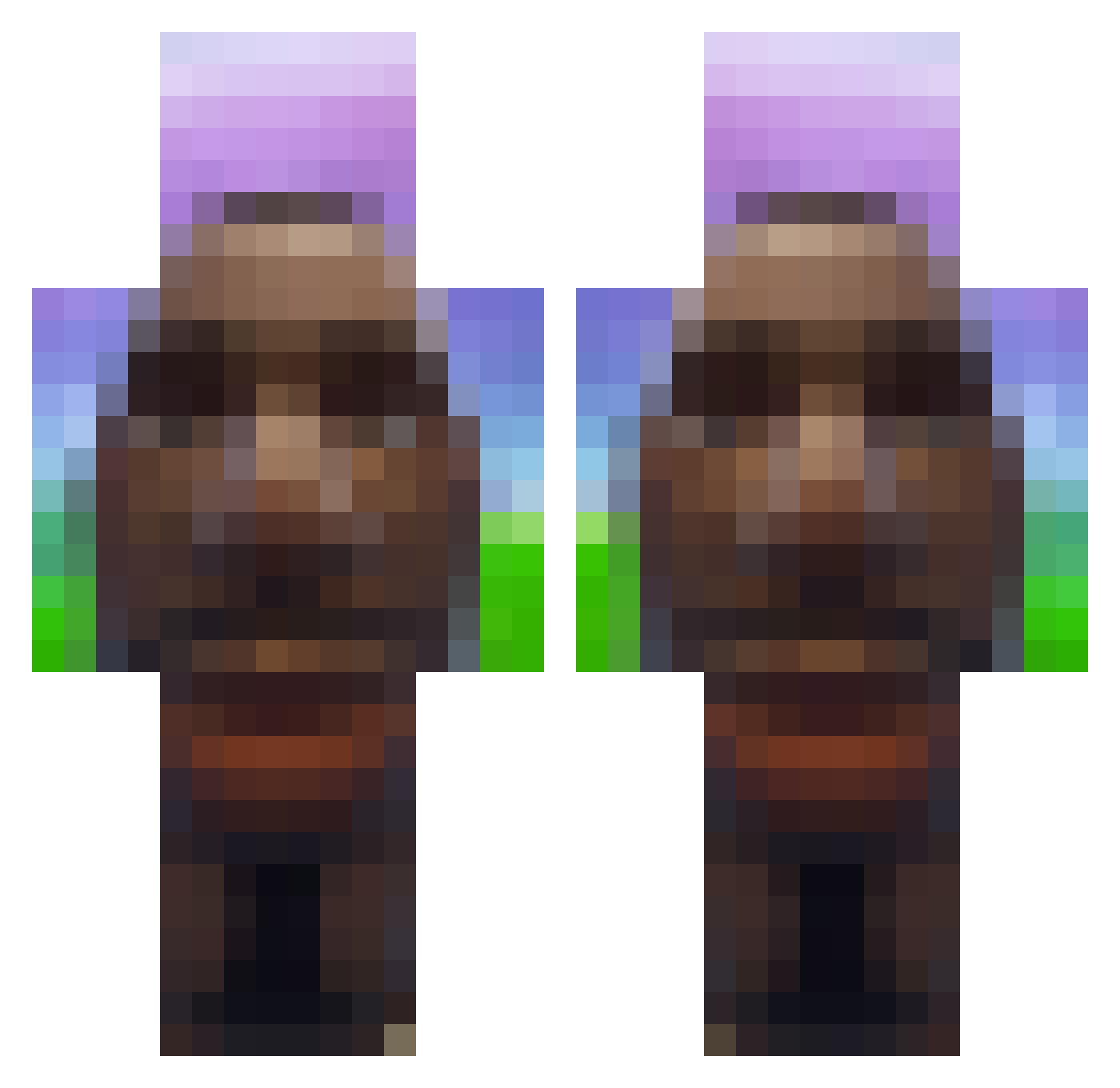
Current Minecraft skin of the player presumal, loaded from the official Mojang API. Rotate the 3D model with your mouse or finger, then download the skin as a PNG file and use it in Minecraft: Bedrock Edition or Java Edition for free. When presumal changes their skin, this page updates automatically and the old skin stays in the history below.
Other players with this skin (873)
presumal was the 822nd player we have seen with this skin, first spotted on 12.11.2026. The same skin was seen on these players. Open a nickname to see their current skin and skin history.
 hudzins zarbonara gingervegetable NIC2704 memet132 freindlyneighbor Fabi2n nichkaa Beats6354 choopyss xXSLAMMEDXx69 MarineLePenn HotSweatyShart fortnitemom1337 hieungu Plattenboss 101jakester Jakub_Is_Fat mooooomoooo spozt OFFICIALGHQST AlegoriaGames DotA67 Logjammerzz dronamazon Joeyrizz Kuba2010w Nicolas1945 NightReaper0907 Baumking1 nsfz crazygamingnice icantproveityet Klique_Ryl MrWeldsnapper Vandyfam Beast071 chocolateman69 AceIsGoated7102 HighTower1304 f4stizinho Pabesch vysllou iloveblackman69 Rtt12232 WOW1234321 SkySee_ cocacolombia hawktoooah budget_falcon Enthose SavageD0nut LetsGoGolfing06 byall tschidelli thithi69delas PeelAPeach itlsye_ EECBT AnimaLoop2
More Moai Minecraft skins
How to install the presumal skin
- Press the Download button above to save the skin as a PNG file.
- Minecraft: Bedrock Edition (PE): open the Dressing Room from the main menu (or tap your character → Edit Character), go to Classic Skins → Owned, press the + (new skin) button, choose the downloaded PNG and pick the Classic (Steve) model. Works on PC and mobile; consoles cannot import custom skins.
- Minecraft: Java Edition: open the Minecraft Launcher, go to the Skins tab, click New Skin, load the PNG, pick the Classic (Steve) model and press Save & Use. You can also upload it at minecraft.net → Profile → Change Skin.
The skin does not show up after import - what should I do?
Restart Minecraft and open the Dressing Room again - imported skins sometimes appear only after a restart. Also make sure you selected the imported skin and picked the Classic (Steve) model.
Which model should I choose, Classic or Slim?
This skin is designed for the Classic (Steve) model. If you pick the wrong model, the arms of the skin will look stretched or squeezed.
Is the skin of presumal free to download?
Yes. Press Download, save the PNG file and use it in Minecraft: Bedrock Edition or Java Edition - no payment or registration needed. The skin also works on multiplayer servers and Realms.
More skins
Looking for more? Go back to all Minecraft skins and check the top skins of the week, month and all time, or find any player's skin by nickname.