
presto200 - Minecraft Skins & Skin History
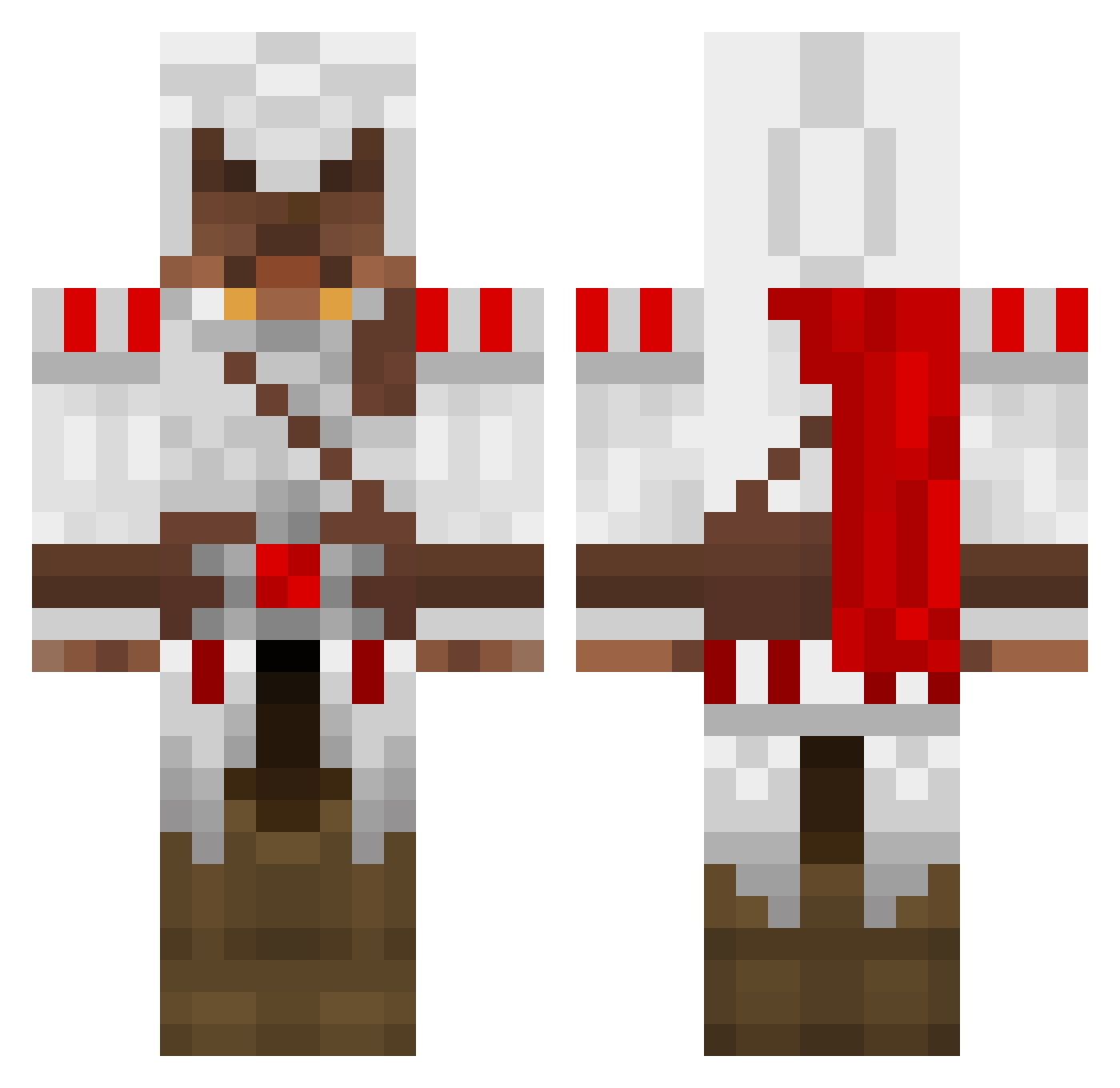
Current Minecraft skin of the player presto200, loaded from the official Mojang API. Rotate the 3D model with your mouse or finger, then download the skin as a PNG file and use it in Minecraft: Bedrock Edition or Java Edition for free. When presto200 changes their skin, this page updates automatically and the old skin stays in the history below.
Other players with this skin (1266)
presto200 was the 529th player we have seen with this skin, first spotted on 04.09.2026. The same skin was seen on these players. Open a nickname to see their current skin and skin history.
 Christian14710 alexis2001 RaccoonFive lockie1233 Turbosauce superdog7000 laxbro9 ninja_bread_man watermelon1998 SnicCage JNERD99 annoanno arun99 Halt21 P0werdonut babouin69 i_am_bad_at_MC slader15390 Big_Mac_XXL Quaro92 bobbloskey Abbeswe5 daVinci2793 wormwoodj Kenny_102 pharno your_mom5656 FJkocher Zoidez DevilishlySexy ragedrako bub132 Gamedude410 hash4paa_flask Kazuhiro47 Johan3043 Brendan599 Hansen12312 RonanDaly HAOFENGSUN 921ninja DarkxSpartan maxiscool1234567 TopHatt3r CaptSparkle nick_wilson Ty6 tommy_wils Kalamakooya Own3rs Dronald roughrider3232 polishboy777 1GoldenBoy wuri adaced rollie_pollie11 MasterVeteran sneaky_sneaky711 trohen
More Altair Ibn La Ahad Minecraft skins
See all 182 Altair Ibn La Ahad skins
How to install the presto200 skin
- Press the Download button above to save the skin as a PNG file.
- Minecraft: Bedrock Edition (PE): open the Dressing Room from the main menu (or tap your character → Edit Character), go to Classic Skins → Owned, press the + (new skin) button, choose the downloaded PNG and pick the Classic (Steve) model. Works on PC and mobile; consoles cannot import custom skins.
- Minecraft: Java Edition: open the Minecraft Launcher, go to the Skins tab, click New Skin, load the PNG, pick the Classic (Steve) model and press Save & Use. You can also upload it at minecraft.net → Profile → Change Skin.
The skin does not show up after import - what should I do?
Restart Minecraft and open the Dressing Room again - imported skins sometimes appear only after a restart. Also make sure you selected the imported skin and picked the Classic (Steve) model.
Which model should I choose, Classic or Slim?
This skin is designed for the Classic (Steve) model. If you pick the wrong model, the arms of the skin will look stretched or squeezed.
Is the skin of presto200 free to download?
Yes. Press Download, save the PNG file and use it in Minecraft: Bedrock Edition or Java Edition - no payment or registration needed. The skin also works on multiplayer servers and Realms.
More skins
Looking for more? Go back to all Minecraft skins and check the top skins of the week, month and all time, or find any player's skin by nickname.