
prego7k - Minecraft Skins & Skin History
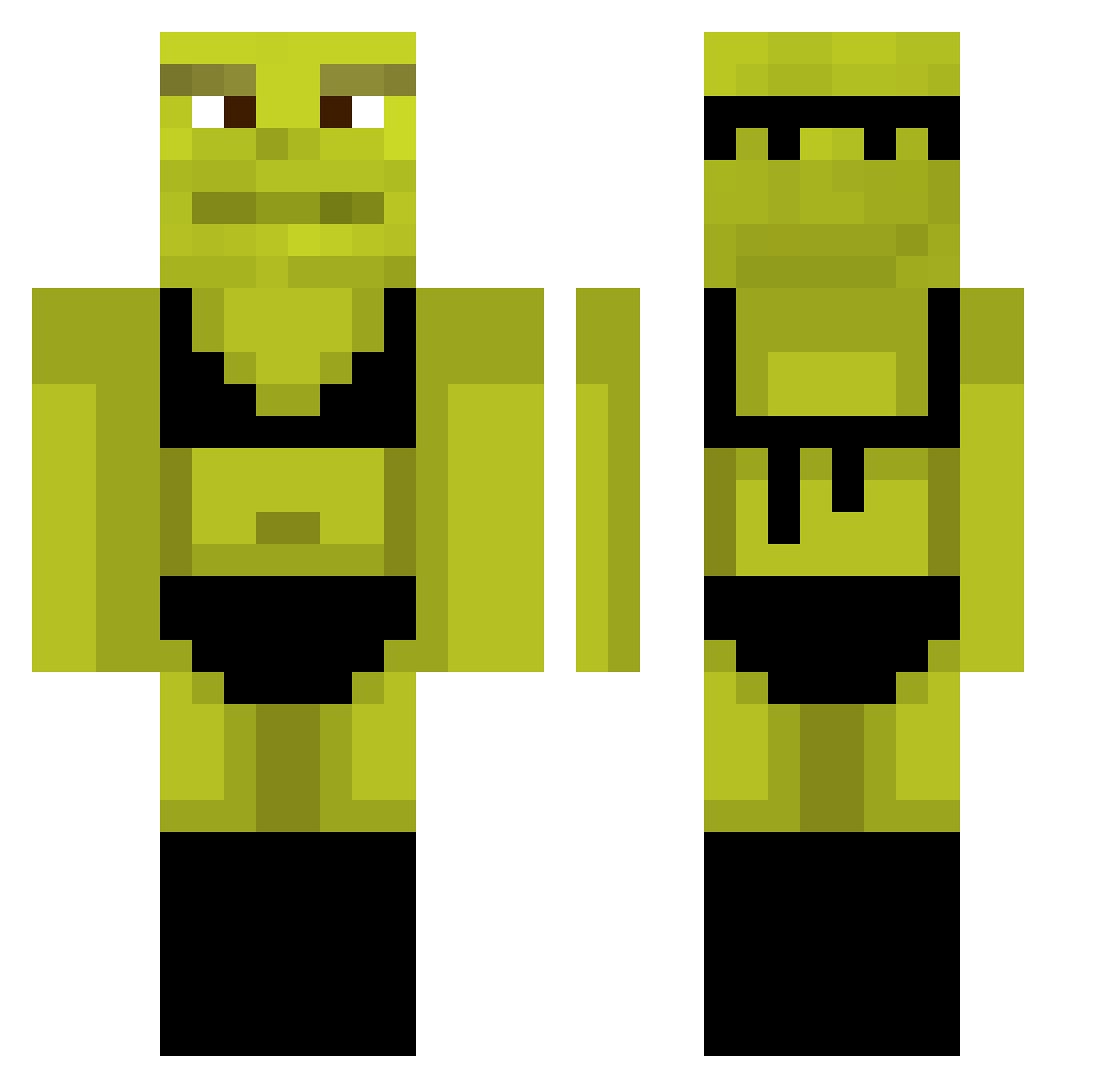
Current Minecraft skin of the player prego7k, loaded from the official Mojang API. Rotate the 3D model with your mouse or finger, then download the skin as a PNG file and use it in Minecraft: Bedrock Edition or Java Edition for free. When prego7k changes their skin, this page updates automatically and the old skin stays in the history below.
Other players with this skin (1073)
prego7k was the 1023rd player we have seen with this skin, first spotted on 14.11.2026. The same skin was seen on these players. Open a nickname to see their current skin and skin history.
 Nerian01 Guiguigouz Hamboss04 _hound_13 smamerow2004 Tomb7gg08 Nal_King_14 bramburger546 TisRachel Dreghost0 Darcip28 chingbingbon Boomer90000 friedlikechicken Spaikky sexxyvegan79 RebornNBK phat_one NastyaRak MoCookye LostMail_ Eddiekira Archer402 bigger_bird_now Id1eFirstt YourFaceMyChair Jefffyisawesome Kick_Startt UncleGroovy420 Pepeboboy Razer_Lenny PuggoWuggo Smnchdx Floh_Rider bntasd PowerRain70468 Pierrick093 Hersheyat144fps t0ddysc UghYesBB Betoxur BerryMccokinner Peanutwoke FakeMeat romanand Ievsrrs aroni Lorena4 ShrekDoCorsa silqie kula_mocy la_kaka player1two mrlebiz BigMexican225 ButterMilkBis Komorebiuwu_ Phatboiiii Adik0403 TheHomieAndy
More Shrek Minecraft skins
How to install the prego7k skin
- Press the Download button above to save the skin as a PNG file.
- Minecraft: Bedrock Edition (PE): open the Dressing Room from the main menu (or tap your character → Edit Character), go to Classic Skins → Owned, press the + (new skin) button, choose the downloaded PNG and pick the Classic (Steve) model. Works on PC and mobile; consoles cannot import custom skins.
- Minecraft: Java Edition: open the Minecraft Launcher, go to the Skins tab, click New Skin, load the PNG, pick the Classic (Steve) model and press Save & Use. You can also upload it at minecraft.net → Profile → Change Skin.
The skin does not show up after import - what should I do?
Restart Minecraft and open the Dressing Room again - imported skins sometimes appear only after a restart. Also make sure you selected the imported skin and picked the Classic (Steve) model.
Which model should I choose, Classic or Slim?
This skin is designed for the Classic (Steve) model. If you pick the wrong model, the arms of the skin will look stretched or squeezed.
Is the skin of prego7k free to download?
Yes. Press Download, save the PNG file and use it in Minecraft: Bedrock Edition or Java Edition - no payment or registration needed. The skin also works on multiplayer servers and Realms.
More skins
Looking for more? Go back to all Minecraft skins and check the top skins of the week, month and all time, or find any player's skin by nickname.