
predaltyou - Minecraft Skins & Skin History
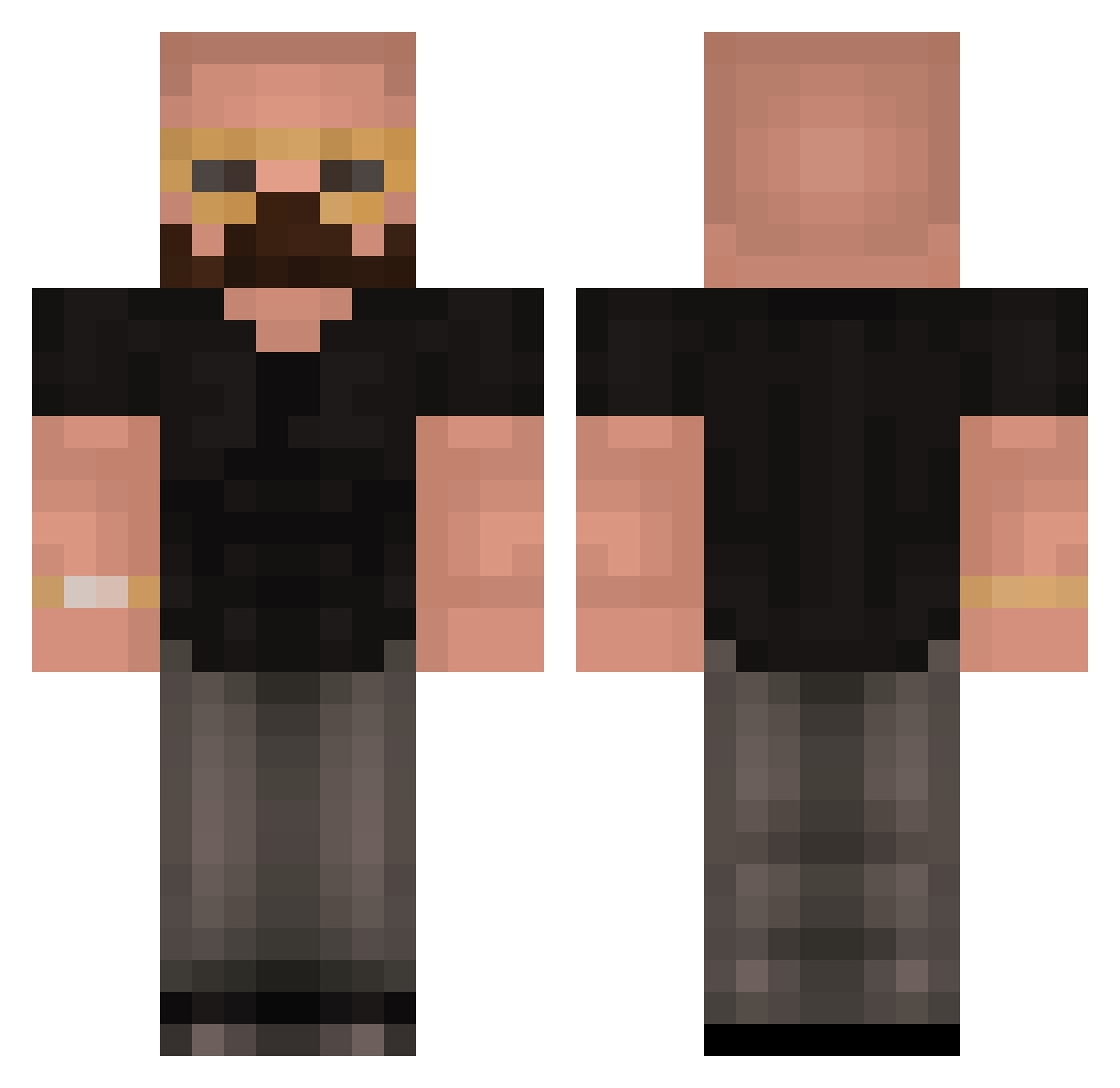
Current Minecraft skin of the player predaltyou, loaded from the official Mojang API. Rotate the 3D model with your mouse or finger, then download the skin as a PNG file and use it in Minecraft: Bedrock Edition or Java Edition for free. When predaltyou changes their skin, this page updates automatically and the old skin stays in the history below.
Other players with this skin (510)
predaltyou was the 450th player we have seen with this skin, first spotted on 06.11.2026. The same skin was seen on these players. Open a nickname to see their current skin and skin history.
 No3l_ BLACKGUY101 MaxKramer Simonides JrexOG GoteemHa SnoopyZ_ _DEDEE_ ohiTried kadindusmani31 Chxmbiiii I_am_acc_monkey ItzWick0 Nightmare14789 michaltrava royboy2000 AndrrewTate JayoPunchMan meppoyle TheMightyB3ar Sussygaming699 GaelMena TriplXDababy TheNewbieClutch NG2726 Trqvls keitherred LakridsRoden13 RJRainsMC AlphaVibes Uscados Heroichumza Princ3Ali donetsking NegacierOpte Mr_Meowy23 duk_es BarerImp Danislav2005 cryingkitten66 Reidler Andrew_TateOFF ArdiEndulgesinOx Grayyokai garademlikcayi Siwel_64 EinArmigerBandit Quandaledingle83 Avolotion gregoje Eltooniio seyserr rekunnz xSpeedboat XyroPlays2 TopG339 NsSebi MajesticCoconut StarWouter sAuCythebamer
More Heisenberg Minecraft skins
How to install the predaltyou skin
- Press the Download button above to save the skin as a PNG file.
- Minecraft: Bedrock Edition (PE): open the Dressing Room from the main menu (or tap your character → Edit Character), go to Classic Skins → Owned, press the + (new skin) button, choose the downloaded PNG and pick the Classic (Steve) model. Works on PC and mobile; consoles cannot import custom skins.
- Minecraft: Java Edition: open the Minecraft Launcher, go to the Skins tab, click New Skin, load the PNG, pick the Classic (Steve) model and press Save & Use. You can also upload it at minecraft.net → Profile → Change Skin.
The skin does not show up after import - what should I do?
Restart Minecraft and open the Dressing Room again - imported skins sometimes appear only after a restart. Also make sure you selected the imported skin and picked the Classic (Steve) model.
Which model should I choose, Classic or Slim?
This skin is designed for the Classic (Steve) model. If you pick the wrong model, the arms of the skin will look stretched or squeezed.
Is the skin of predaltyou free to download?
Yes. Press Download, save the PNG file and use it in Minecraft: Bedrock Edition or Java Edition - no payment or registration needed. The skin also works on multiplayer servers and Realms.
More skins
Looking for more? Go back to all Minecraft skins and check the top skins of the week, month and all time, or find any player's skin by nickname.