
ppw - Minecraft Skins & Skin History
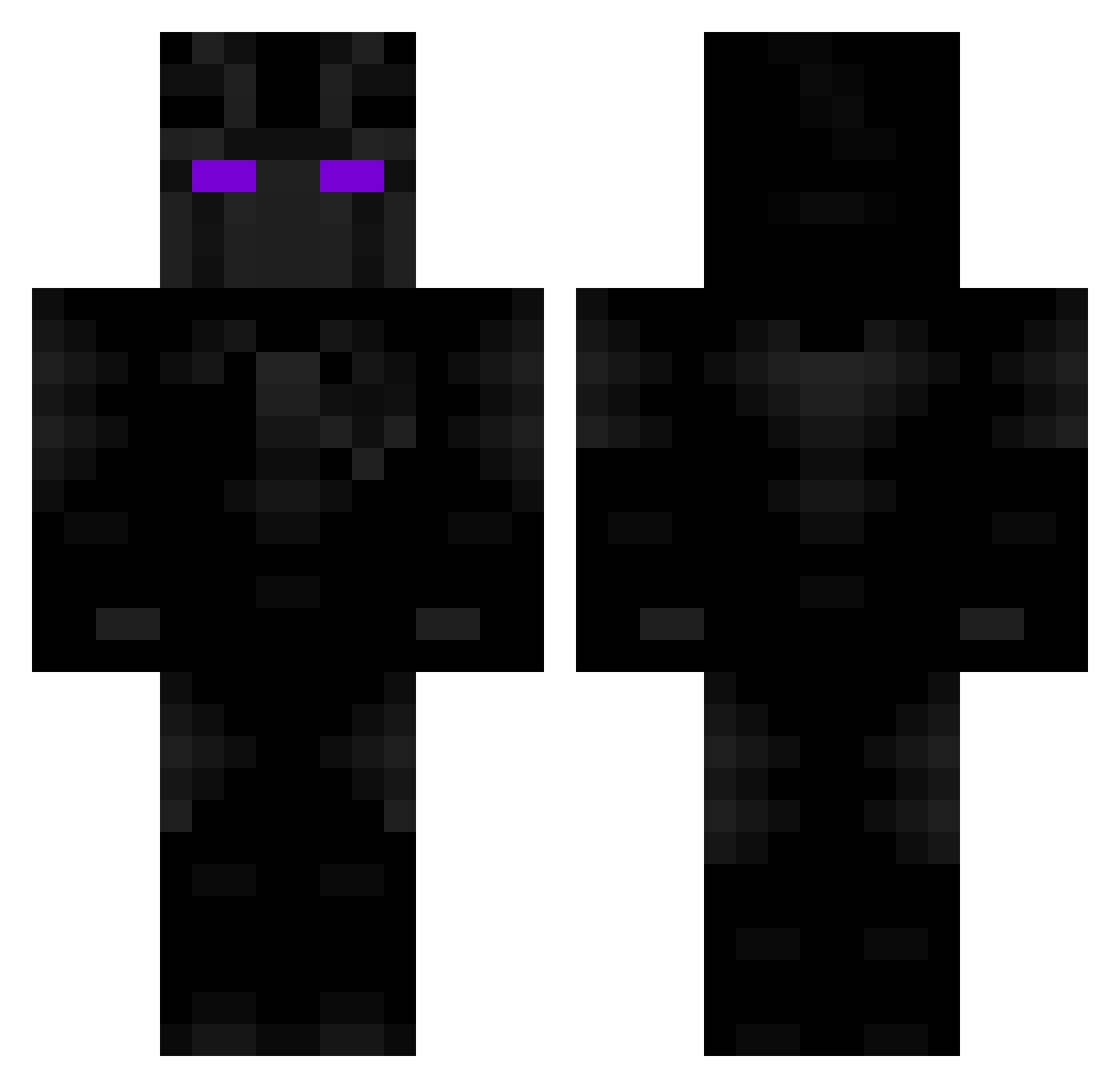
Current Minecraft skin of the player ppw, loaded from the official Mojang API. Rotate the 3D model with your mouse or finger, then download the skin as a PNG file and use it in Minecraft: Bedrock Edition or Java Edition for free. When ppw changes their skin, this page updates automatically and the old skin stays in the history below.
Other players with this skin (138)
ppw was the 100th player we have seen with this skin, first spotted on 24.10.2026. The same skin was seen on these players. Open a nickname to see their current skin and skin history.
 iamhvbi yoshi9499 Zexcc itsM21x Aleshu Kopacz69 ZoukyTV p33p_ Deadly__ JackSins_2cm VenoOnTheDecks otnaa YetiMaster DiamondKilic lqddd annen12 SHADOWMAN16135 ChapliKabab byteme_xo k3m0 Tiptops Turm2017 ICIYEAH FGMCplayz_639 OpulentWidget32 Idg2012 Ugilt lytj teextrano Pandorazu DuoShinGaming RTX3000 MIKKEL7002 Rylee2K play3r0ne IamMrSlayer Nerox72 JirgoX Keepcik Sad_Poptart PhantomIsHere_ Tragiic_Josh7 lpulici6 KILER1111 Lazy_Loris Hxrbottle Hero_24 fire_is_hot1 Kondzio_ziomal Auspiciousness MrRob1 Rutec lamandaldutitan JankyJesus MisterYumbo BodyWork BlueRiceGamer Blaize55 Sayonite Metzym
More Black Panther Minecraft skins
See all 387 Black Panther skins
How to install the ppw skin
- Press the Download button above to save the skin as a PNG file.
- Minecraft: Bedrock Edition (PE): open the Dressing Room from the main menu (or tap your character → Edit Character), go to Classic Skins → Owned, press the + (new skin) button, choose the downloaded PNG and pick the Classic (Steve) model. Works on PC and mobile; consoles cannot import custom skins.
- Minecraft: Java Edition: open the Minecraft Launcher, go to the Skins tab, click New Skin, load the PNG, pick the Classic (Steve) model and press Save & Use. You can also upload it at minecraft.net → Profile → Change Skin.
The skin does not show up after import - what should I do?
Restart Minecraft and open the Dressing Room again - imported skins sometimes appear only after a restart. Also make sure you selected the imported skin and picked the Classic (Steve) model.
Which model should I choose, Classic or Slim?
This skin is designed for the Classic (Steve) model. If you pick the wrong model, the arms of the skin will look stretched or squeezed.
Is the skin of ppw free to download?
Yes. Press Download, save the PNG file and use it in Minecraft: Bedrock Edition or Java Edition - no payment or registration needed. The skin also works on multiplayer servers and Realms.
More skins
Looking for more? Go back to all Minecraft skins and check the top skins of the week, month and all time, or find any player's skin by nickname.