
porkka - Minecraft Skins & Skin History
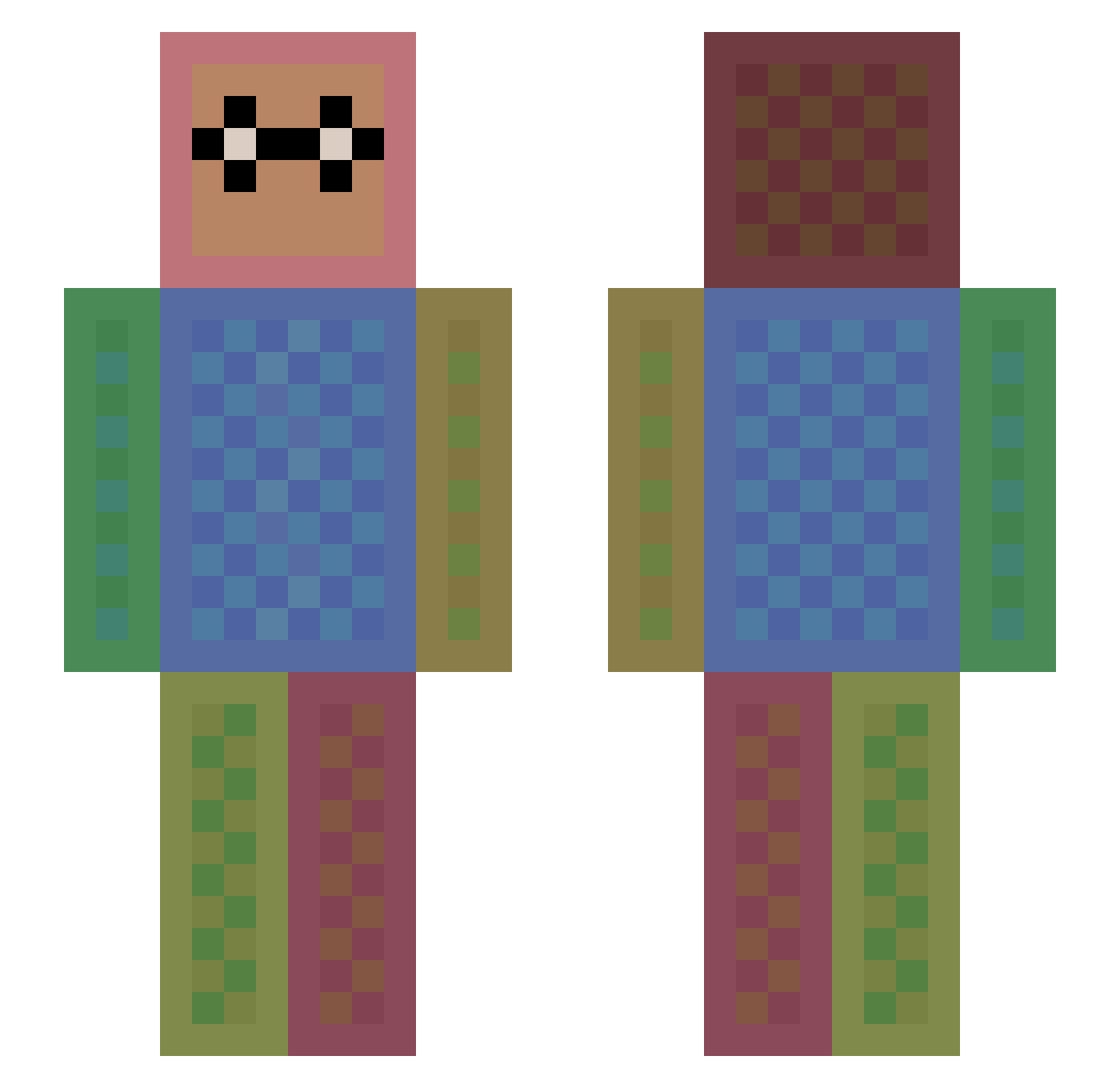
Current Minecraft skin of the player porkka, loaded from the official Mojang API. Rotate the 3D model with your mouse or finger, then download the skin as a PNG file and use it in Minecraft: Bedrock Edition or Java Edition for free. When porkka changes their skin, this page updates automatically and the old skin stays in the history below.
Other players with this skin (1116)
porkka was the 811th player we have seen with this skin, first spotted on 28.09.2026. The same skin was seen on these players. Open a nickname to see their current skin and skin history.
 Kadaff soccergirl_113 OfficerIan12763 dswr Likeme447 Blockuser2k Mr_Raph_Da Geodude49 gabeydee taichi3242 pecomovil ChickenJuice0205 stephanywolf EvilHatchling arrowone Andrew1992 Fabian1511 deefunkt420 CreightonU Miranda3 tessamanda Nebulaz007 Riggy22 Funometer geoben thunder320 thediamond234 Gizzy58 Henkums Tristannos robotic_r Canvasback MeneertjeBuild Mrozik1999 hooknc maya8 youtotube OCDesign janicecml MockMock30 Dinamite267 JunGod_ DaniPa44 cb51 oODizzYOo NathanMcI22 BostonTDM Soiscool parksungbin D9_LoZ arlenc pokemonfan2006 HOlEEEEE happyspring algamdi Drvo moratoire Kawusan usagi309 WelkinSeeker
How to install the porkka skin
- Press the Download button above to save the skin as a PNG file.
- Minecraft: Bedrock Edition (PE): open the Dressing Room from the main menu (or tap your character → Edit Character), go to Classic Skins → Owned, press the + (new skin) button, choose the downloaded PNG and pick the Slim (Alex) model. Works on PC and mobile; consoles cannot import custom skins.
- Minecraft: Java Edition: open the Minecraft Launcher, go to the Skins tab, click New Skin, load the PNG, pick the Slim (Alex) model and press Save & Use. You can also upload it at minecraft.net → Profile → Change Skin.
The skin does not show up after import - what should I do?
Restart Minecraft and open the Dressing Room again - imported skins sometimes appear only after a restart. Also make sure you selected the imported skin and picked the Slim (Alex) model.
Which model should I choose, Classic or Slim?
This skin is designed for the Slim (Alex) model. If you pick the wrong model, the arms of the skin will look stretched or squeezed.
Is the skin of porkka free to download?
Yes. Press Download, save the PNG file and use it in Minecraft: Bedrock Edition or Java Edition - no payment or registration needed. The skin also works on multiplayer servers and Realms.
More skins
Looking for more? Go back to all Minecraft skins and check the top skins of the week, month and all time, or find any player's skin by nickname.