
poolroom - Minecraft Skins & Skin History
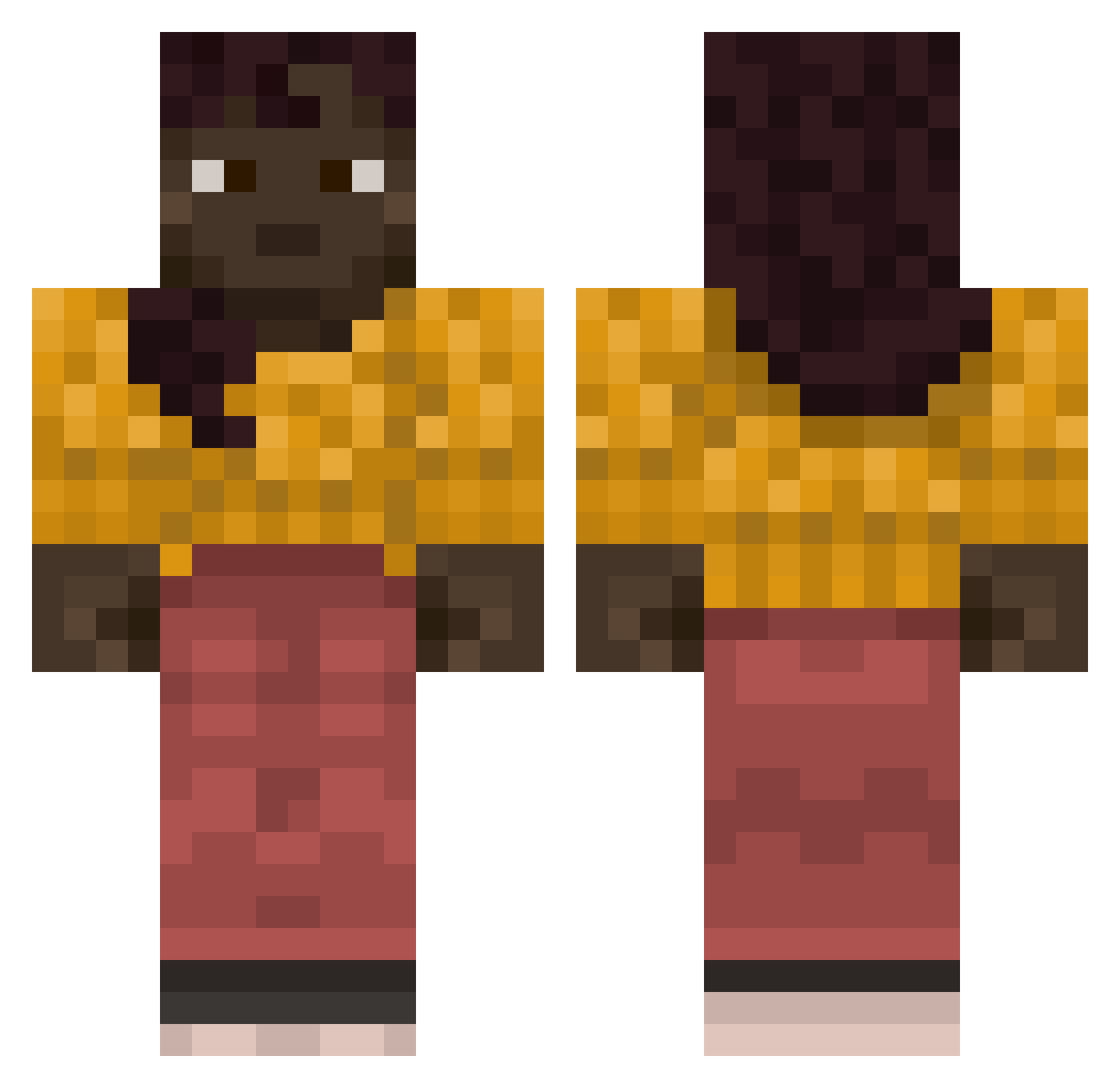
Current Minecraft skin of the player poolroom, loaded from the official Mojang API. Rotate the 3D model with your mouse or finger, then download the skin as a PNG file and use it in Minecraft: Bedrock Edition or Java Edition for free. When poolroom changes their skin, this page updates automatically and the old skin stays in the history below.
Other players with this skin (877)
poolroom was the 628th player we have seen with this skin, first spotted on 12.10.2026. The same skin was seen on these players. Open a nickname to see their current skin and skin history.
 Transposition GarnetBerry nosema xdxzxxzxzcx JasxnTxxmmy_4 Zygomycetes SeglarJonte420 UnderSound HBG_SAMENEX zogas ShaunChong cizm23 CollapsedPuma continuance Polari zWeaved doardinha13 EllieJoxo Proboscidean Deairs Sync171 goosewing V4Valhalla Fraizouille Dessous NonVoice isabel2003 doctorass_ Guaslew231452 Royster Elbuck repercuss bellmouth Anatomization Constative coppet guric VGKoopa Mebsuta Kier choppier Flaribox watchet Flagstones Abominated boro Telegonic PreDefined Ashant1 h0neysea DarkerChocolate n0raroos Reedy imaferryfemboy1 Gris enlaced kpma85 Clumsiest Hoopla Mathiasss17
More Girl Minecraft skins
How to install the poolroom skin
- Press the Download button above to save the skin as a PNG file.
- Minecraft: Bedrock Edition (PE): open the Dressing Room from the main menu (or tap your character → Edit Character), go to Classic Skins → Owned, press the + (new skin) button, choose the downloaded PNG and pick the Classic (Steve) model. Works on PC and mobile; consoles cannot import custom skins.
- Minecraft: Java Edition: open the Minecraft Launcher, go to the Skins tab, click New Skin, load the PNG, pick the Classic (Steve) model and press Save & Use. You can also upload it at minecraft.net → Profile → Change Skin.
The skin does not show up after import - what should I do?
Restart Minecraft and open the Dressing Room again - imported skins sometimes appear only after a restart. Also make sure you selected the imported skin and picked the Classic (Steve) model.
Which model should I choose, Classic or Slim?
This skin is designed for the Classic (Steve) model. If you pick the wrong model, the arms of the skin will look stretched or squeezed.
Is the skin of poolroom free to download?
Yes. Press Download, save the PNG file and use it in Minecraft: Bedrock Edition or Java Edition - no payment or registration needed. The skin also works on multiplayer servers and Realms.
More skins
Looking for more? Go back to all Minecraft skins and check the top skins of the week, month and all time, or find any player's skin by nickname.