
pond024 - Minecraft Skins & Skin History
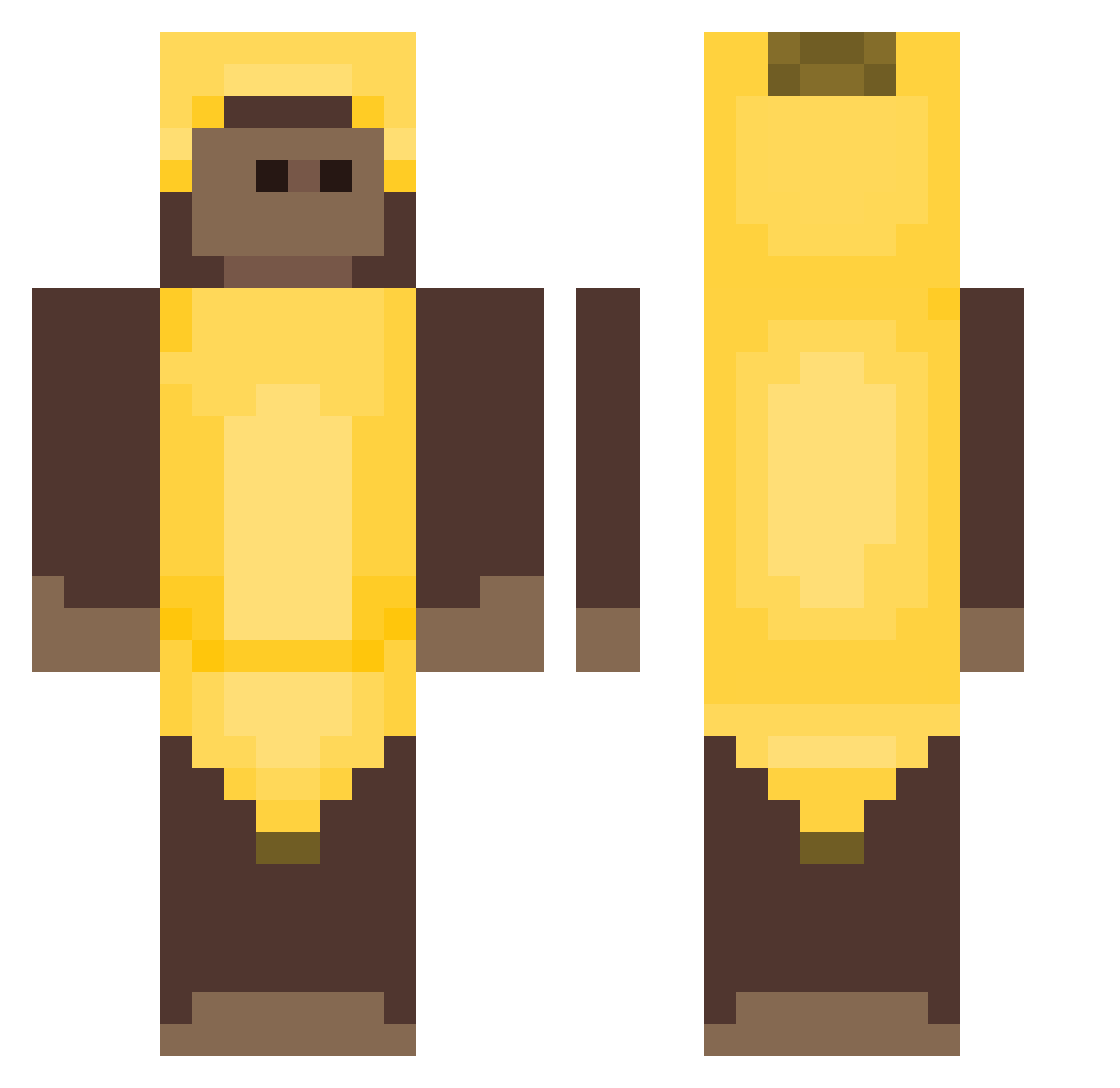
Current Minecraft skin of the player pond024, loaded from the official Mojang API. Rotate the 3D model with your mouse or finger, then download the skin as a PNG file and use it in Minecraft: Bedrock Edition or Java Edition for free. When pond024 changes their skin, this page updates automatically and the old skin stays in the history below.
Other players with this skin (407)
pond024 was the 184th player we have seen with this skin, first spotted on 14.09.2026. The same skin was seen on these players. Open a nickname to see their current skin and skin history.
 macaco2023 BrickySoda5843 alvihugo who1s3mma ch3nz GibGlup UnknownHearts xiczx g_beebee lqkyee Shishibre KAOLO99 coolguy878578 Strogonoffdetatu MauzeX 12emil11 32Lunar23 nvryc Sakuraisuselesss Koss sulleuk_ Haideng05 W1nston_HQ Vaufff bdns ghostface2crazy BOZERNATOR MRMACMAC2 Guicardi22 IEatFish298 MUUSTARDDDDDD pingdal
 yizid unluqy Bane_mC 1wierzba1 DesiredEight10 LordOfCrocodile Thomas580 akz10 Mallern_ realCrypt Royoo niusha DukeBlue313 CapitanCogollo Eddietin Zadobga DressyBubble23 Markizinha ZurnaciKoala bag_uwu_bag PICKLEL0TI0N Ilusinex changjin0121 xiiiiiiiiiiiu19 catasv dlcowns07 Darvac MIGOSM
More Banana Costume Minecraft skins
See all 52 Banana Costume skins
How to install the pond024 skin
- Press the Download button above to save the skin as a PNG file.
- Minecraft: Bedrock Edition (PE): open the Dressing Room from the main menu (or tap your character → Edit Character), go to Classic Skins → Owned, press the + (new skin) button, choose the downloaded PNG and pick the Classic (Steve) model. Works on PC and mobile; consoles cannot import custom skins.
- Minecraft: Java Edition: open the Minecraft Launcher, go to the Skins tab, click New Skin, load the PNG, pick the Classic (Steve) model and press Save & Use. You can also upload it at minecraft.net → Profile → Change Skin.
The skin does not show up after import - what should I do?
Restart Minecraft and open the Dressing Room again - imported skins sometimes appear only after a restart. Also make sure you selected the imported skin and picked the Classic (Steve) model.
Which model should I choose, Classic or Slim?
This skin is designed for the Classic (Steve) model. If you pick the wrong model, the arms of the skin will look stretched or squeezed.
Is the skin of pond024 free to download?
Yes. Press Download, save the PNG file and use it in Minecraft: Bedrock Edition or Java Edition - no payment or registration needed. The skin also works on multiplayer servers and Realms.
More skins
Looking for more? Go back to all Minecraft skins and check the top skins of the week, month and all time, or find any player's skin by nickname.