
polarbear092 - Minecraft Skins & Skin History
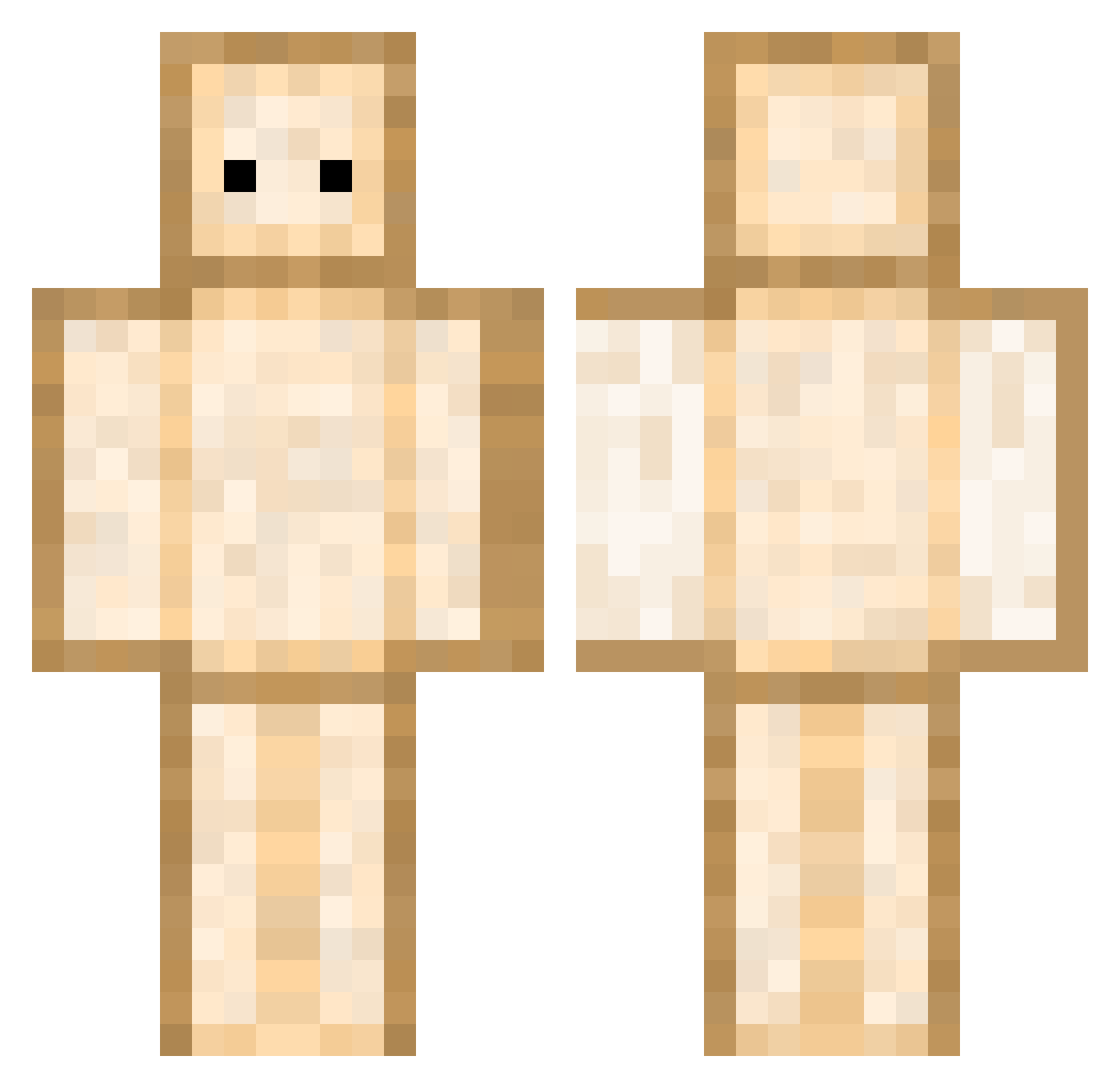
Current Minecraft skin of the player polarbear092, loaded from the official Mojang API. Rotate the 3D model with your mouse or finger, then download the skin as a PNG file and use it in Minecraft: Bedrock Edition or Java Edition for free. When polarbear092 changes their skin, this page updates automatically and the old skin stays in the history below.
Other players with this skin (344)
polarbear092 was the 288th player we have seen with this skin, first spotted on 06.10.2026. The same skin was seen on these players. Open a nickname to see their current skin and skin history.
 haloo_kitty minho22 PhatLeak ManyTheManly Carlos2gm2 ISeeFood Swarkii Rita124 RawmaenYT GrzankaXD JemGoferki 32B330 Nixral ibokaya52 Misspeche wbangna TheTutur Captainharibo souuuuu1128 Czarnybrzdac TripenZ Mimi_2012 vicenteark13_ Zaid300 Ko_Cheng QuadelQuiver EdenMeOut Doinko MisDomis0 ItsMeAYS 100darius200 CianuroRebot ANR055 ElNorden h4n731l KillerBunny96 goomba006 PartAsian Veyron31 Ocgd The_Dunk_Man SKIPSTA28 t_H4nkzz_T13Yz schockimiuch Lenislaww 9rumee Not_Donuts Riyuuuzaki SSAMM00 Onyou01 VitoVader _plaYYar_ Eqlzrr Teennss CuddlyPanda8905 soyeon23478 Plasm4_Tech Wilson22035 IronMan_Jason Toasted4life
More Toast Minecraft skins
How to install the polarbear092 skin
- Press the Download button above to save the skin as a PNG file.
- Minecraft: Bedrock Edition (PE): open the Dressing Room from the main menu (or tap your character → Edit Character), go to Classic Skins → Owned, press the + (new skin) button, choose the downloaded PNG and pick the Classic (Steve) model. Works on PC and mobile; consoles cannot import custom skins.
- Minecraft: Java Edition: open the Minecraft Launcher, go to the Skins tab, click New Skin, load the PNG, pick the Classic (Steve) model and press Save & Use. You can also upload it at minecraft.net → Profile → Change Skin.
The skin does not show up after import - what should I do?
Restart Minecraft and open the Dressing Room again - imported skins sometimes appear only after a restart. Also make sure you selected the imported skin and picked the Classic (Steve) model.
Which model should I choose, Classic or Slim?
This skin is designed for the Classic (Steve) model. If you pick the wrong model, the arms of the skin will look stretched or squeezed.
Is the skin of polarbear092 free to download?
Yes. Press Download, save the PNG file and use it in Minecraft: Bedrock Edition or Java Edition - no payment or registration needed. The skin also works on multiplayer servers and Realms.
More skins
Looking for more? Go back to all Minecraft skins and check the top skins of the week, month and all time, or find any player's skin by nickname.